Garage Bookkeeping Automation: The Best Way to Ditch the Shoebox of Receipts
Nearly a quarter of sole traders (23%) say they’re thinking about going back to full-time employment, purely to escape the admin that the new digital tax rules bring with them. That’s from a Taxfix study of 1,000 sole traders earning over £50,000, reported by Accountancy Age. If that figure doesn’t make you rethink how your garage handles its books, nothing will.
This is a look at what actually strips the manual data entry out of a workshop’s finances. Reading supplier bills. Keeping VAT right. Syncing to your accountant. Getting paid without chasing. Everything below is how Torqueflow handles the money side of the garage, one part at a time.
Key takeaways
- Bookkeeping automation handles invoicing, VAT, payments and Xero syncing without anyone typing figures twice.
- AI invoice scanning reads supplier bills and pulls out the line items automatically, cutting hours of admin a week.
- Live two-way Xero integration keeps your accounts current in real time, not at month end.
- Torqueflow is per bay, £75 on annual billing or £100 monthly, with no tiers and nothing feature-gated (pricing).
- Online and card payments cut the chasing that eats a service advisor’s day.
- A branded customer portal lets customers view and pay invoices without a single phone call.
What garage bookkeeping automation actually means
It’s software that takes the manual data entry out of a workshop’s financial admin. Invoices, VAT, supplier bills and payments all move through one system instead of living in spreadsheets, paper files and a separate accounts package that never quite agrees with the others.
Making Tax Digital is what’s forcing the issue. As the filing rules tighten for sole traders and small businesses, the admin load climbs. Accountancy Age found 27% of sole traders expect to spend significantly more time on admin each month because of the new digital requirements. For a garage already stretched between the ramp and the front desk, that time has to come from somewhere. Automation is where it comes from.
Best for the biggest time sink: AI invoice scanning
Supplier invoices are the worst of it. Someone opens the email, reads the PDF, types the line items in, and checks the VAT is right. Do that forty times a month and it’s most of a day gone.
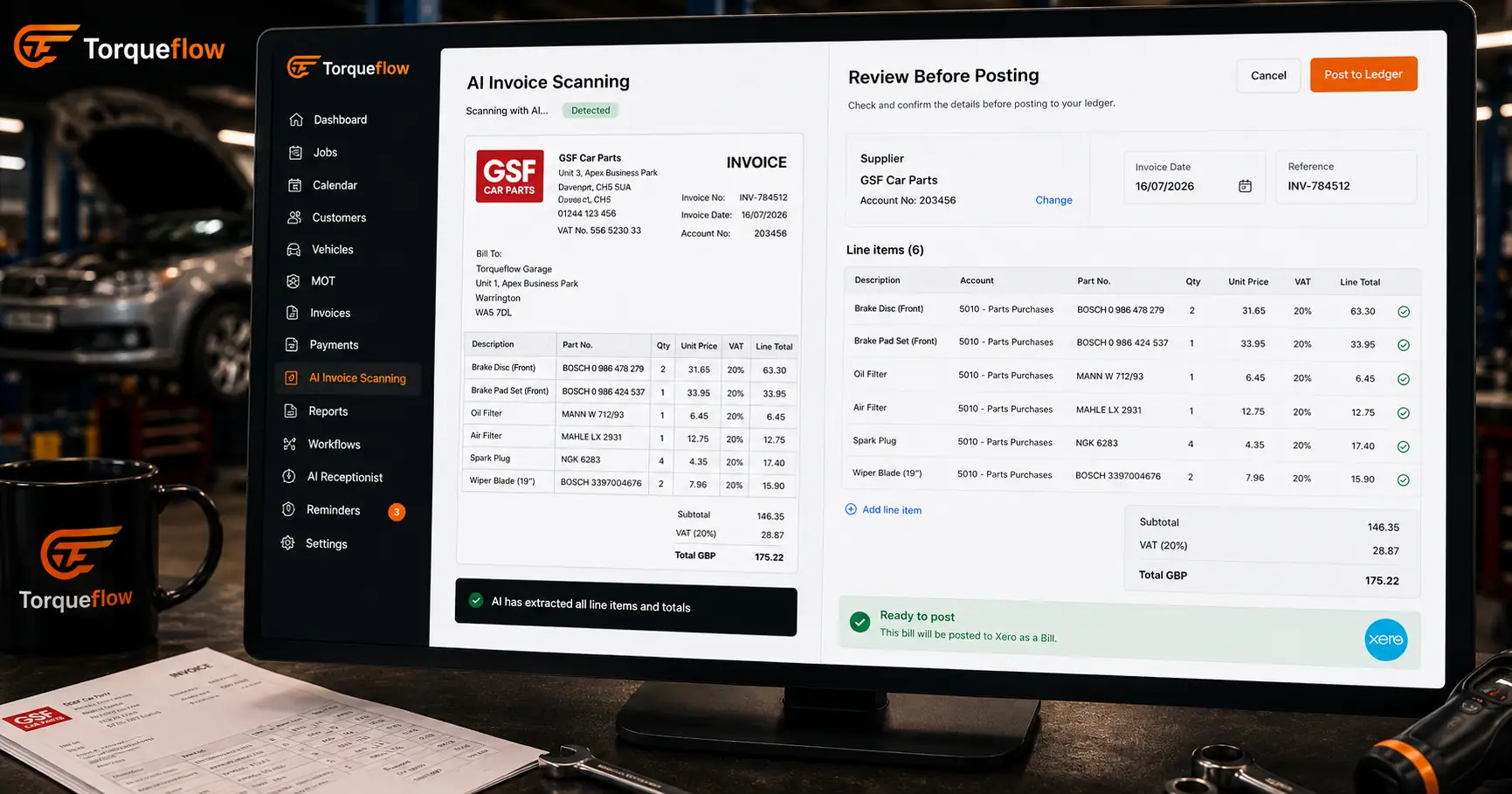
AI invoice scanning removes the typing. The AI pulls the supplier details, document number, line items, totals and VAT straight off the document, whether it lands as a forwarded email, a dragged-in PDF, or a photo snapped on a phone at the parts counter.
We built this because garage owners kept telling us the same thing: the purchase invoices pile up because nobody has time to key them in. A review screen lets you check the AI’s work before anything posts, so accuracy stays high and you’re reading rather than typing.
Three ways in, email forwarding, drag-and-drop, or a phone photo, means it fits around however your suppliers already send bills. Nobody has to change their habits for it to work.
Best for real-time accounts: live Xero sync
Automation only counts if it reaches where your accountant actually works. That’s why the Xero integration is two-way and live.
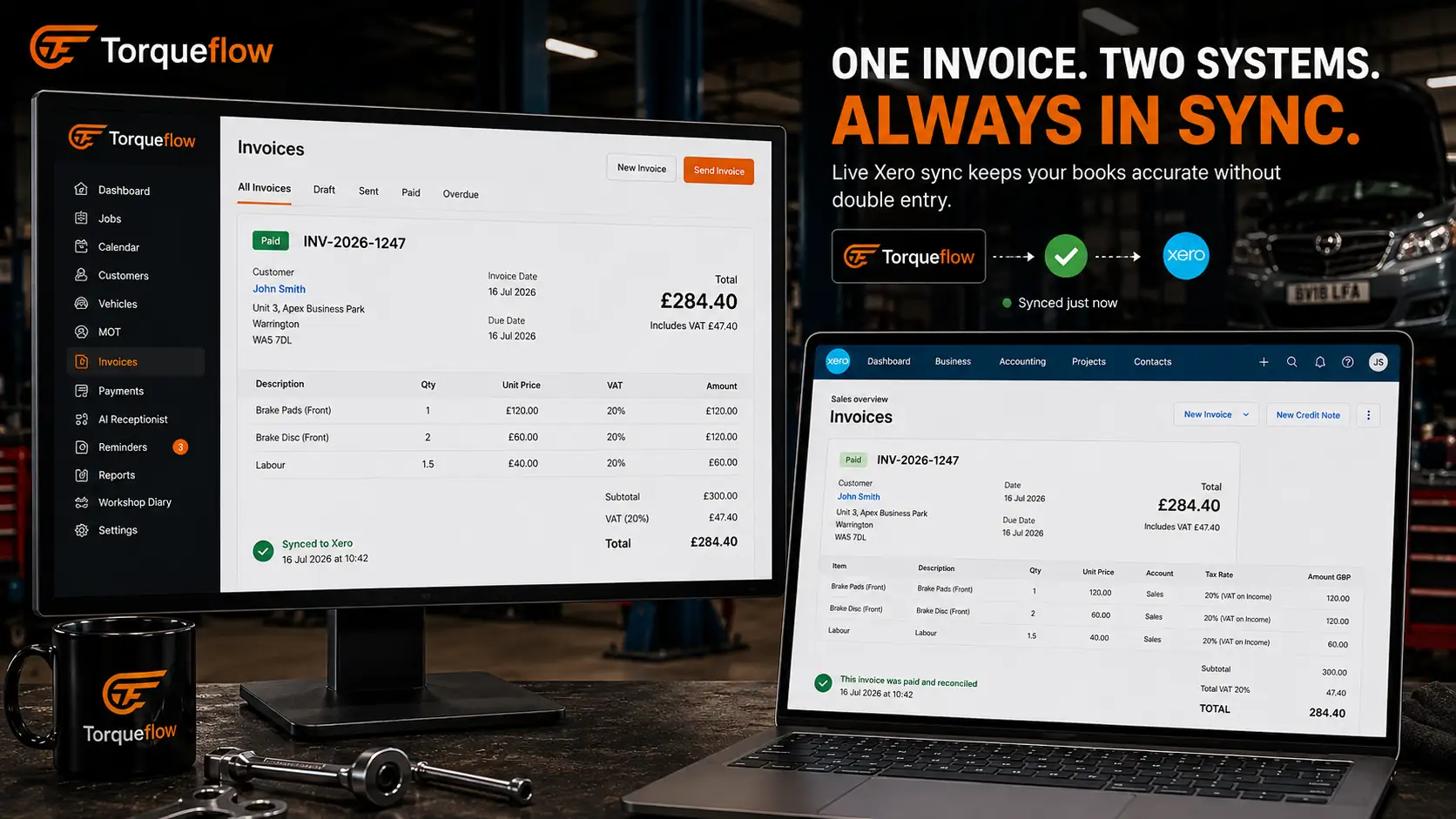
Every invoice raised in the workshop syncs to Xero on its own. Payments recorded against an invoice flow back the other way, so nobody’s left reconciling two ledgers by hand. Nominal codes map once during setup, and after that the sync runs quietly in the background. Connection status is on show the whole time, so if something breaks you see it that day, not three weeks later at reconciliation.
The Xero connection costs 50 credits per connected Xero organisation each month, roughly £4. That’s a small price for never touching a spreadsheet reconciliation again.
Did you know? 53% of sole traders say their accountant or tax advisor hasn’t properly explained the Making Tax Digital changes to them. Source: Accountancy Age.
Best for the whole money journey: invoices, VAT and reporting
A real finance setup has to run the whole journey, not one slice of it. Torqueflow’s finance and invoicing module handles it from quote to payment to ledger.
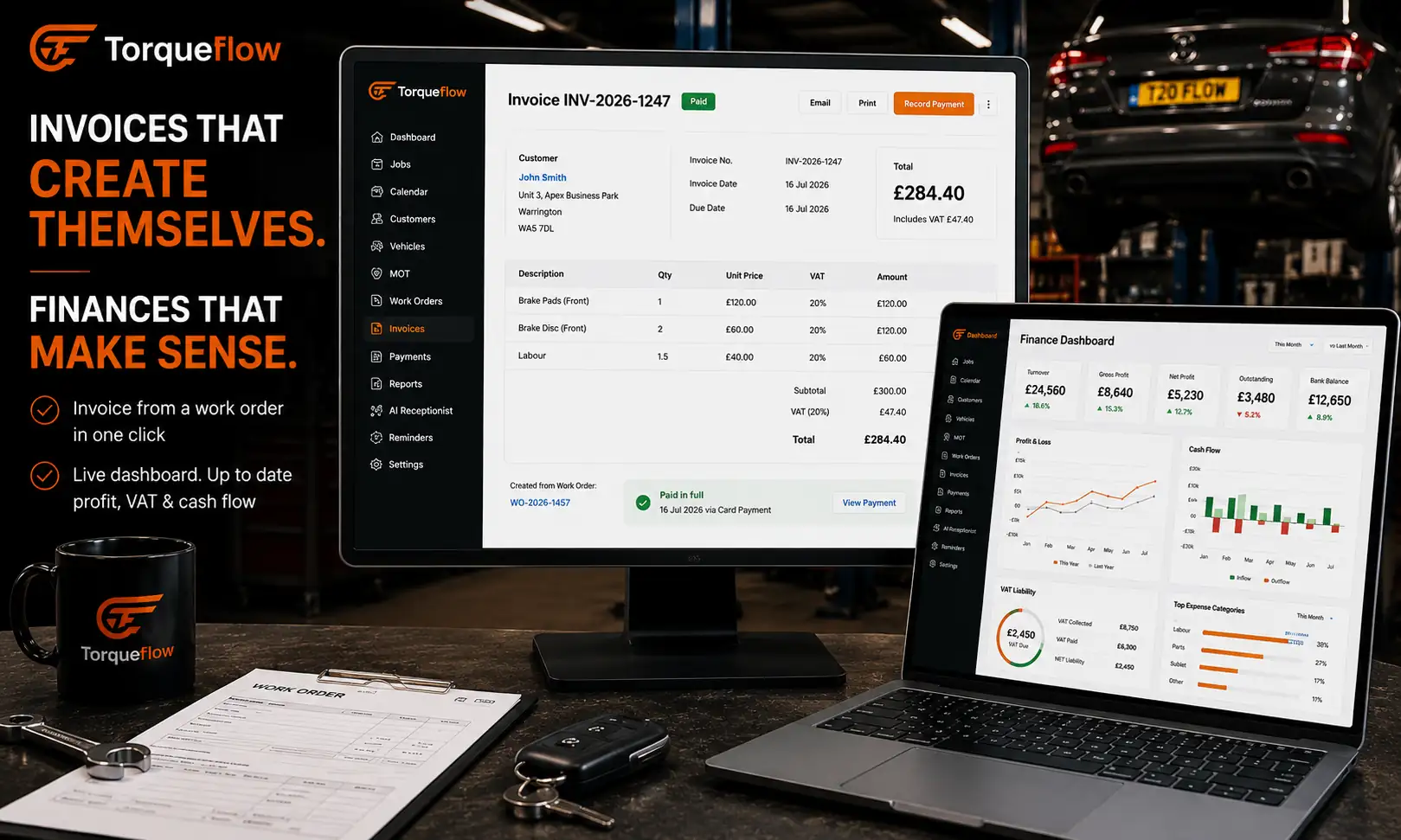
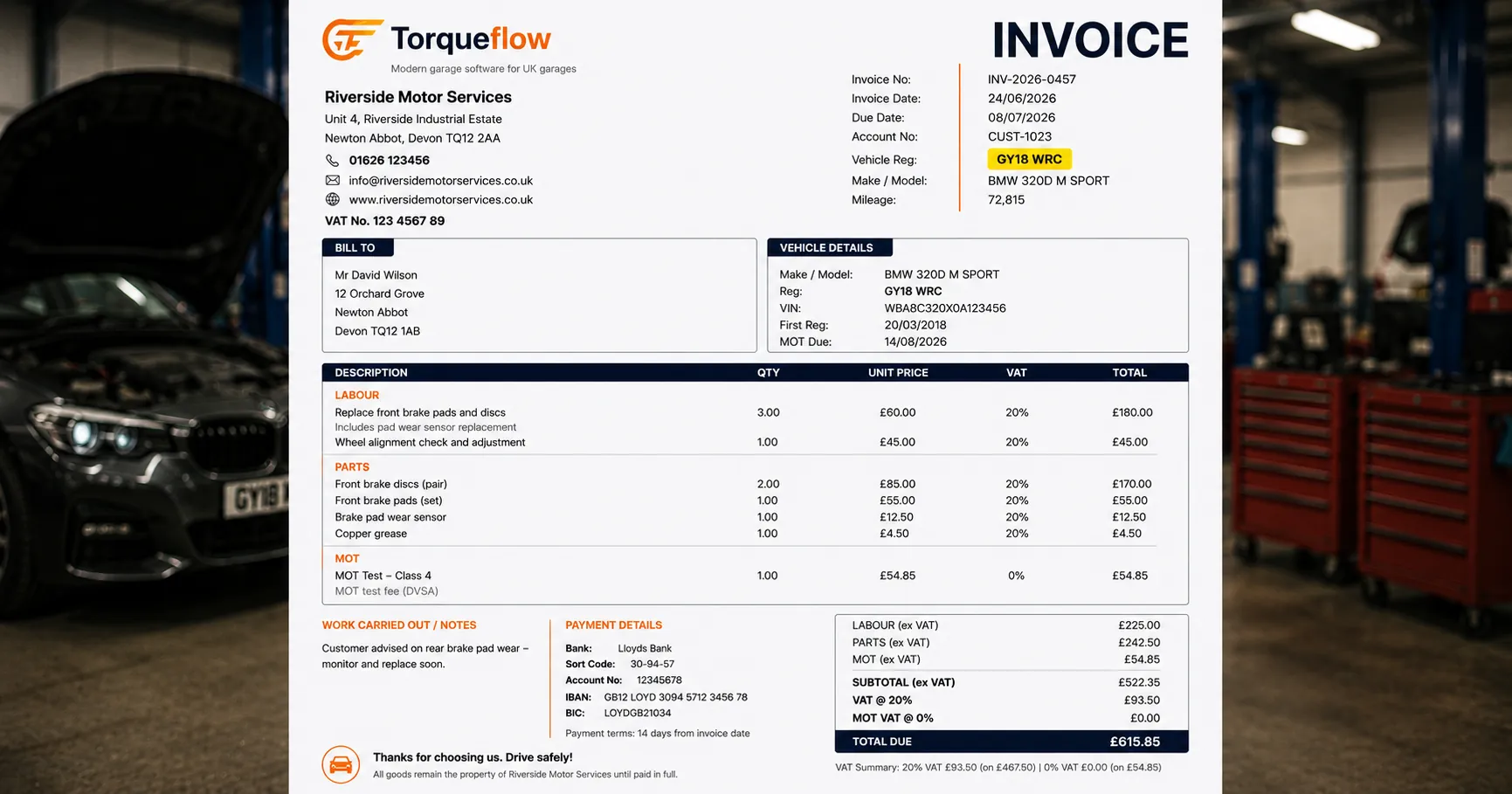
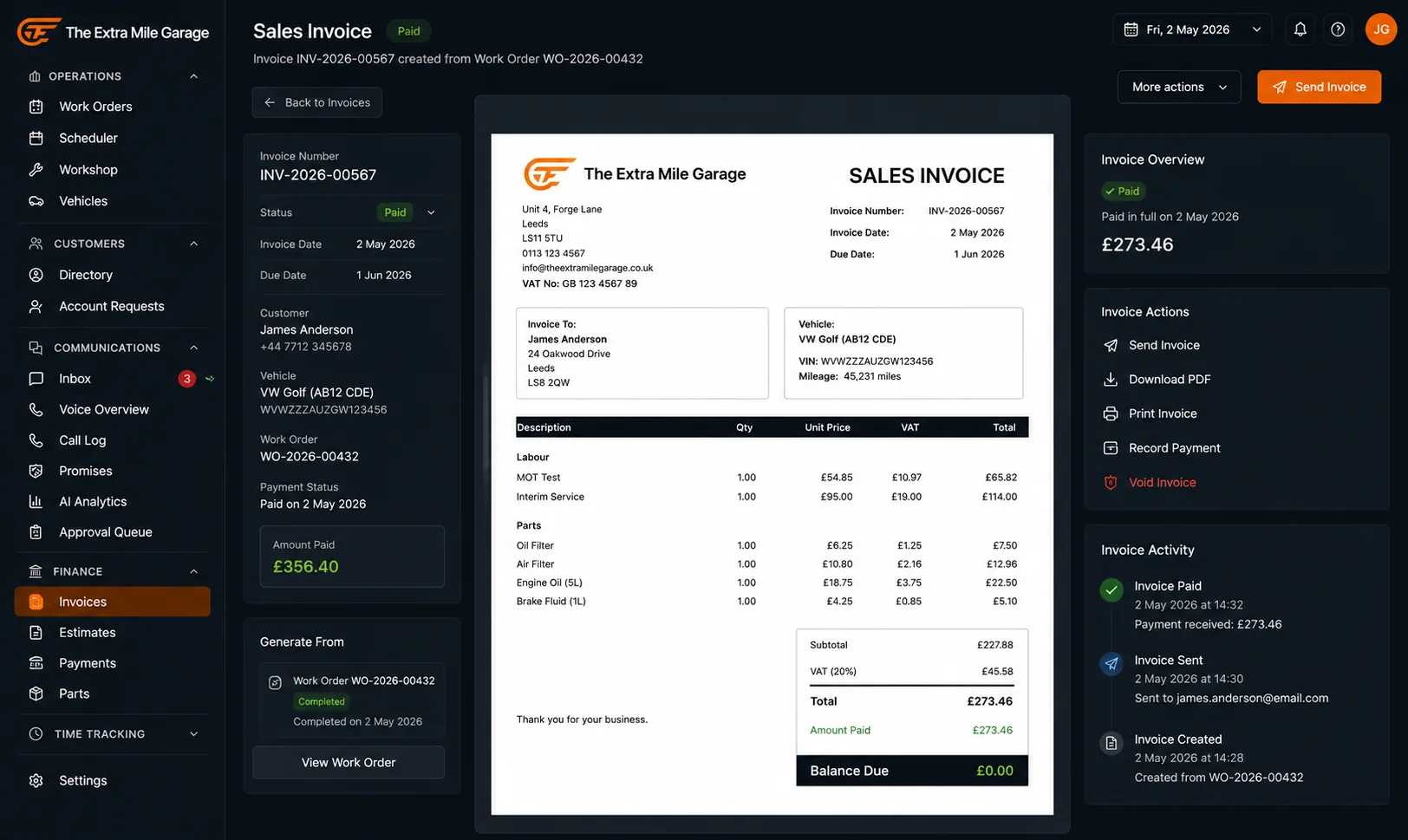
Invoices generate straight from the work order, so there’s no re-typing labour lines or part numbers. Dual-copy PDFs give the customer a clean invoice while the workshop keeps its own record automatically. UK VAT is built in, including the zero-rated treatment on MOT labour, so nobody has to remember the rule. Credit notes and voids are handled inside the same system, so nothing needs correcting somewhere else.
The reports pull from live data, so you know where the garage stands without waiting for a bookkeeper to build a spreadsheet. Standalone quotes feed the same system too, over on the standalone quote builder.
Best for getting paid faster: online and card payments
Automating the books doesn’t help much if invoices still sit unpaid for weeks. Online payments and card payments close that gap.
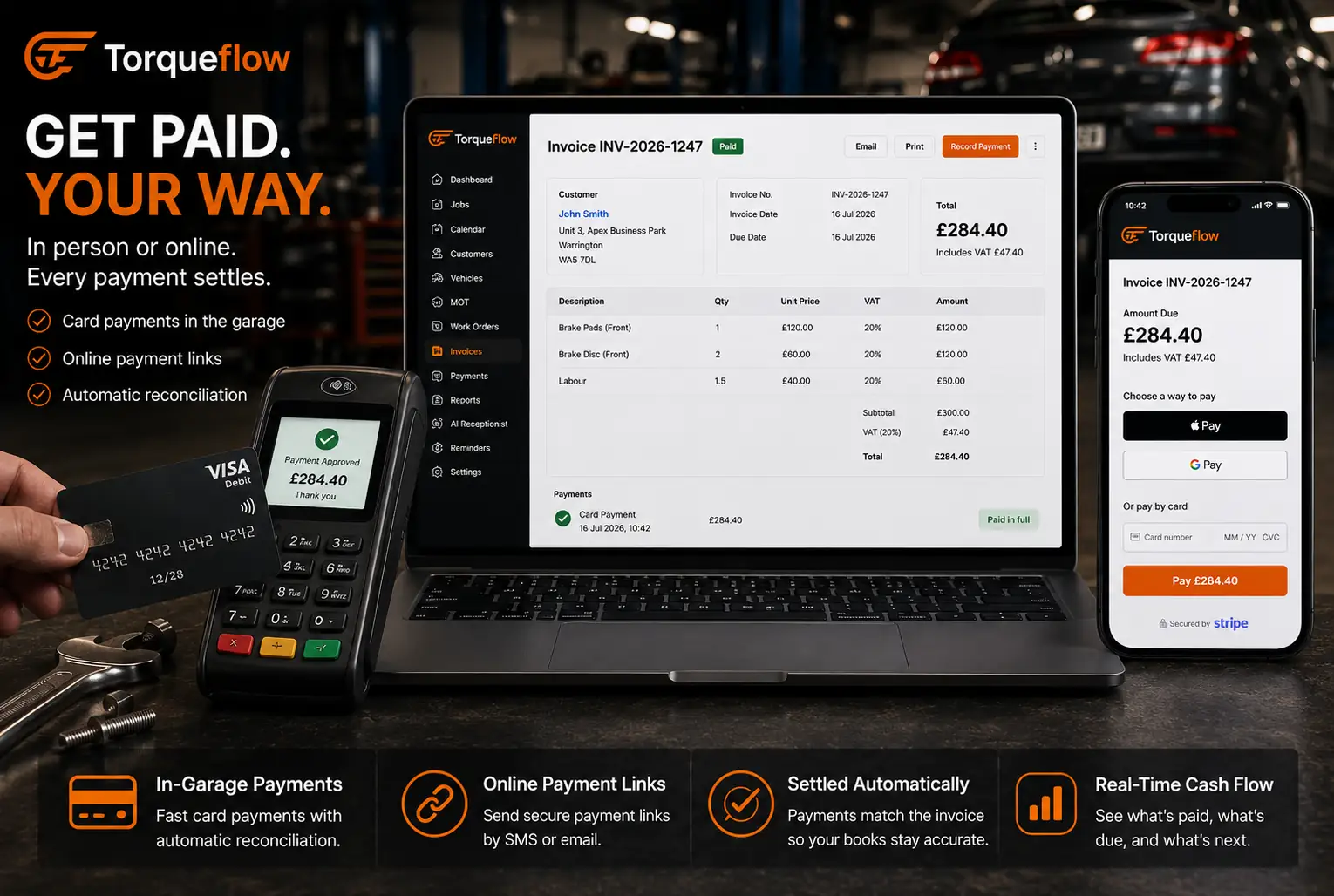
Stripe Pay Now buttons, email and SMS payment links, and statement links that settle every outstanding invoice at once all shrink the time between finishing a job and getting paid for it. Card terminals at the front desk handle the in-person side the same way. Every payment reconciles against the right invoice automatically and feeds back into the same ledger that syncs to Xero. Fewer hands touch the money on its way from customer to account.
Best for cutting the phone calls: customer portal and MOT admin
A big chunk of garage admin isn’t the bookkeeping. It’s the calls chasing payment, confirming bookings, and answering “where’s my car”. The customer portal takes most of that off the phone.
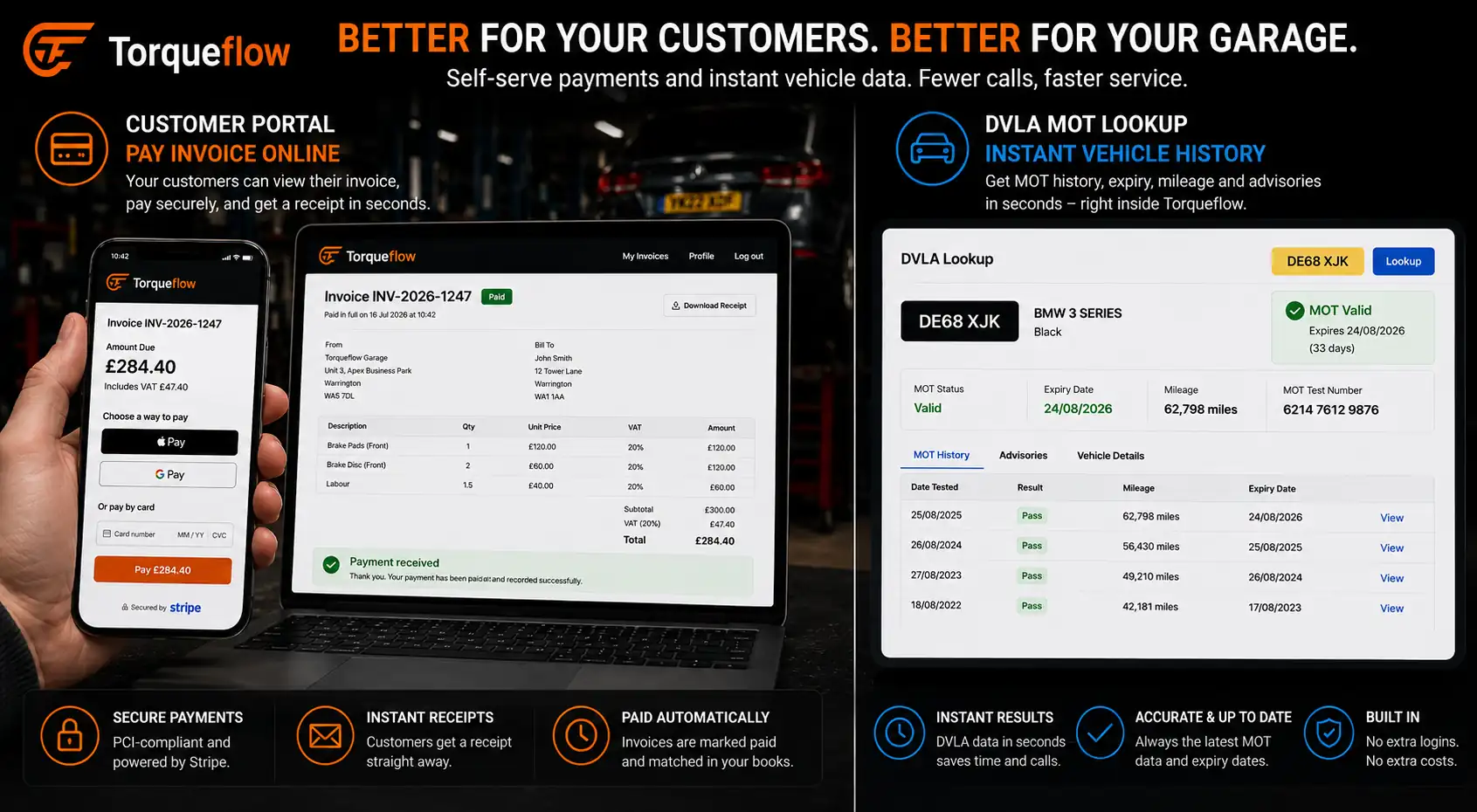
Customers view quotes, invoices, service history and messages in one branded portal, and pay invoices from the same screen. That’s calls the front desk never has to make.
MOT management sits alongside it, pulling vehicle data and MOT history straight from DVLA, sending automatic reminders, and applying the zero-rated VAT to MOT labour without anyone thinking about it.
Best for joining it all up: workshop visibility
The books work best when they’re wired to what’s happening on the floor. Workshop management gives a live view of every job, every bay and every technician.
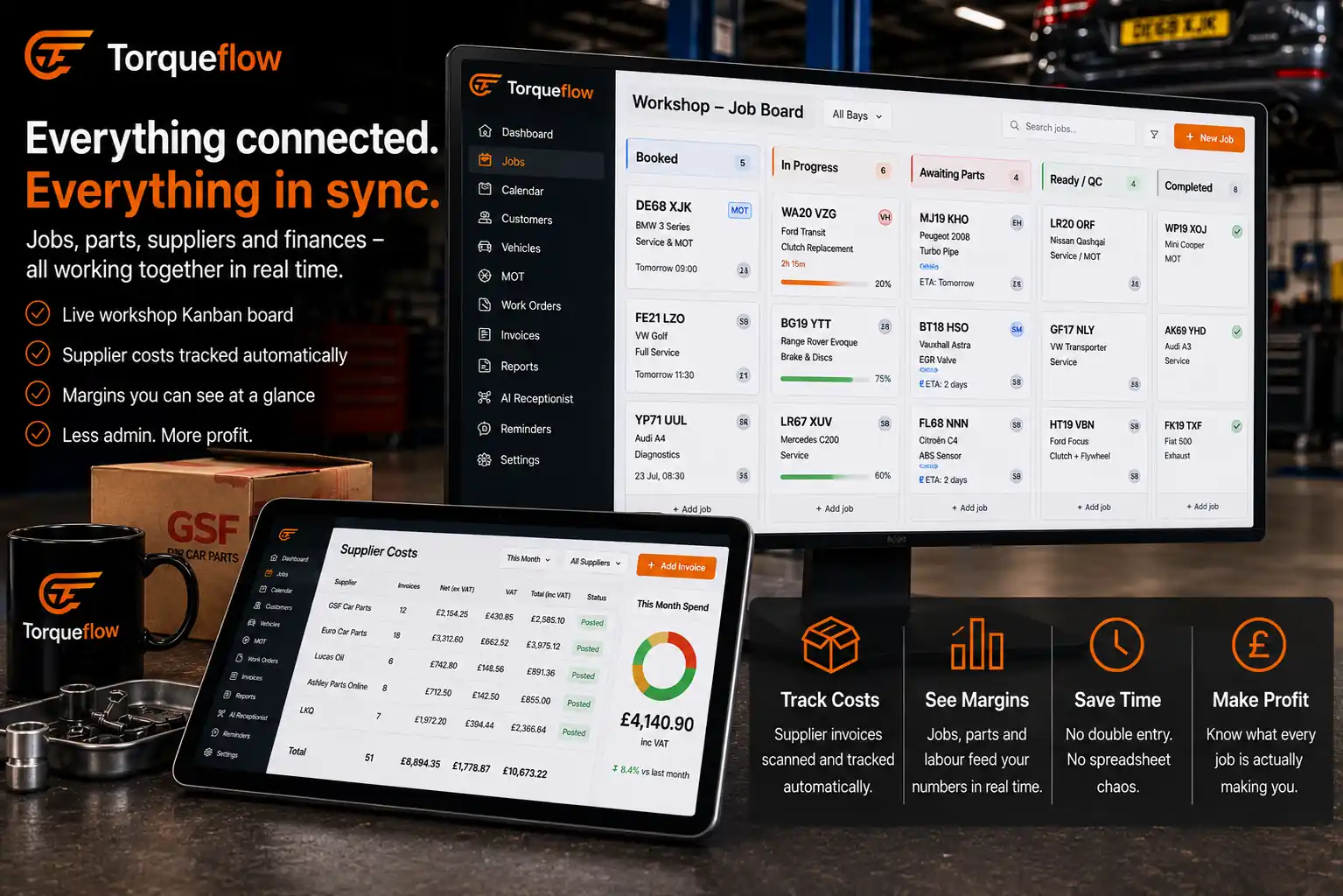
Labour pricing, technician commission and supplier costs all draw on the same data the Kanban board and bay scheduler use. So the numbers in your accounts match what actually happened in the workshop, not an estimate typed in afterwards. Run more than one site and every branch gets the same, pulled together on the multi-location page.
Did you know? Self-employed individuals earning over £50,000 must comply with Making Tax Digital for Income Tax from April 2026. Source: Grenfell James Associates.
What it costs
Cost is usually the first question, and it’s a fair one. Torqueflow’s pricing is per bay: £75 a bay on annual billing, or £100 a bay if you’d rather pay monthly. Every feature is included and there are no tiers.
| Feature | Included |
|---|---|
| AI invoice scanning | Yes |
| Two-way Xero sync | Yes |
| Online and card payments | Yes |
| MOT management and DVLA lookup | Yes |
| Customer portal | Yes |
| Voice AI receptionist | Yes |
There’s no add-on fee for invoicing or payments as separate modules. That matters when you’re lining several systems up side by side, because the sticker price on a rival is often only part of what you’d actually pay.
Best for switching: Torqueflow vs Garage Hive vs Techman
Plenty of garages already run some kind of management software but find the bookkeeping side bolted on rather than built in. The garage software comparison breaks down how the major UK platforms stack up feature by feature.
The Torqueflow vs Garage Hive comparison covers setup speed and AI depth head to head. If you’re moving off a legacy system, the Torqueflow vs Techman read is the more relevant one.
Garages switching software aren’t after more features. They’re after fewer steps between doing the work and getting paid for it.
Getting started
Switching feels like the biggest barrier, and it usually isn’t. The getting started guide walks through data import from legacy systems like Techman, a guided setup wizard, and a 30-day free trial with a £1 card verification that reverses on its own.

Branding, role-based access and onboarding documents are set up in the same pass, so the garage runs under its own name from day one. Questions specific to your setup are quickest to sort on the contact page, and the about page covers who builds and supports it.
Where to start
Digital tax rules are tightening and the admin isn’t getting lighter. The thing worth fixing first is the one that costs you the most time now, and for most garages that’s the pile of unentered supplier invoices. Start there. Point your suppliers’ bills at AI invoice scanning, connect Xero, and see a week back before you’ve changed anything else. When you want to see it on your own numbers, book a demo and we’ll set it up on the call.
Frequently asked questions
Stop Typing. Start Running the Garage.
From supplier invoices to Xero sync, customer payments and live financial reporting, Torqueflow automates the paperwork so your team can spend less time on admin and more time keeping the workshop profitable.