What to Put on a Garage Invoice: A UK Garage Owner’s Guide (with Template)
A garage invoice needs eight things to get you paid and keep HMRC happy: your details, a unique invoice number, the date, the customer and vehicle, itemised parts and labour, the VAT, the total, and your payment terms and bank details. Here’s each one, plus a template you can copy.
Get a garage invoice wrong and one of two things happens. The customer queries it and pays late, or HMRC queries it and your year-end gets messy. Get it right and it’s the quiet bit of admin that just works.
This is a practical guide to what goes on a garage invoice in the UK, whether you’re writing one out, filling in a template, or letting software do it. Some template sites call it an auto repair invoice, a car mechanic invoice or an automotive repair invoice. For a UK garage it’s the same document. There’s a sample you can copy further down. First, the eight things every garage invoice needs.
What a garage invoice must include
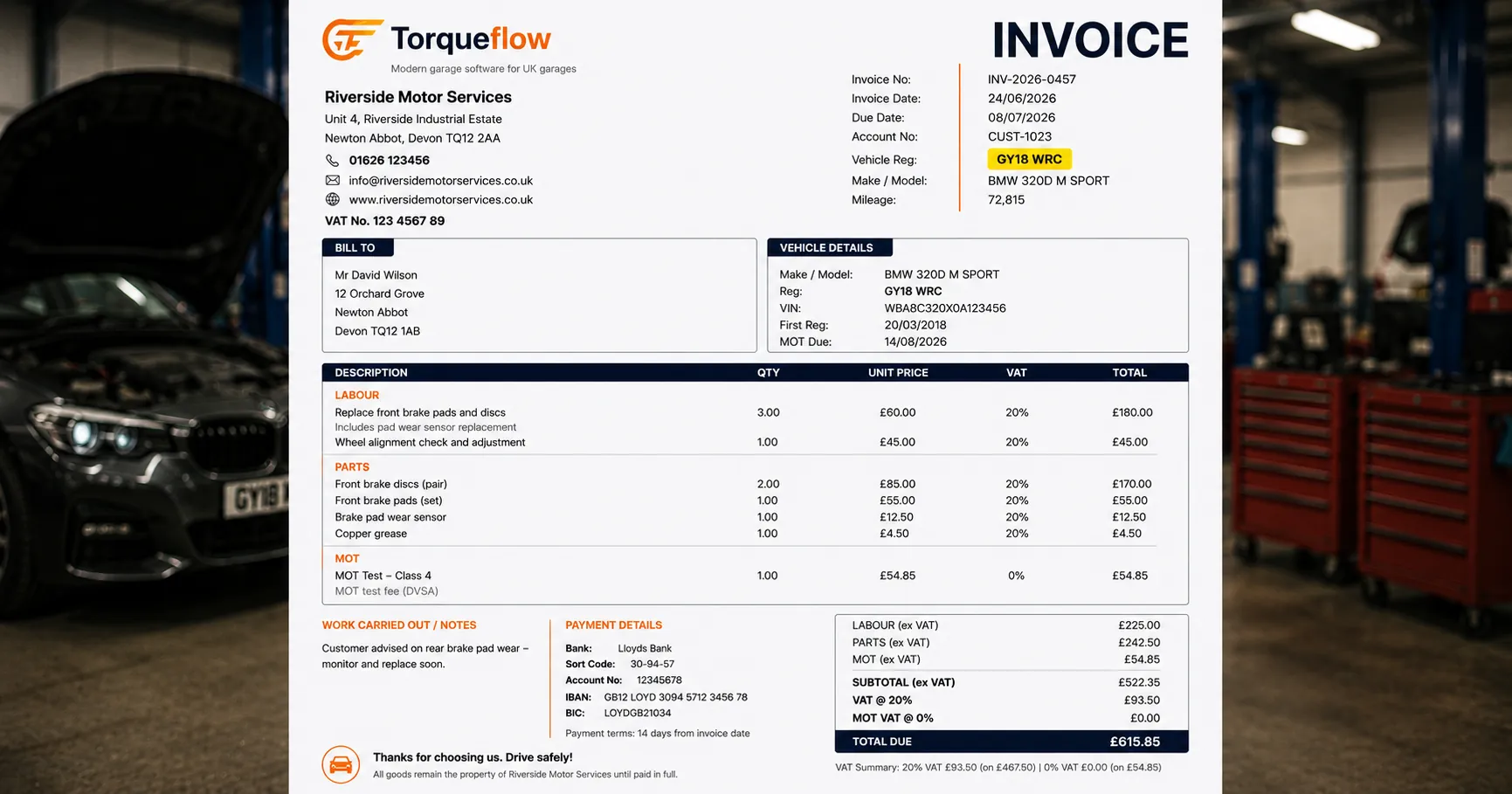
Whether it’s a scribbled job sheet or a branded PDF, a compliant garage invoice carries the same core information. Miss one of these and you’ve got either a dispute or a problem at tax time.
- Your garage’s details. Trading name, address and contact number. If you’re VAT-registered, your VAT number goes here too. Sole traders use their own or trading name; limited companies add the registered company name and number.
- A unique invoice number. Sequential, no gaps. “INV-0042”, not “the blue one from Tuesday”. HMRC expects an unbroken run, and it’s how you find the invoice again in six months.
- The invoice date. Plus the supply date, the date the work was done, if it’s different. Both matter for VAT.
- The customer and vehicle. The customer’s name (and address if you have it), and the vehicle: registration, make, model and mileage. Record the mileage at the time of the work, it backs up the service history and any warranty claim later. The reg ties the job to the car, for their records and yours.
- Itemised parts and labour. The bit customers actually read. List each part with its price, and the labour separately, with hours or a fixed price. “Front brake pads and discs, fitted, £180 plus VAT” gets paid. A vague total gets queried.
- The VAT. If you’re VAT-registered, show the rate, the VAT amount, and the total with and without it. More on the MOT trap below.
- The total, payment terms and payment details. The amount due, your payment terms (on collection, 14 days, 30 days), and how to pay. If you take bank transfers, put your bank details on the invoice, account name, sort code and account number, and ask customers to use the invoice number or registration as the payment reference so you can match it up.
- Anything zero-rated. An MOT test fee is outside the scope of VAT. Give it its own line so the numbers add up and the customer can see it.
Get those eight right and the invoice does its job. It’s clear, it’s professional, and it stands up if anyone ever asks.
Parts, labour and the MOT VAT trap
The thing that catches garages out is VAT on MOTs. The MOT test itself is outside the scope of VAT, so you don’t charge VAT on the test fee. But anything you do as a result of the test, a new bulb, a wiper blade, an emissions repair, is standard-rated like any other work. So one invoice often has a zero-rated line, the test, sitting next to standard-rated lines, the repairs. Keep them on separate lines and the VAT calculation is obvious. Lump them together and you’ll either overcharge VAT or get it wrong.
Parts and labour are both standard-rated for a VAT-registered garage. If you’re not VAT-registered you don’t add VAT at all, and you mustn’t show a VAT number you don’t have. When in doubt about your own position, your accountant is the person to ask, not a blog. The rules on margins, second-hand parts and disbursements get fiddly fast.
A garage invoice template you can copy
You don’t need to buy anything, or download anything, to produce a clean invoice. The template is right here. Copy the layout below into a free spreadsheet or a Word document, fill in your details once, and you’re set.
The header carries your details and the invoice basics:
| [Your Garage Name] | Invoice no: INV-0042 |
|---|---|
| Address, phone, VAT number | Invoice date: 14/03/2026 |
| Bill to: J. Smith | Vehicle: AB12 CDE, Ford Focus, 78,500 mi |
Then the line items, with the sums set up so the VAT calculates itself:
| Description | Qty | Price (ex VAT) | VAT | Total (inc VAT) |
|---|---|---|---|---|
| Fit front brake pads and discs (labour) | 1 | £90.00 | 20% | £108.00 |
| Front brake pads and discs (parts) | 1 | £95.00 | 20% | £114.00 |
| MOT test | 1 | £54.85 | 0% | £54.85 |
| Subtotal (ex VAT) | £239.85 | |||
| VAT (20%) | £37.00 | |||
| Total (inc VAT) | £276.85 |
Payment terms: Payment due on collection, unless you hold an approved trade account.
Bank details (BACS): [Your Garage Ltd], sort code 00-00-00, account 00000000. Please use the invoice number or your registration as the payment reference.
At heart a template is a simple billing tool: fixed fields for vehicle details, parts and labour, with the VAT set to calculate itself.
Save that as your house style. Customise it once with your logo, your colours and your company and VAT numbers, and every invoice after that is a two-minute fill-in. Print a copy for the customer, email a PDF, or both. A free template like this covers a one-person workshop doing a handful of jobs a week perfectly well, and plenty of free Excel and PDF garage and auto repair invoice templates exist online if you’d rather download a ready-made one.
When to move from a template to software
A template has limits. It can’t chase the payment, flag which invoices are unpaid, or stop you re-typing the same customer’s details for the fifth time. It doesn’t know the reg, so you key the vehicle in by hand every time. And it won’t sync to your accounts, so someone still does the data entry at month-end.
There’s a tipping point. A template is fine at five invoices a week. At twenty-five, the re-typing, the chasing and the VAT add up to an evening you don’t have.
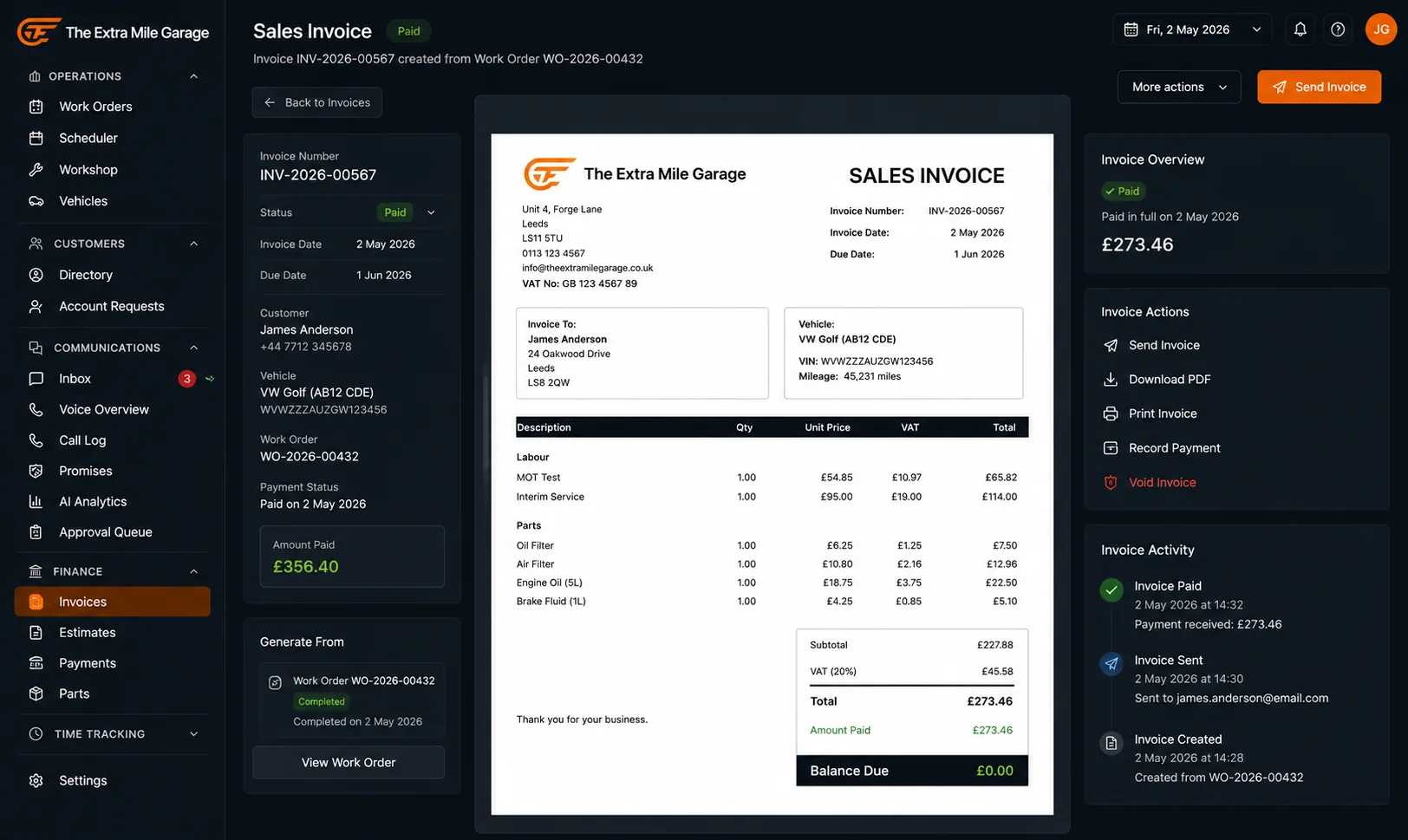
That’s when garage invoicing software earns its place. Instead of a blank template, the software generates the invoice from the job and automates the chasing. The parts and labour are already on the job card, the reg pulls the vehicle automatically, the VAT calculates per line, and a Pay Now link goes out by email. The AI can even read your supplier invoices so you’re not typing those in either, and export the lot to Xero so your accountant sees it live.
You don’t need software on day one. But the day you’re spending more time on invoices than on cars, it pays for itself. Here’s what garage invoice software actually does, and what to look for when you’re ready to choose one.
Frequently asked questions
The quick version
Those eight lines are all a compliant garage invoice needs. Start with the template above. When the admin outgrows it, let the software build the invoice for you.