
Xero Integration
Your garage in Torqueflow. Your books in Xero. Always in sync.
Stop the end-of-month CSV-export marathons. Connect Xero in one click and every invoice you raise, every supplier bill you log, every customer payment you take flows into Xero automatically. When your accountant looks at the books, they see the same numbers you do – in real time.
↳ How it works in 30 seconds
One click. Auto-sync from there.
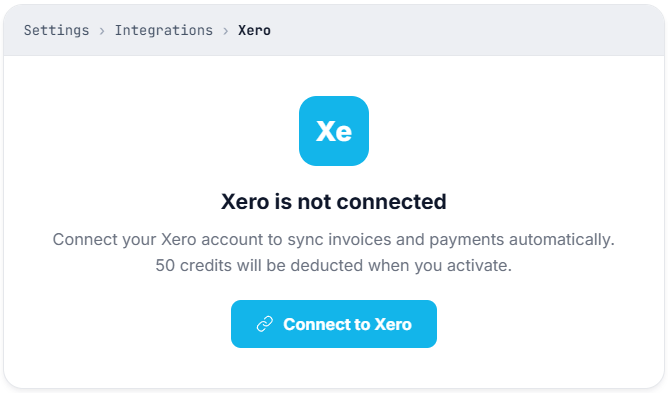
Settings → Integrations → Xero → click Connect to Xero.
You sign in to your existing Xero account and approve. Done in under a minute.
Auto-sync turns on by default.
Every invoice you create or edit from now on flows into Xero within the minute.
Payments flow back.
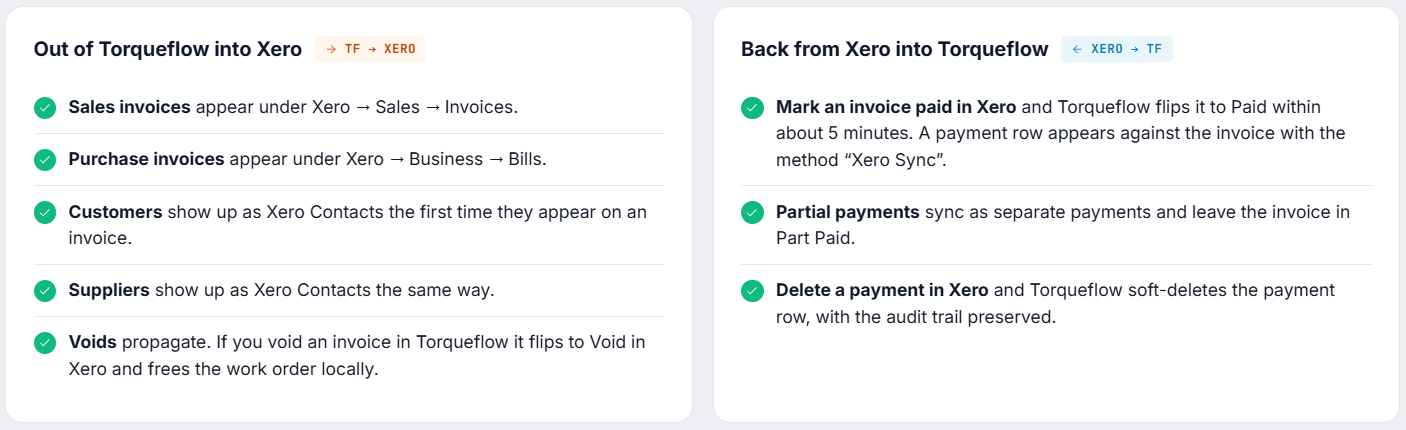
When a customer pays an invoice in Xero, Torqueflow marks it paid. When they pay through Stripe in Torqueflow, the same payment lands in Xero. One source of truth, two views.
↳ What syncs
What flows where.
↳ What doesn’t sync (yet)
We’d rather tell you up front than have you discover it three months in:
These are on the roadmap. We’ll lift them when we lift them.
↳ Pricing
50 credits per month per Xero organisation.
That’s roughly £4 per month at the standard credit-pack rate.

Xero integration
Per connected Xero organisation
Torqueflow Credits
per month, per Xero organisation
≈ £4 / month
at standard credit-pack rate
The first 50 credits are debited the moment the connection activates. Subsequent monthly debits run on the anniversary of your original connect date. Disconnect mid-month and the credits already consumed aren’t refunded; reconnect later and a fresh 50-credit charge applies.
Why isn’t it free?
Live two-way sync with a third-party API isn’t free for us to run. We charge a small fixed fee instead of inflating the per-bay price for everyone.
↳ Setup walkthrough
Three steps. Then you’re done forever.
Step 1 – Connect
Connect to Xero.
These are on the roadmap. We’ll lift them when we lift them.
Step 2 – Map your nominal codes
Tell Xero where each invoice line should post.
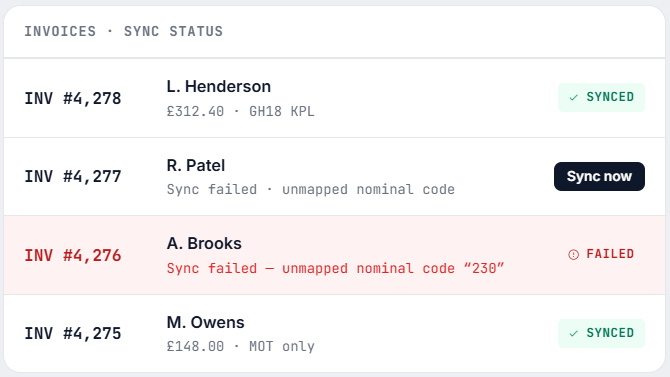
For each nominal code your invoices use, set the matching Xero account code in Settings → Finance → Nominal Codes. This tells Xero where to post each invoice line. Do this once – it’s the single most common reason a sync fails for new connections.
If you forget, the affected invoice gets a red “Sync failed – unmapped nominal code” badge and the Sync now button is right there to retry once you’ve fixed the code.
Step 3 — Turn on (or off) auto-sync
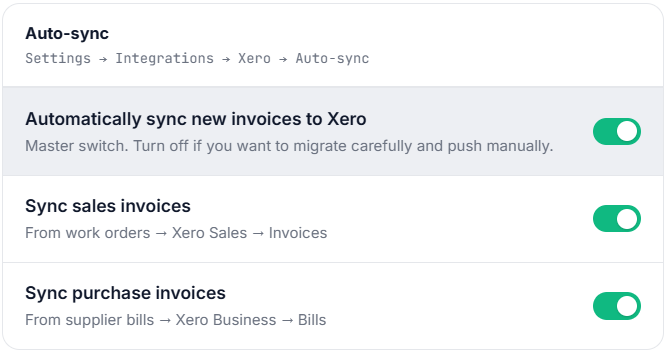
The three toggles default to ON.
In Settings → Integrations → Xero → Auto-sync, the three toggles default to ON. Leave them on for normal use. Switch off the master if you want to migrate carefully and use Sync now manually on each invoice.
↳ Connection status states
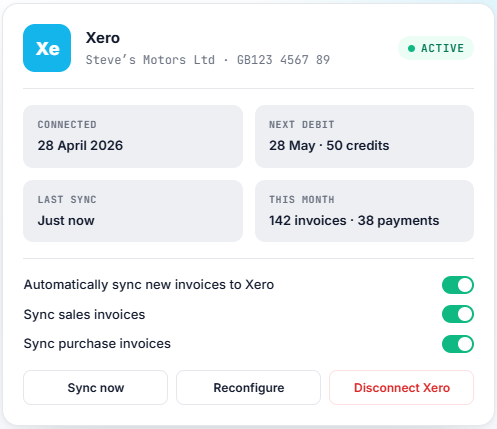
The Xero card on the Settings page shows one of these.
Each tells you what to do.
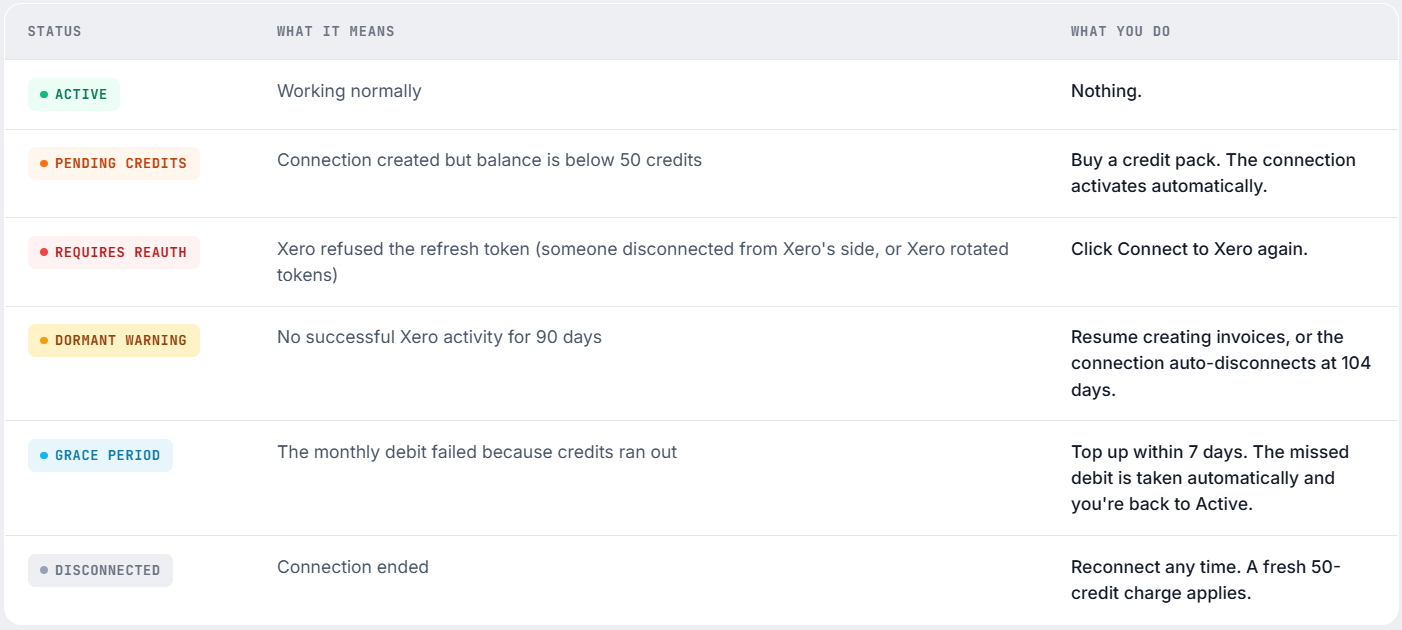
You also receive an email whenever the state changes – so you’re never surprised.
↳ Accountant and bookkeeper notifications
The right alert to the right person.
Most garages have someone outside the workshop looking after the books. Torqueflow lets you set up two finance contacts.
Accountant – immediate alerts
Real-time email
Enter the accountant’s email and they get an email each time an invoice fails to sync to Xero with a non-retryable error (unmapped nominal code, contact-collision conflict, currency mismatch).
The same (invoice, error) pair is suppressed for 60 minutes after the first alert so they don’t get spammed when one broken invoice keeps retrying.
Bookkeeper – periodic digest
Choose your cadence
Enter the bookkeeper’s email and pick Daily / Weekly / Monthly. They get a summary email of:
If you’re handing the books to an outside firm, this is the email they want.
↳ How does this compare
How does this compare to other garage software’s Xero support?
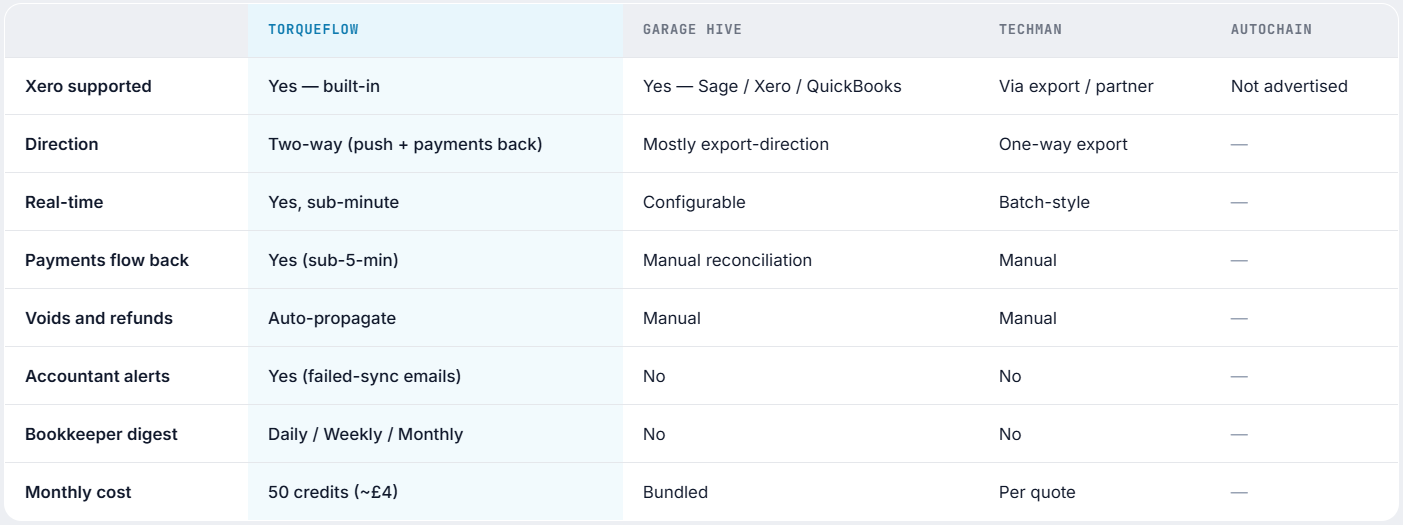
What we charge for is the liveness of the integration. Bundled “free” Xero integrations on competitor platforms tend to be one-way nightly export jobs that leave reconciliation work for your accountant. Ours doesn’t. The cost difference reflects the actual ongoing work the platform is doing on your behalf.
↳ FAQs
The questions garage owners and accountants ask.
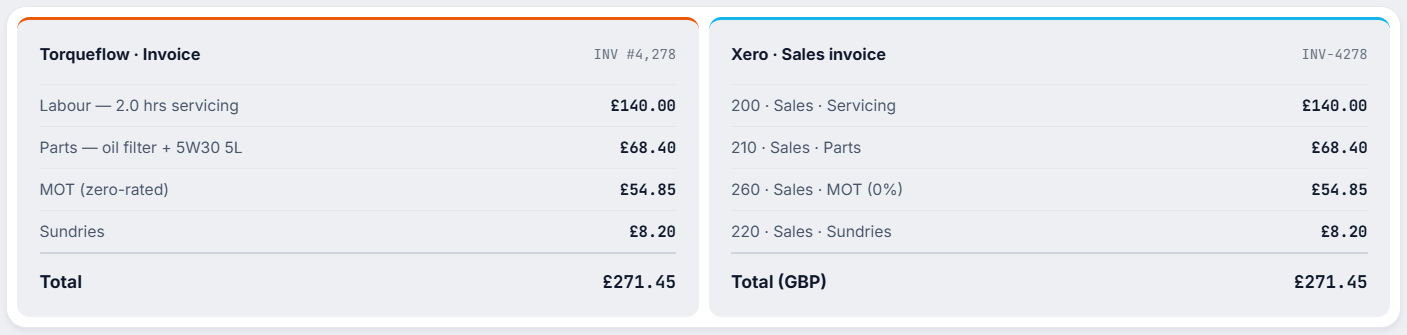
↳ One invoice, two views
The same invoice, side by side.
Created in Torqueflow from a work order. Visible in Xero in under a minute, with the right line items, the right VAT, and the right contact.
Stop answering “is my car ready?”
Ready to connect?
Start a free trial, connect Xero, and watch your first sales invoice land in your books in less than a minute.