
Multi-location garages
One account. Every site. One dashboard.
Run more than one workshop and most software forces you into one of two bad choices.
Either you cram everything into a single account and lose track of which job belongs to which site, or you set up parallel accounts and deal with separate billing, separate logins, and separate team management for each.
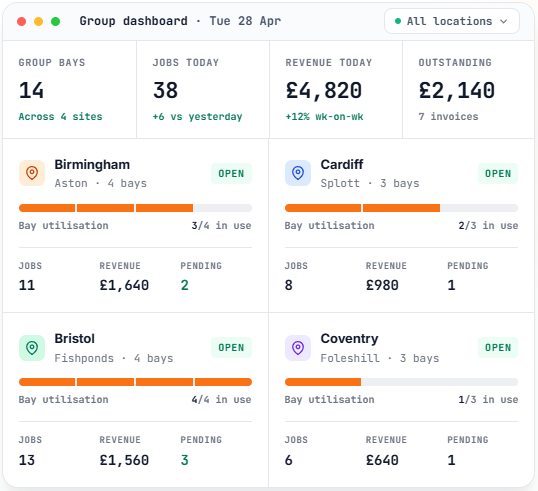
Torqueflow handles multiple locations natively. Each site has its own bays, scheduler, technicians, and kiosk – while you get a unified dashboard that rolls everything up.
Mobile-first
Most of your customers will only ever see it on a phone.
The portal is built mobile-first because that’s where customers use it – sitting at the dentist, waiting for the bus, on the sofa at 9pm.
Garage groups
Running 2–10 sites under common ownership. One subscription, one team management screen, one place to look when something needs your attention.
Franchise owners
Multiple branches under the same brand. Each branch keeps its own bays, scheduler, technicians and kiosk – you keep the unified roll-up.
Owners growing into a second site
Software that scales without a re-platform. Add the second location when you’re ready, keep the same data, the same logins, the same setup.
If you’re a single-location garage, the multi-location features simply don’t get in your way – the locations card just shows your one site. You don’t pay for capability you’re not using.
How locations work
Per-site bays, scheduler, technicians – without the parallel-account mess.
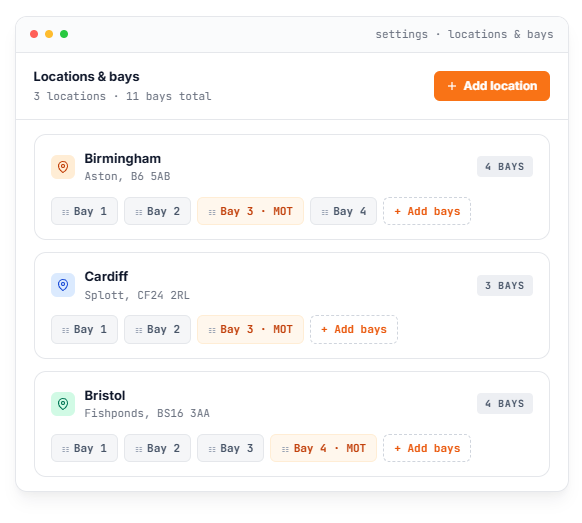
02 – Each site has its own scheduler
Per-location view, or roll up to “All”.
Powered by Stripe-hosted checkout, so the customer never worksyour branded portal expecting to. The payment lands back against the right invoice automatically.
When you, the owner, want to see the picture across all sites, switch the location filter to “All” and every bay across every site sits on one screen.
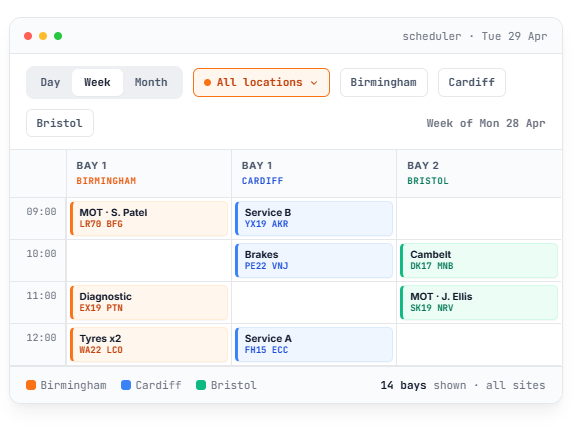
03 – Per-site technicians & bays
Bays are scoped to their site. Technicians have a primary – but can cross.
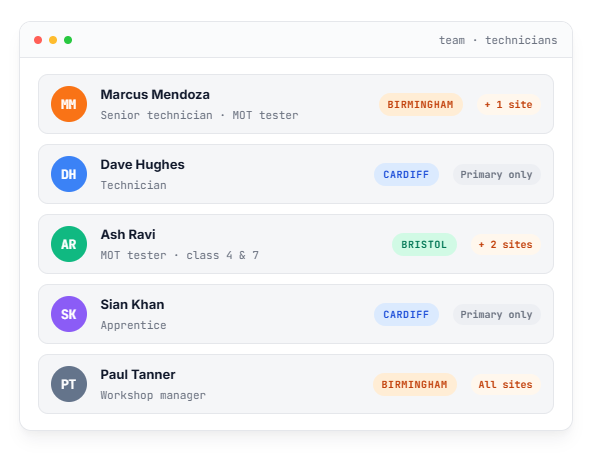
Technicians are assigned to a primary location but can work across sites if your business runs that way. Bays are scoped to their location – a Birmingham bay won’t show up in the Cardiff scheduler.
Pricing across locations
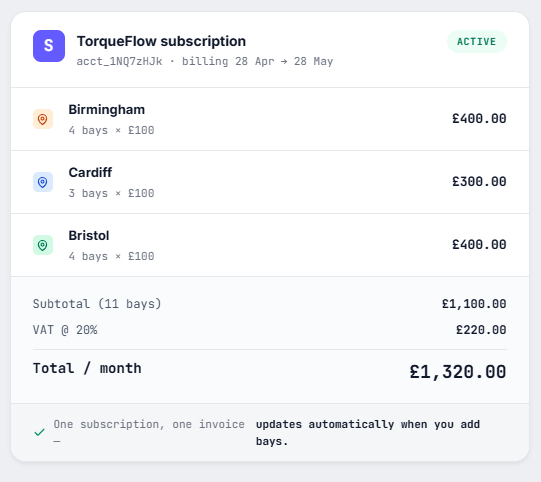
£100 per bay per month. One Stripe subscription.
You pay £100 per bay per month, regardless of which location the bay is in. Add a third site with three bays and your subscription goes up by £300/month, prorated for the remaining cycle. Add the bay through Settings → Bays at that location and the Stripe subscription updates automatically.
One Stripe subscription, one invoice per cycle, one set of payment details. Not three separate subscriptions to track.
The 20-bay cap is per location – a UI constraint to keep the scheduler readable. Your group can have far more than 20 bays in total across multiple sites.
Cross-location reports
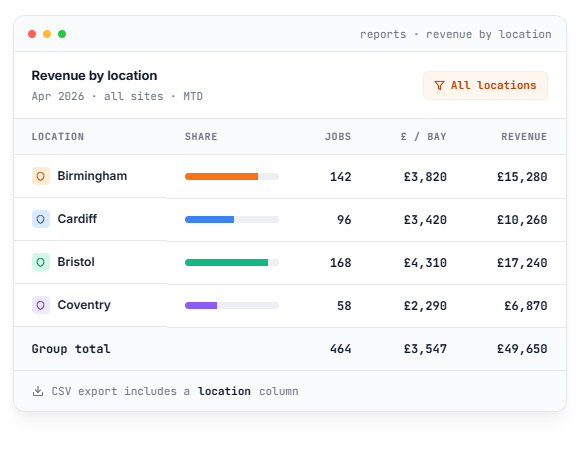
Roll up the whole group. Drill into one site.
Reports default to “all locations” but can be filtered to a single site. So you can answer:
The Outstanding Debtors and VAT Summary reports roll up automatically. CSV exports include a location column where relevant.
Per-location branding
Each location can carry its own customer-facing identity.
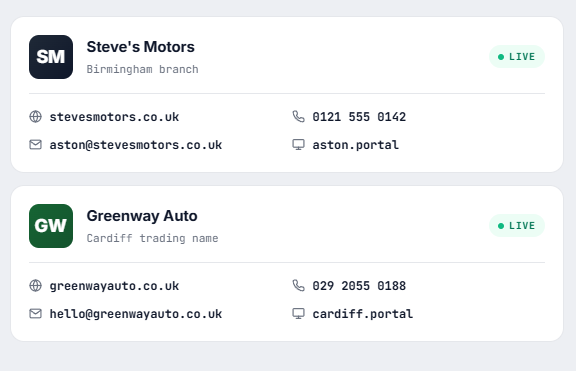
Each location can carry its own customer-facing identity: subdomain, logo, phone number, email-from address. Useful for franchise groups where each branch has built up its own local reputation, or for groups using different trading names for different markets.
The customer portal, invoice PDFs, quote PDFs, and AI receptionist all respect the location they’re tied to. A Birmingham invoice shows the Birmingham logo and bank details; a Cardiff invoice shows Cardiff’s.
Voice AI across multiple sites
A separate persona, phone number, and data scope per branch.
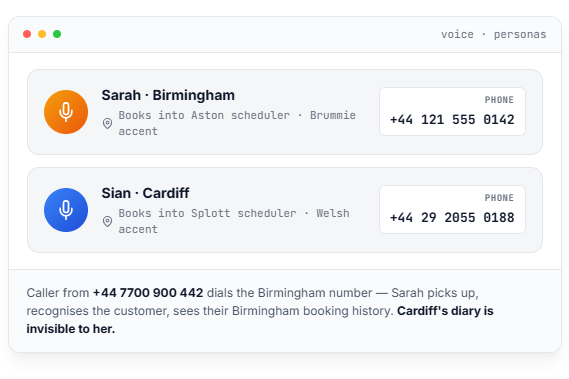
Each location can have its own Voice AI persona name, voice, and dedicated UK phone number. Customers calling the Birmingham branch hear “Sarah”, customers calling the Cardiff branch hear “Sian” – or whatever you configure.
Each persona reads from the right location’s data, books into the right location’s scheduler, and escalates to the right location’s team. The customer experience stays branch-local even though one platform is doing the work.
Customer records across sites
One customer record. Every site they’ve ever visited.
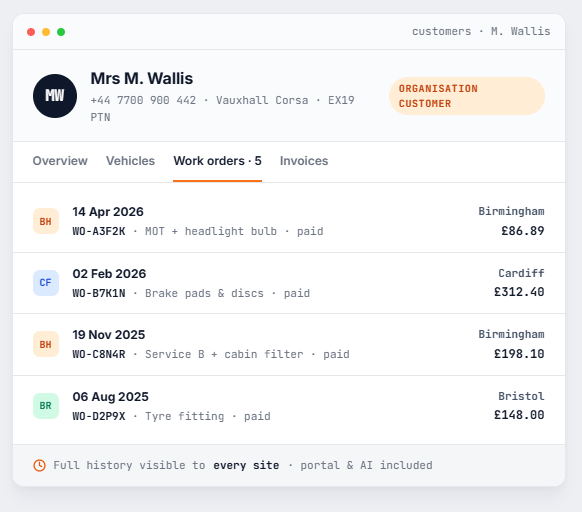
A customer record exists at the organisation level – so a customer who visits Birmingham one week and Cardiff the next still has a single record with their full vehicle and service history.
The portal shows them everything. The AI recognises them at any site they call. This avoids the classic multi-location pain: customer rings Cardiff to ask about a job done in Birmingham last month and the receptionist can’t see anything because the records are siloed.
What lives where
Some settings are per-location. Some live at the organisation.
Per-location
Scoped to each site
Per-organisation
One source of truth
Frequently asked
The questions garages ask before they switch.
Ready to manage all your sites in one place?
Start a free trial. Add your first location, add a second, and feel the difference between “two systems” and one organisation.