
Standalone quotes
Quote them once. Convert them in a click.
A walk-in asks for a price on a clutch. A regular wants to know what the upcoming MOT and service will cost. A fleet customer needs three vehicles quoted by lunchtime.
None of them have a work order yet. None of them want to wait while you write it on a notepad and ring back.
Build a quote in Torqueflow’s standalone quote builder, send a branded PDF and a portal link in the same click, and the customer decides on their phone. Accept it and you convert it to a work order in one click – bays booked, parts allocated, labour set up, all inherited from the quote.
Build a quote
Build a quote and a branded PDF in minutes.
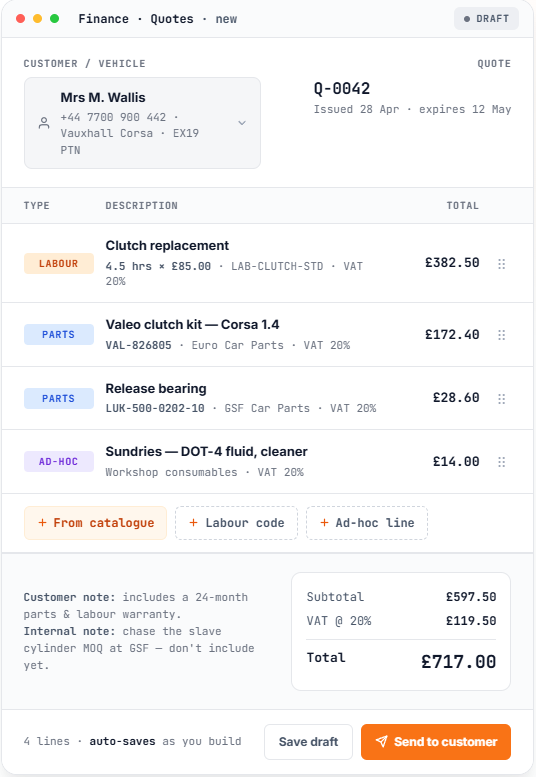
At Finance → Quotes, click Create quote. The builder is the same as your invoice editor – because they should be. Your team already knows how to use it.
Customer is a searchable picker. Add a new customer inline if they’re not in your records yet. Vehicle is optional, filtered to that customer’s vehicles – leave blank for general quotes.
Quote date and expiry date default from your settings. Customer notes appear on the PDF and portal; internal notes never do.
VAT, discounts, nominal codes inherit from your finance settings, so most lines need no manual input. A live total at the bottom updates as you build. Save as draft and come back later, or send straight away.
One click to send
One click to send. Three things at once.
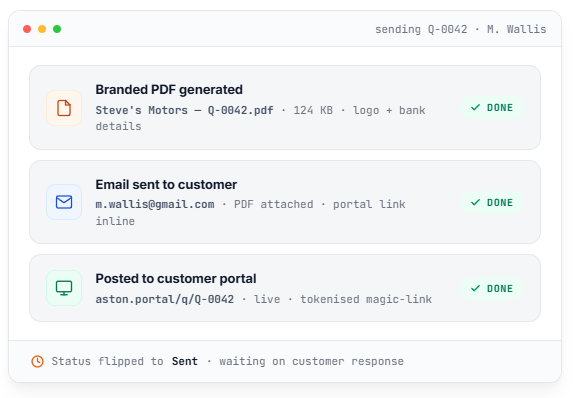
Click Send to customer and Torqueflow does three things at once:
If the customer has no email, the Send button shows you why – no silent failures.
The customer decides on their phone
The customer decides on their phone.
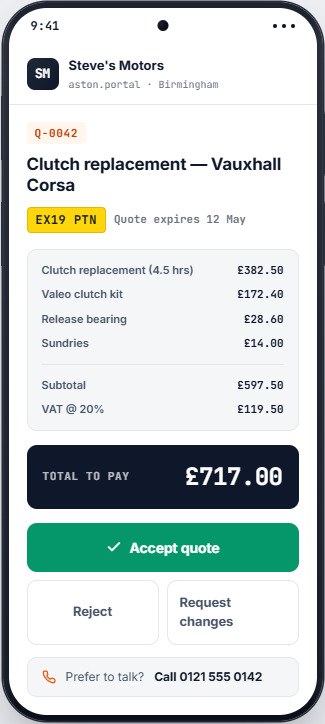
Quotes show up beautifully on a phone screen because that’s where most customers will read them. Three buttons:
Whatever they pick, you see it in your Quote Inbox in real time and you get an email – sent to the staff member who created the quote, not blasted to everyone.
The portal also shows a Call the garage tap-to-call button on every quote page. Some customers prefer talking – that’s fine. The button is right there.
Revisions
Revisions, the easy way.
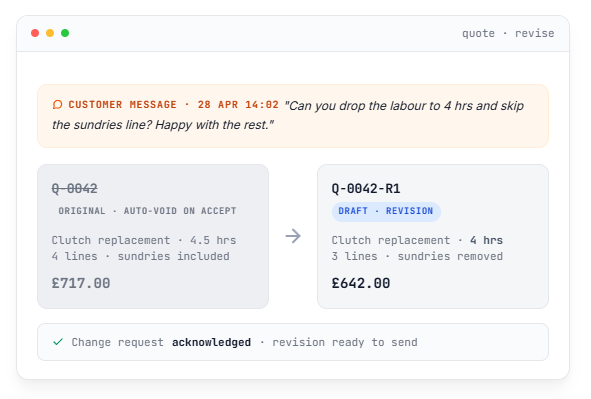
Customer wants the labour reduced and one line removed? Click Revise quote in the Quote Inbox or on the quote’s detail page. Torqueflow:
When you send the revision, the original quote auto-voids the moment the customer accepts or rejects the new one. No two live quotes for the same job, no confusion about which one’s current.
Convert
Convert to work order in one click
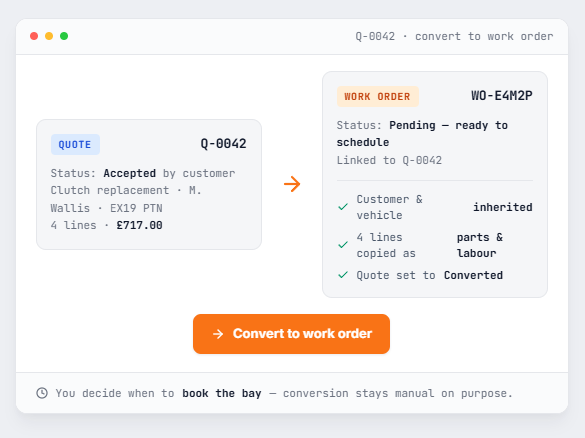
When the customer accepts – or even just on a Sent quote you want to schedule – click Convert to work order. Torqueflow:
Conversion is deliberately manual. Acceptance means the customer wants the work; you decide when to actually slot it in.
The Quote Inbox
The Quote Inbox. Every interaction in one place.
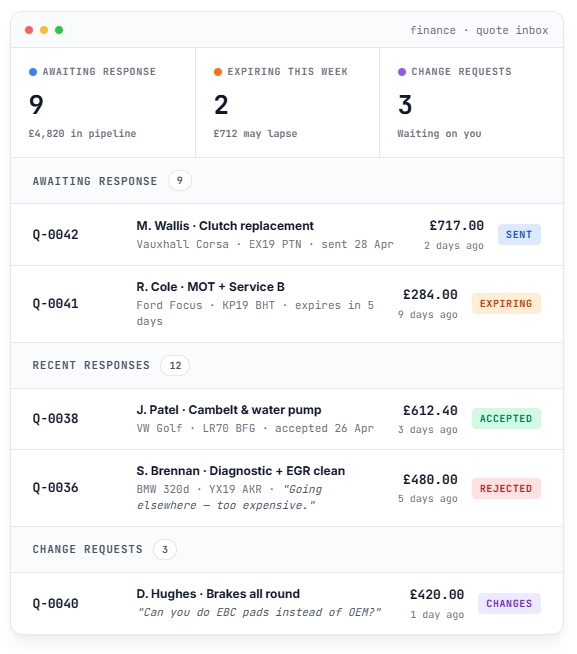
Every customer interaction with a quote shows up in your Quote Inbox dashboard. Three sections:
Three stat cards at the top summarise everything at a glance. Click any row to drill into the quote.
How this differs
How is this different from existing Torqueflow quotes?
Torqueflow has had a quote system for inspection findings since the start – when Dave finds something during a service, photo + severity + price becomes a quote line for Chloe to send. That flow stays exactly as it was. Standalone quotes are for the situations that aren’t tied to an inspection.
Frequently asked
The questions garages ask before they switch.
Ready to quote faster?
Start a free trial. Build your first quote in 3 minutes. Send it. Watch the customer accept on their phone before you’ve made a cup of tea.