Garage Management System: How to Choose the Right One for Your UK Workshop
You don’t need convincing that your garage needs a management system. You need help choosing one. There are half a dozen options in the UK market, they all claim to do everything, and the demo always looks great. Here’s what actually matters.
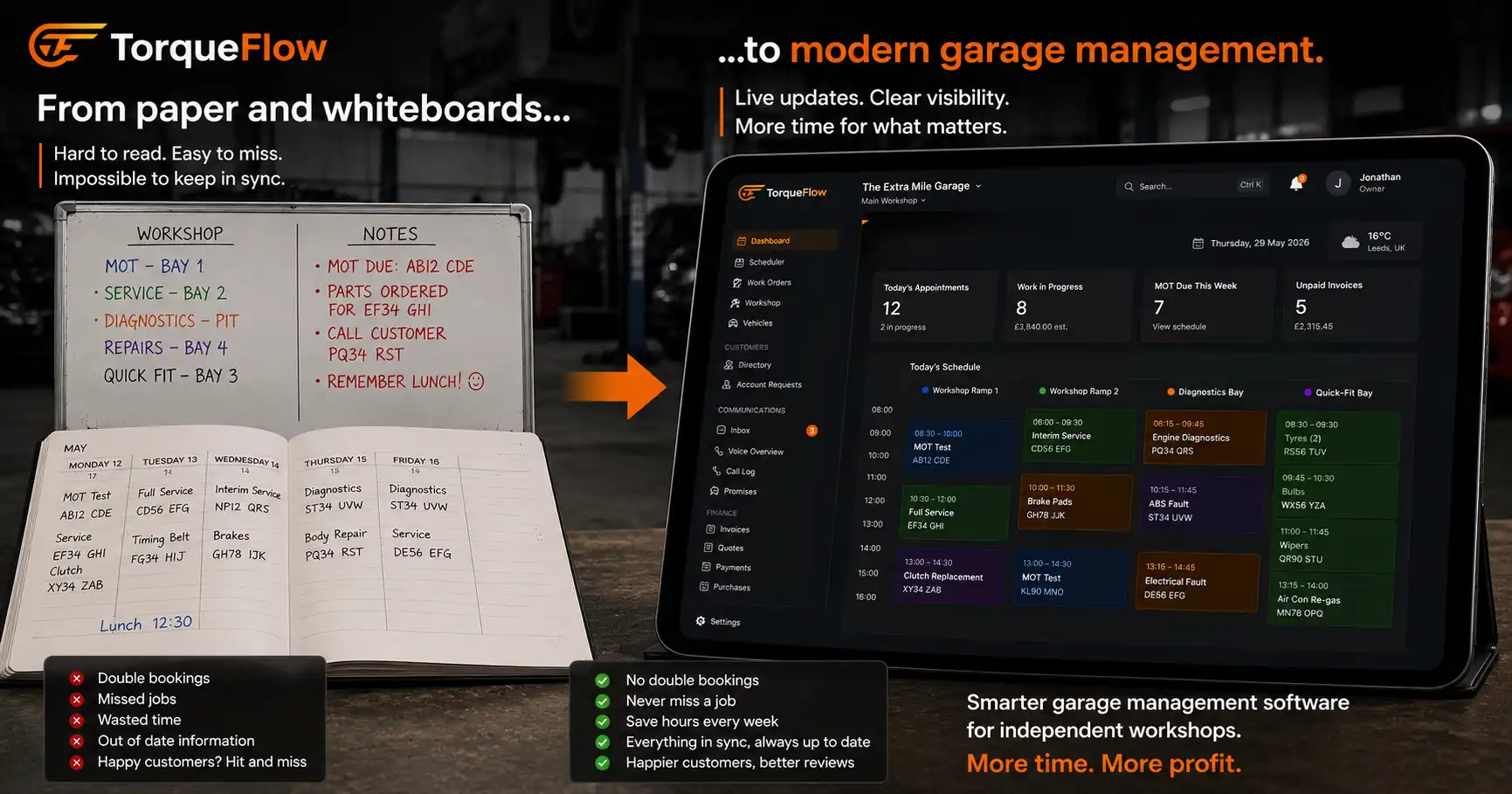
If you’re reading this, you’re probably in one of two places. Either you’re running on paper job cards, a spreadsheet, and Xero, and you know it’s costing you time. Or you’re on a system that’s stopped keeping up, and you’re weighing the pain of switching against the pain of staying.
Both are valid. Both lead to the same question: which garage management system fits your workshop, your team, and the way you actually work?
This guide gives you a checklist of what to evaluate, a brief comparison of the main UK systems, and practical advice on how to test before you commit. No jargon. No “every aspect of your garage business” filler. Just the decisions that matter.
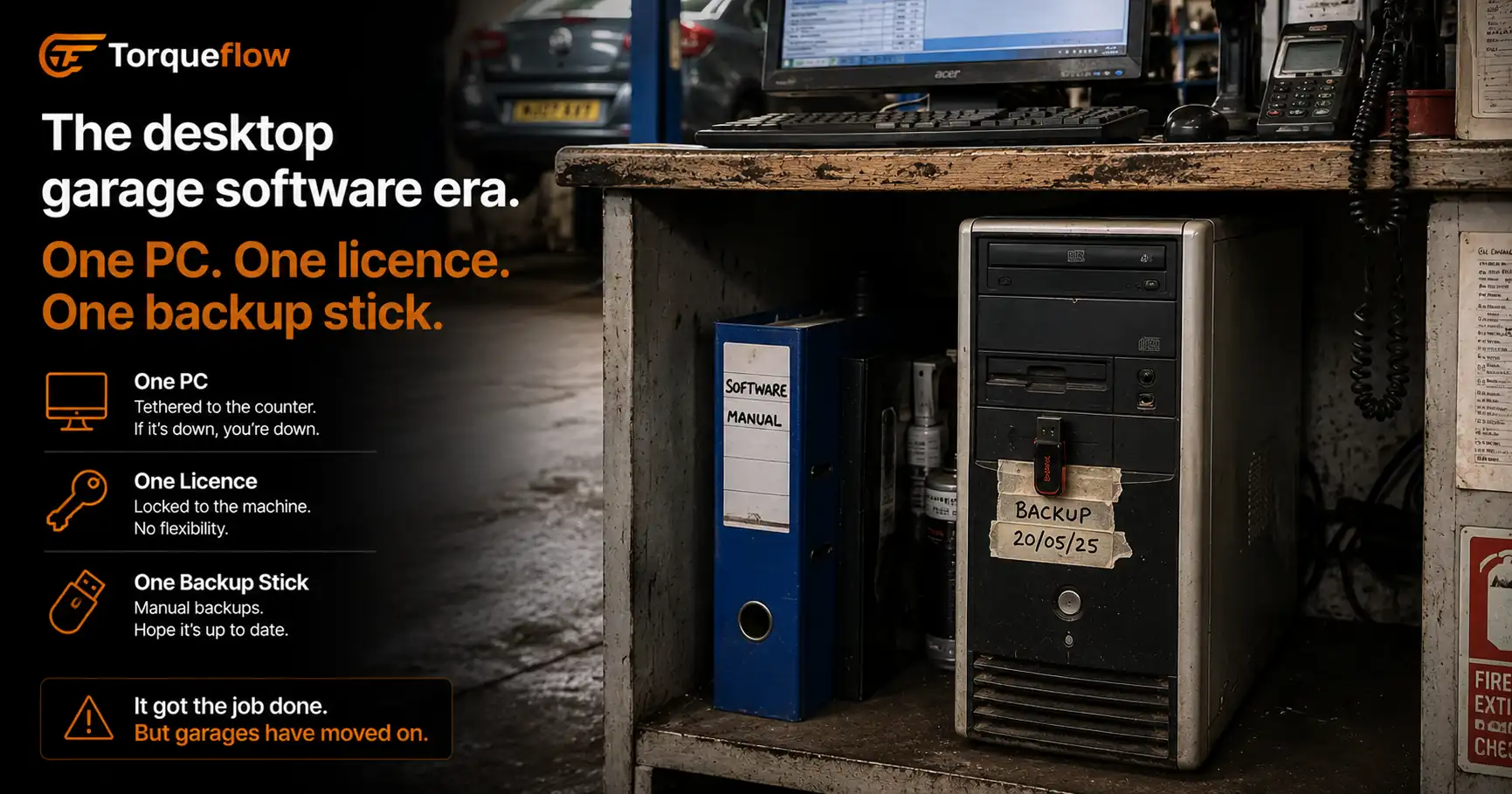
What a garage management system replaces
A garage management system is one platform that runs your workshop operations. It replaces the collection of disconnected tools most independent garages cobble together:
The spreadsheet for tracking jobs and customers. A GMS gives you a proper customer database with vehicle records, service history, service records, and every job linked to every invoice. You can pull up any customer and see everything you’ve ever done for them in seconds.
The paper diary or wall planner. A GMS gives you a digital booking diary with bay allocation, technician assignment, and online booking so customers can book without calling.
The separate invoicing tool. A GMS generates invoices from completed job cards. Labour, parts, VAT, all pulled from the work order. No retyping. The invoice syncs to Xero or Sage automatically.
The Post-it notes and mental models. “Dave knows which cars are in.” That works with two bays. It breaks at four. A GMS gives full visibility into what’s happening across every bay, every technician, every job, in real time. The dashboard shows today’s work, this week’s bookings, and what’s overdue.
The separate reminder system (or no system at all). A GMS sends automated reminders for MOTs, services, and follow-ups via SMS and WhatsApp. You set the rules once. The system runs them forever.
If you’re using five tools to do what one garage management system handles, you’re spending more time managing the tools than managing the garage.
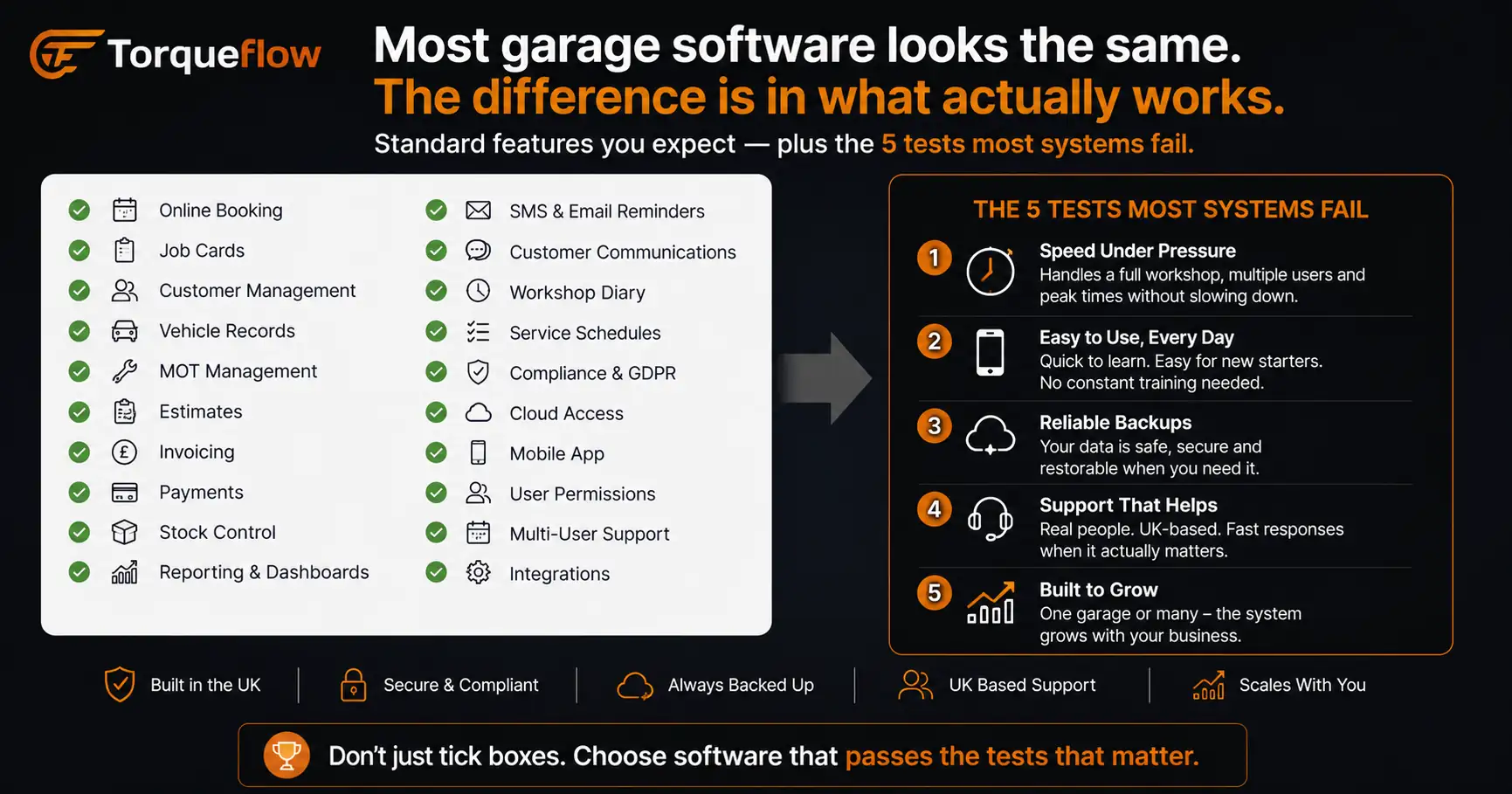
The checklist: what your garage management system must do
Not everything on a feature list matters equally. Some capabilities are essential from day one. Others are nice-to-have. If you’re not sure where to start, here’s what garage management software should do and how to prioritise the features that will have the biggest impact on your workshop.
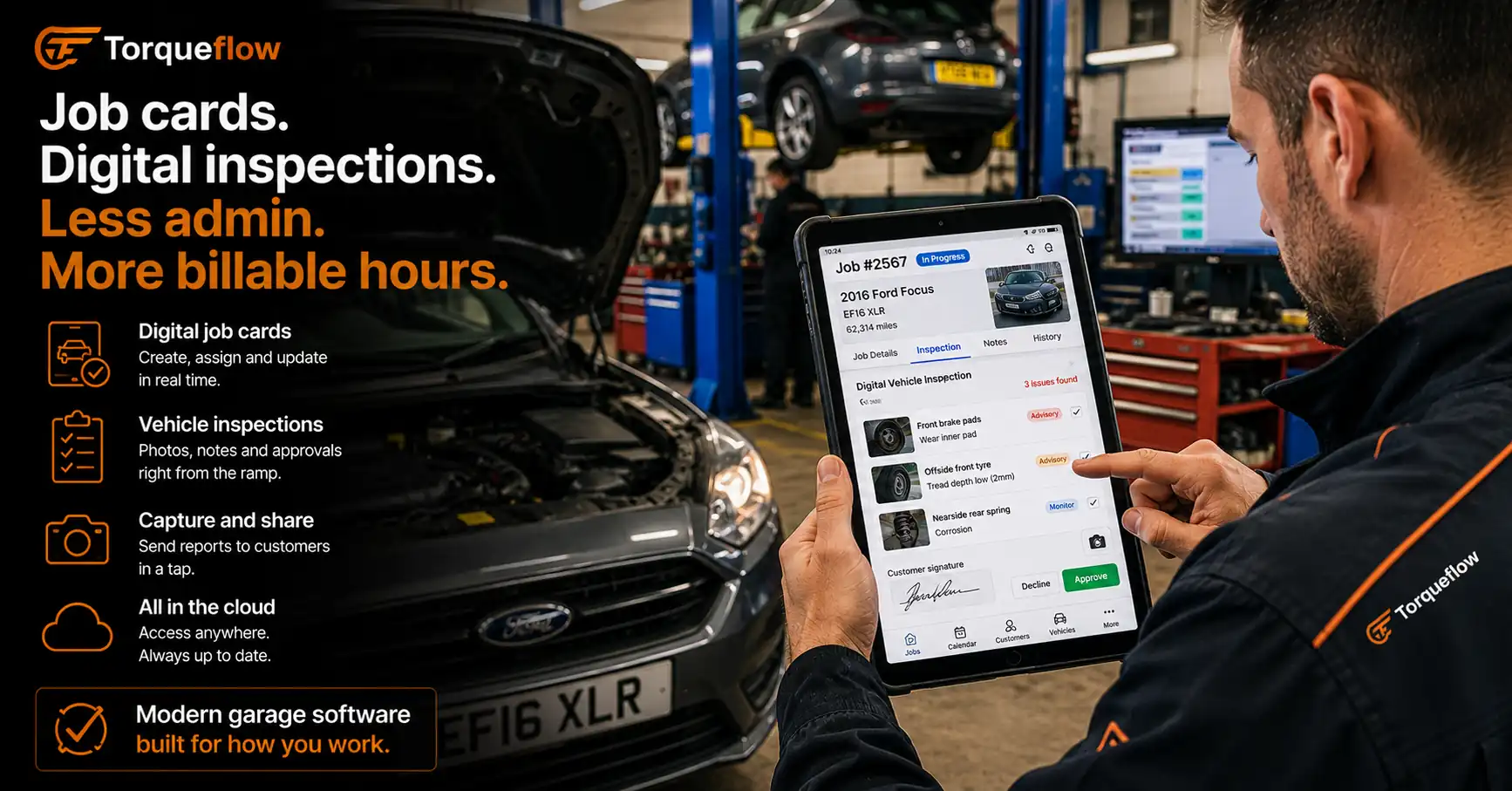
Digital job cards and workflow management
This is the core. Every job starts as a work order. The technician sees what needs doing, updates progress, records parts used, logs time. The service advisor sees the status without walking to the bay. The customer gets notified when the car is ready.
The workflow should move through clear stages: booked, checked in, in progress, waiting on parts, quality check, ready for collection. Each stage can trigger an action (a notification to the customer, an alert to the service advisor, a prompt to the parts supplier). If you’re still managing workflow by shouting across the workshop, this is the single biggest efficiency gain.
Digital job cards also mean searchable history. “What did we do on that blue Golf last March?” takes 5 seconds, not 15 minutes in a filing cabinet.
Booking and scheduling with bay allocation
Your diary needs to show bays, not just times. A 45-minute MOT and a 4-hour diagnostic don’t share a slot. Good scheduling shows capacity by bay and technician, with drag-and-drop rescheduling when the day shifts.
Online booking is no longer optional. Customers expect to book a service the same way they book a restaurant. If they can’t book on your website at 9pm, they’ll book with a garage that lets them.
And in 2026, AI phone booking means even the customers who call get booked in without your team answering the phone. The AI checks your live schedule, finds a slot, books it, sends the confirmation.
Read more about garage booking systems →
Invoicing and accounting integration
The invoice should build itself from the completed job card. Labour lines, parts, extras, VAT. One click to send by email or WhatsApp. One click to take payment online.
But the real test is integration. Does it sync with Xero? Sage? QuickBooks? Sales invoices, purchase invoices, payments, credit notes? If it doesn’t, someone in your office is double-entering every transaction. That person’s time has a cost, and the errors have a bigger one.
AI invoice scanning is the other half of this. Supplier invoices arrive as PDFs. The system extracts every line automatically. You review and confirm in 30 seconds instead of typing for 5 minutes. This alone saves hours every week.
Read more about garage invoicing software →
Customer communication and CRM
Your garage management system is your CRM, whether you call it that or not. Every customer, every vehicle, every message, every phone call transcript, every invoice, all in one record.
Automated service reminders and MOT reminders go out based on due dates. The system keeps customers informed without anyone on your team remembering to do it. WhatsApp and SMS messaging is built in so every conversation is logged against the customer record. No personal phones. No lost threads.
Aftercare messages go out automatically after collection. “How’s the car running?” It costs nothing but builds customer loyalty and brings them back for the next service instead of the competitor down the road. Meeting customer expectations in 2026 means proactive communication, not waiting for them to chase you.
Read more about AI garage management →
Vehicle health checks and service history
Vehicle health checks (VHCs) replace the paper multi-point inspection. The technician works through a checklist on a tablet. Green, amber, red. Photos of worn components. The customer gets a visual report they understand. Amber items become next visit’s upsell.
Technical data integration (Autodata, Haynes Pro) gives technicians service schedules, torque settings, and repair times at the point of work. Not every system includes this. Check whether it’s built in or an add-on.
Service history builds over time. After two years on the system, you know more about each vehicle than the customer does. That data is your competitive advantage over the franchise dealer.
Parts, suppliers, and stock levels
A garage management system should track your parts catalogue, manage orders to parts suppliers, and update stock levels when parts go on a job card. You should know what’s on the shelf without checking the shelf.
Purchase invoice scanning (covered above) handles the supplier side. The combination of parts ordering, stock tracking, and invoice scanning means you control costs instead of discovering margin problems at the end of the month.
Reporting and dashboard
If you can’t see your numbers, you can’t improve them. The dashboard should show daily work completed, revenue, average job value, bay utilisation, and open invoices. Monthly reporting should break down revenue by job type, by technician, by customer segment.
This is where a garage management system justifies its cost. When you can see that tyre jobs are running at 20% margin while servicing runs at 55%, you make different decisions about what to promote and what to price differently. Full visibility into your garage operations turns guesswork into decisions.
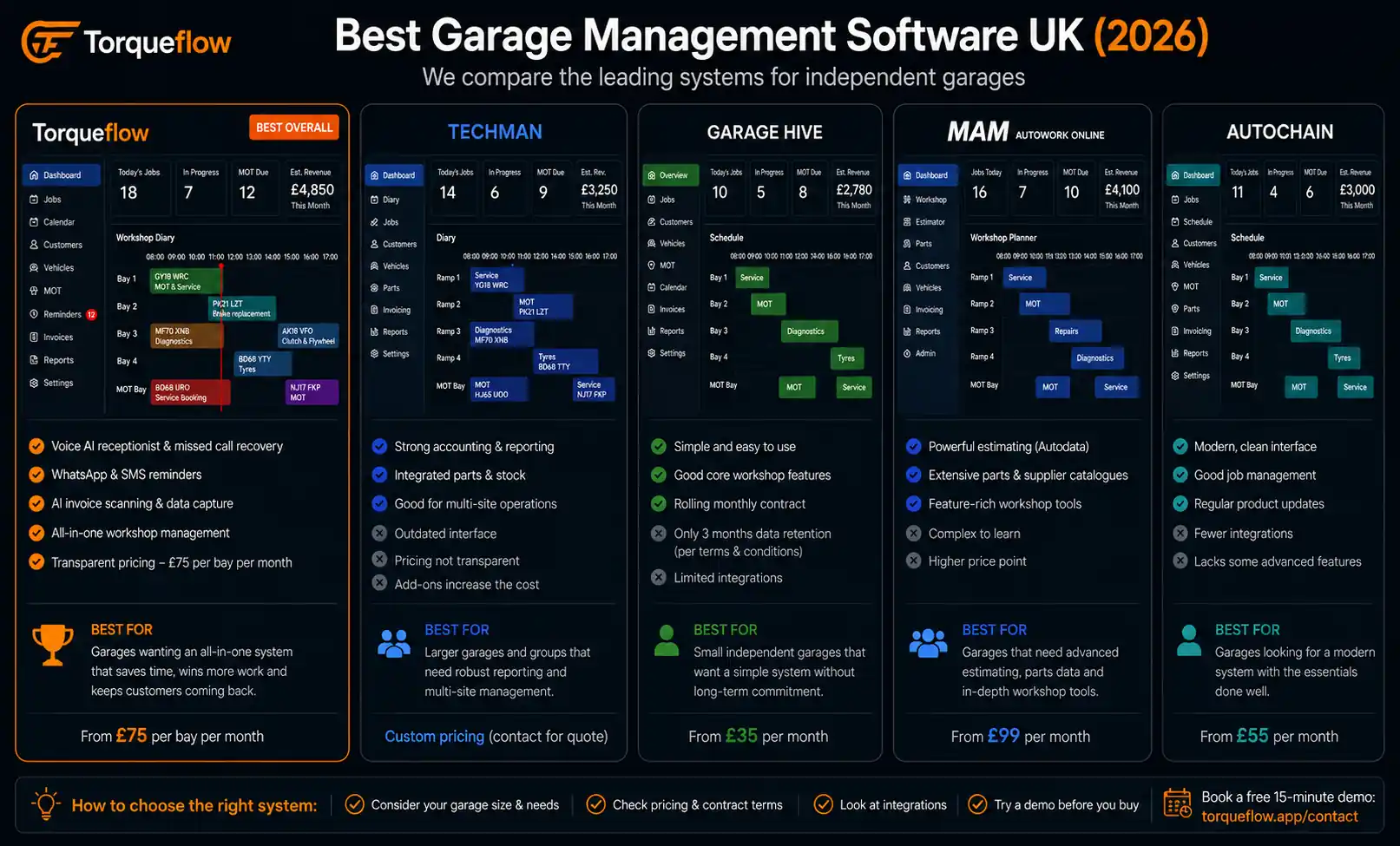
How the main UK garage management systems compare
There are half a dozen systems worth evaluating. Here’s a quick read on each, not a feature-by-feature comparison (for that, see the full garage software comparison).
Torqueflow. All-in-one garage management software built for UK independents in 2026. AI phone answering, AI invoice scanning, WhatsApp automation, online booking, Xero integration, customer portal. Cloud-based, works on any device. The newest entrant but the most complete AI feature set. Easy-to-use interface. Value for money for small to mid-size workshops. Free trial available.
Garage Hive. The established community-driven system. Microsoft Dynamics backend. Strong workshop management and parts integration. Large user base across the UK. Good customer support and onboarding. No built-in voice AI or AI invoice scanning as of mid-2026.
TechMan GMS. Popular with larger independents and garage groups. Mature feature set, strong reporting, established in the market. Known for being feature-rich. Pricing can be opaque. Switching from TechMan is common enough that we wrote a guide for it.
MAM Autowork Online. The legacy system from the MAM/ECP era. Large installed base. Being replaced by many garages moving to cloud-based systems. If you’re currently on Autowork and frustrated, you’re in good company.
Auto Garage Network (AGN). Modern interface, growing across the UK. Worth a demo alongside the established names. Relatively new but building momentum.
Dragon2000. Dealer management system that some independents use. Better suited to used-car operations than pure auto repair shop workshop management.
Switching from TechMan → · Switching from Garage Hive → · Switching from Autochain →
Choosing the right system for your garage business
Every garage owner who’s been through this says the same thing: the demos all look good. Here’s how to cut through.
Match the system to your size. A small garage (1-2 bays, owner plus one technician) needs simplicity over features. Don’t pay for multi-location management and fleet tracking you’ll never use. A 4-6 bay workshop with service advisors, a parts person, and 3-4 technicians needs the full feature set but should watch for per-user pricing that inflates the cost.
Prioritise your biggest pain point. If you’re drowning in paperwork, prioritise invoicing and job card automation. If you’re missing calls, prioritise AI phone answering and online booking. If customers aren’t coming back, prioritise automated reminders and customer communication. Fix the bleeding first.
Check the accounting integration properly. “Integrates with Xero” can mean anything from a full real-time sync to a CSV export button. Ask to see the Xero integration during the demo. Push a test invoice. Check it arrives in Xero correctly with the right nominal codes, VAT, and customer mapping.
Test on your phone. Open the system on your phone screen. Create a job card. Check a booking. Send an invoice. If any of these feel awkward, your team won’t use it. Workshop management software that only works on a desktop doesn’t work in a workshop.
Ask about onboarding and customer support. How long does it take to go live? Who helps with data migration? Is there telephone support or just a chatbot? What happens when something breaks on a Monday morning? Downtime in a garage management system means your whole workshop stops.
Calculate the real cost. Add up the subscription, per-user fees, SMS charges, integration add-ons, and any setup fees. Compare like for like. A system at £30/user/month with 5 users costs £150/month. A flat-rate system at £100/month with unlimited users is cheaper and stays cheaper as you hire.
What to check during a free trial
Most systems offer a trial period. Use it properly. Don’t just click around the demo data. Test with your daily work.
- Import 10-20 real customers and their vehicles. How smooth is the process?
- Create 5 real job cards. How many clicks from “vehicle arrives” to “job card ready”?
- Complete a job and generate an invoice. Does the invoice pull parts and labour from the job card correctly?
- Push an invoice to Xero or Sage. Does it arrive with the right codes and VAT?
- Book an appointment via the online booking page. Time yourself. If it takes more than 2 minutes, your customers won’t finish it.
- Send a test reminder via SMS or WhatsApp. Does it arrive? Does it look professional?
- Check the dashboard. Can you see today’s revenue, open jobs, and bay utilisation at a glance?
- Use it on your phone for a day. Can your technician update a job card from the ramp without walking to the office?
If the system passes this checklist with real data, it’ll work for your garage. If it fails on any of these, the daily friction will compound into frustration within a month.
Frequently asked questions
The right system pays for itself in weeks, not months
A garage management system that automates your reminders, fills your diary with online booking, generates invoices from job cards, and keeps customers informed without your team chasing them will recover its monthly cost in the first fortnight. The productivity gain is real and immediate. The customer loyalty builds over months. And once your service history and customer data live in one system, switching costs become your competitive moat.
Stop comparing feature lists. Start a free trial with real data and see which system fits the way your workshop actually runs.
Torqueflow is a garage management system built for UK independents. AI phone answering, invoice scanning, online booking, WhatsApp automation, and Xero integration.