Vehicle Health Check Software: Digital VHCs for UK Garages
Paper VHC sheets get lost, customers don’t trust them, and you can’t prove what you found six months later. Digital vehicle health check software fixes all three problems with a tablet, a camera, and 5 minutes of your technician’s time.
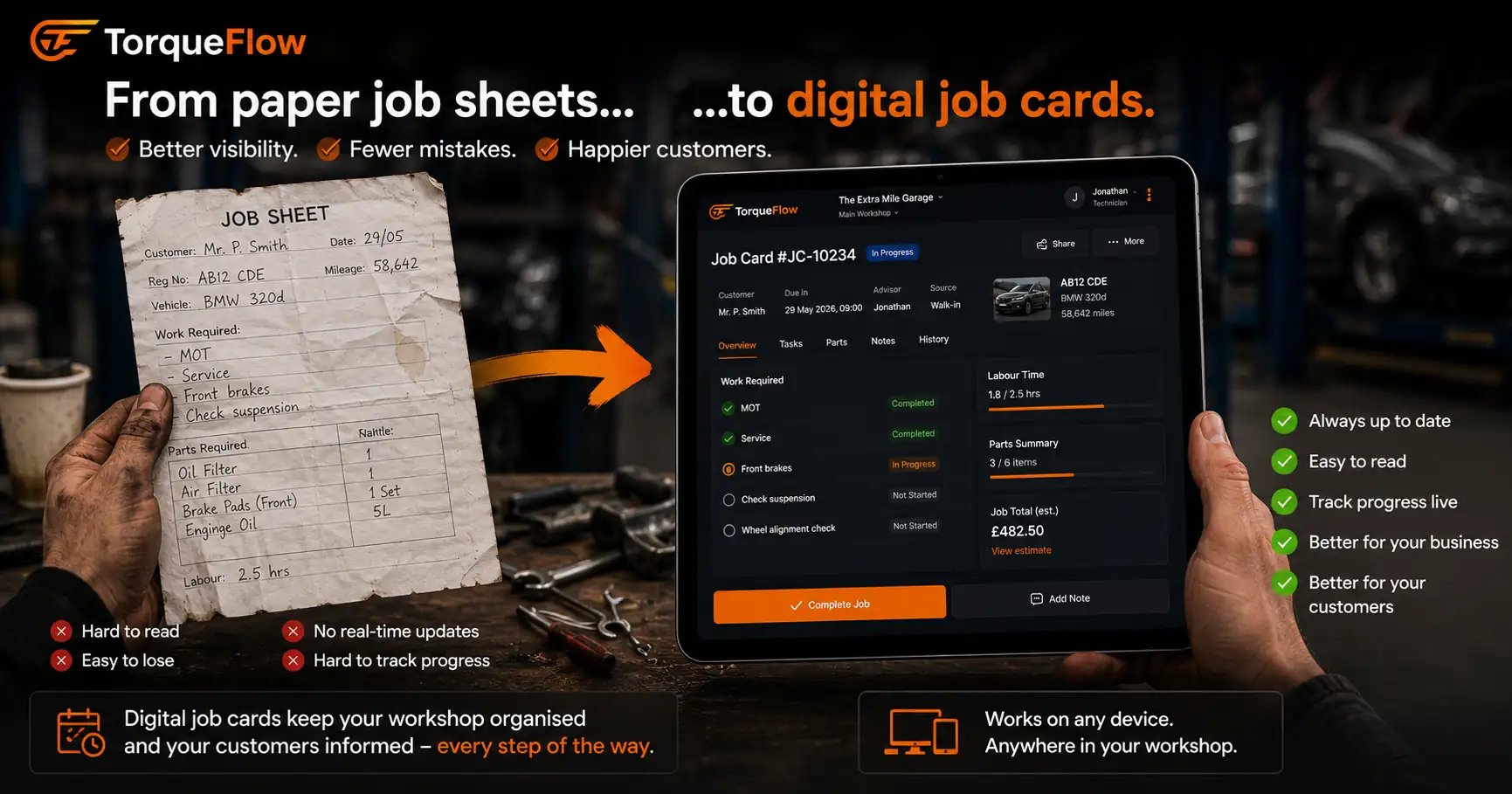
Every independent garage in the UK does vehicle health checks. MOT advisories need recording. Interim findings need communicating. Customers need showing why their brakes are amber and their tyres are red. But most garages still do this on paper. A printed checklist, a pen, a clipboard. The sheet goes in a folder. The customer gets a verbal summary. Nobody can find the record when they need it.
Vehicle health check software replaces the clipboard with a tablet. The technician works through a digital checklist, marks each item green, amber or red, takes photos of worn components, and the customer gets a branded report they can actually understand. The garage gets a digital audit trail. And the amber items become next visit’s revenue.
How a digital vehicle health check works
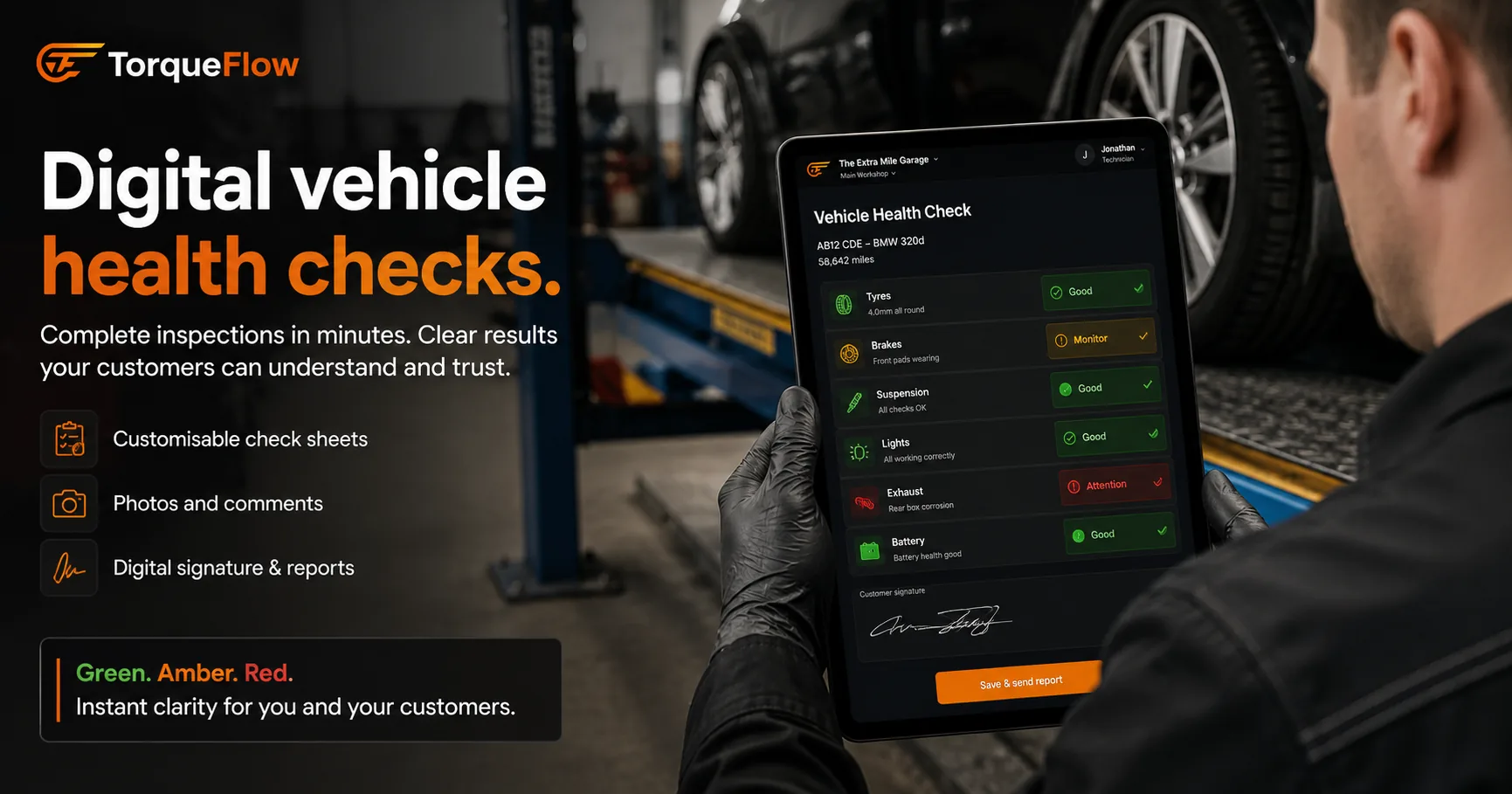
The inspection process is simple. The technician picks up a tablet at the bay, selects the vehicle from the job card, and works through the VHC template. Each checkpoint covers a specific vehicle component or system: brakes, tyres, suspension, steering, lights, fluids, exhaust, battery, wipers, bodywork.
Each item gets one of three ratings:
- Green. No action needed. Component is in good condition and roadworthy.
- Amber. Advisory. Not dangerous now, but will need attention soon. Monitor or book for future work.
- Red. Requires immediate attention. Safety concern or MOT failure item.
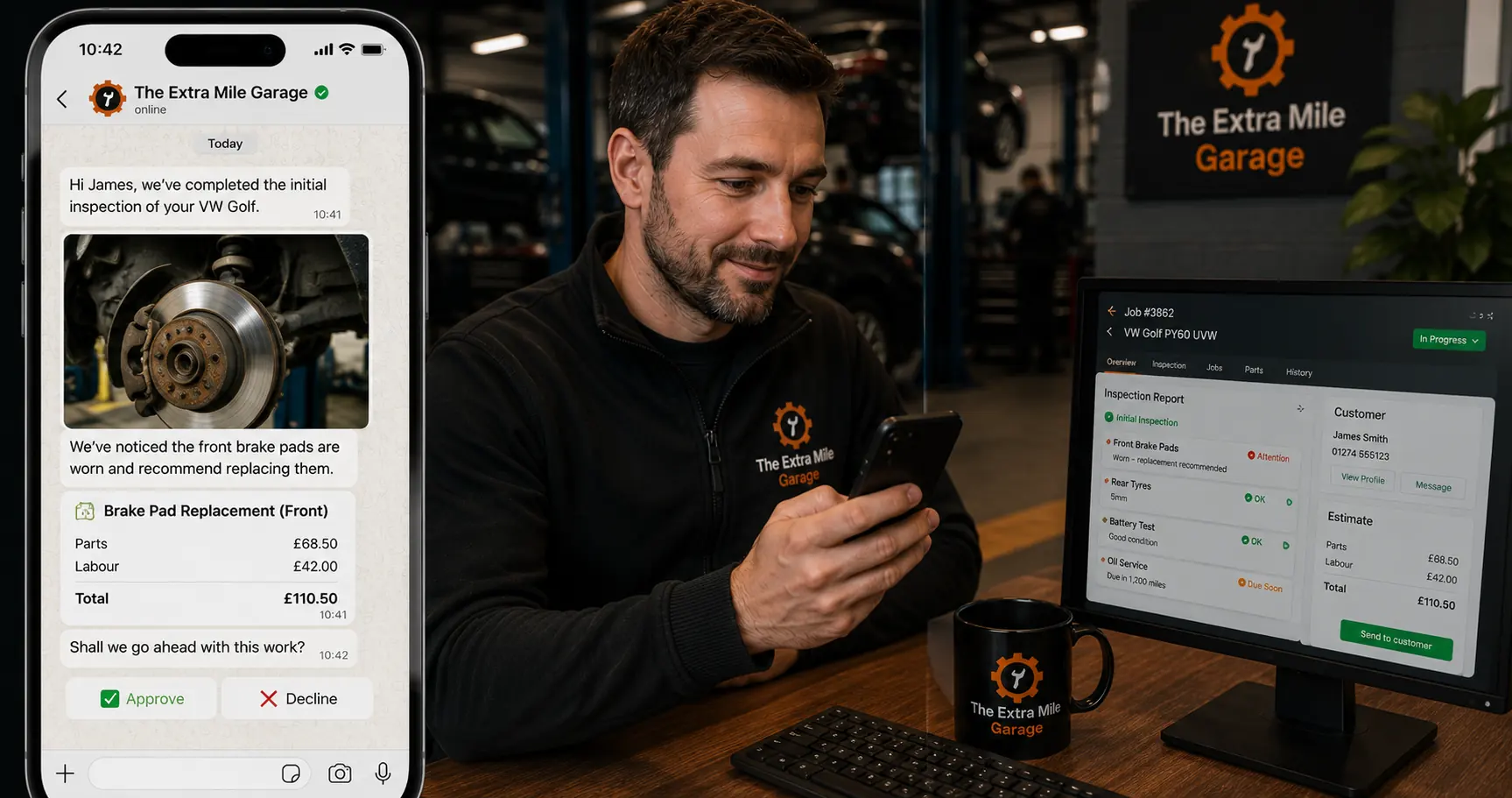
For amber and red items, the technician takes a photo. A worn brake pad next to a ruler. A cracked CV boot. A tyre with 2mm of tread. The photo goes straight into the inspection record against that specific vehicle.
The whole check takes 5-10 minutes per vehicle. No more than the paper version. But the output is completely different.
What the customer sees
This is where digital vehicle checks change the conversation.
With paper, the customer gets a verbal rundown at the counter. “Your front pads are getting low, rear tyres need doing in a few months.” They nod. They forget. They don’t come back until the MOT forces the issue.
With vehicle health check software, the customer gets a visual report. Photos of their actual car. Green ticks for the items that passed. Amber warnings with photos and a recommendation. Red items with photos and a clear explanation. Some systems send this via email or WhatsApp. Others show it in a customer portal.
A customer who sees a photo of their own worn brake pad approves the work at a higher rate than one who’s told “your brakes need doing.” The transparency builds trust. The trust builds customer loyalty. And the aftersales conversion from VHC findings is where the real margin lives for independent garages.
Dealerships have been doing this for years. The franchise service department sends you a digital vehicle inspection with photos and an approval button. Independent garages running paper VHCs are competing with that customer experience using a clipboard. That gap is closable with the right software.
The garage side: digital records and compliance
The VHC isn’t just a customer-facing tool. It protects the garage too.
Digital audit trail. Every inspection is stored against the vehicle record with the date, the technician who performed it, every rating, and every photo. If a customer comes back six months later saying “you never told me about the suspension”, you have the timestamped record with photos. Paper sheets in a filing cabinet don’t offer that.
DVSA compliance. MOT testers are required to record advisories. A digital vehicle health check linked to the job card and the MOT record keeps everything in one place. If you’re ever audited, the inspection data is searchable, exportable, and complete. No scrambling through boxes of paper.
Consistency across technicians. A VHC template ensures every technician checks the same items in the same order. Dave doesn’t skip the battery check because he forgot. The template enforces the process. This matters for safety inspections and for maintaining a consistent service standard across your team.
How VHC findings drive revenue
The amber items on a vehicle health check are your most valuable lead source. They’re pre-qualified. The customer already has a car in your workshop. You’ve already found the problem. The only question is whether they approve the work now or book it for later.
Good vehicle health check software makes the approval easy. The customer sees the photo, sees the recommendation, and either approves online or replies to the WhatsApp message. No phone call needed. No chasing.
Track your VHC-to-approval rate. If 40% of amber items convert to booked work, you know every 10 VHCs generate roughly 4 additional jobs. That’s predictable revenue from preventative maintenance that would otherwise wait until something fails or the next MOT flags it.
Put a number on it. A garage running 10-15 vehicles a day through checks only needs five amber items a week to turn into approved £100-200 jobs for that to be £500-1,000 a week in work customers approved because they saw the evidence. Not because you pushed them.
Standalone VHC apps vs integrated garage management
You can buy a standalone vehicle inspection app for £10-30/month. Products like iCheck, AutoVHC, and similar tools handle the tablet checklist, photos, and customer report. They work for the inspection itself.
But standalone tools create a gap. The VHC lives in one system. The job card lives in another. The invoice in a third. The customer record in a fourth. Someone has to manually connect the VHC finding to a quote, the quote to an approval, the approval to a job card, the job card to an invoice. That’s a way to manage it, but it’s not a good one.
In an integrated garage management system, the VHC is part of the job card workflow. The technician completes the check on the same platform they use for everything else. Amber items generate a quote with one click. The customer approves via the portal. The approved work becomes a job card. The job card becomes an invoice. No data re-entry. No lost findings.
For a garage that’s already on a management system (or choosing one), look for VHC built in, not bolted on. If you’re evaluating garage software, check whether the VHC template is customisable, whether photos attach to the vehicle record permanently, and whether amber items can generate quotes automatically.
Read more about choosing garage software →
What to look for in vehicle health check software
- Tablet-friendly interface. Your technician is using this at the ramp with greasy hands. Large buttons. Simple flow. No tiny desktop UI squeezed onto a 10-inch screen.
- Photo capture per item. Not just a pass/fail checkbox. Photos are the evidence that drives approval and protects you legally.
- Green/amber/red rating system. The industry standard. Customers understand traffic-light ratings without explanation.
- Branded reports. The customer report should carry your garage’s logo and look professional. Not a generic output from a free vehicle inspection app.
- Customisable VHC template. Different vehicle types need different checks. You should be able to add, remove, or reorder items per service type.
- Integration with your job card and invoicing. Amber items should flow into quotes and work orders without re-typing. This is the make-or-break for productivity.
- Digital records stored against the vehicle. Every VHC for every vehicle, searchable by date, technician, or finding. Your digital platform should generate reports on VHC volume and conversion rates.
MOT advisory linking. VHC findings and MOT advisories should live in the same vehicle record so nothing gets missed at the next service.
Frequently asked questions
Stop losing amber work to the filing cabinet
Every paper VHC sheet that goes into a folder is revenue you found and then forgot about. Digital vehicle health checks keep the findings visible, put photos in front of customers who need convincing, and turn “we’ll keep an eye on it” into booked work. Win back a couple of approved brake jobs a month and the software has paid for itself.
Torqueflow handles the inspection workflow digitally: manufacturer service schedules pulled per vehicle from Haynes Pro data, reusable checklist templates you apply to the job card, findings with photos, and severity-badged quotes your customer reviews and approves in their portal. Part of the complete garage management system.