Garage Job Card Software: Digital Work Orders for UK Workshops
Paper job cards get lost, can’t be read, and don’t tell the customer anything. Digital job card software replaces paper job sheets with a connected system that tracks every job from check-in to invoice. If your workshop floor is still running on clipboards, here’s what you’re missing.
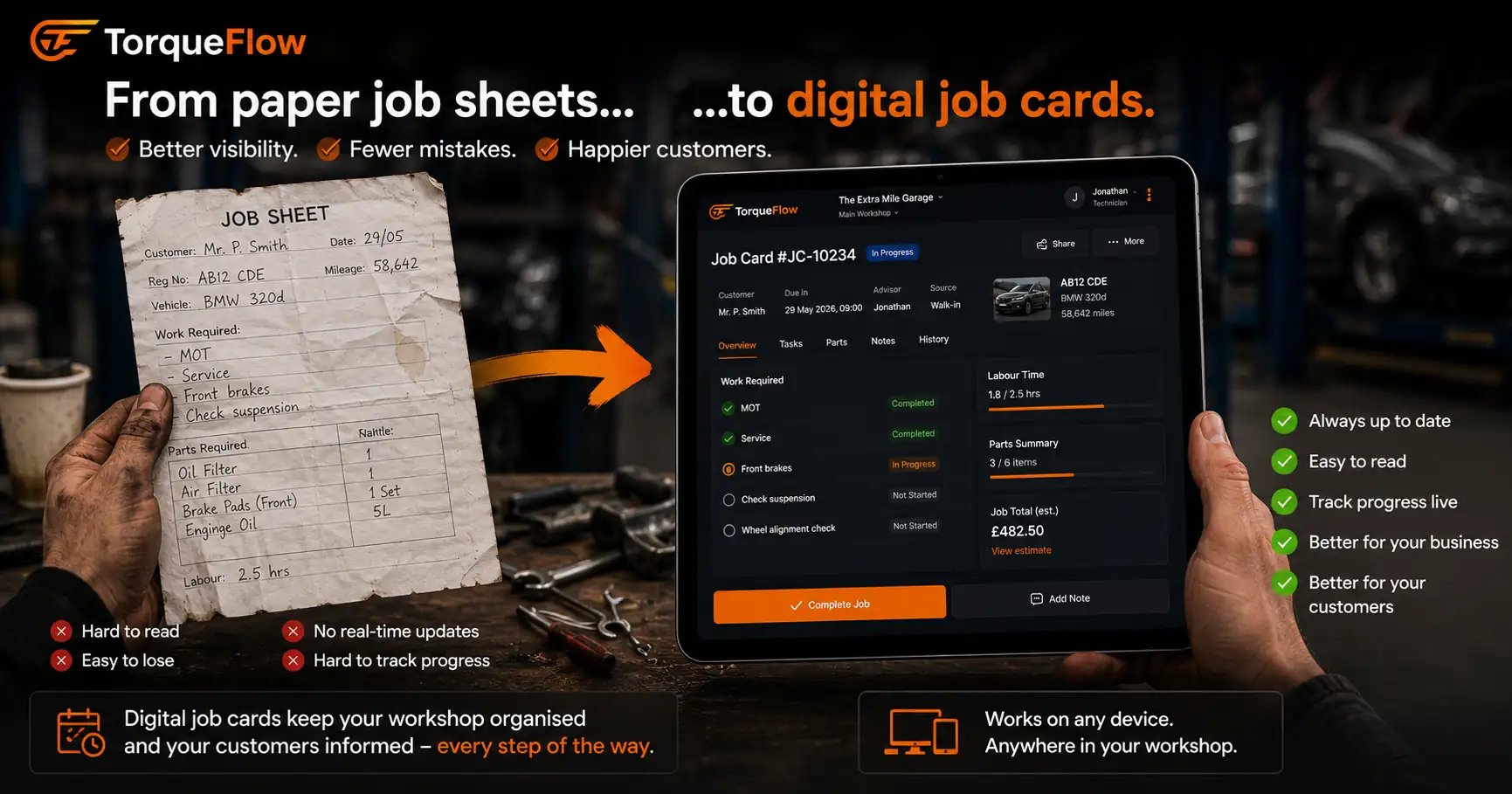
Every job in a garage starts with a job card. Vehicle arrives, job card gets written up, technician works it, service advisor invoices it. That workflow hasn’t changed in decades. But the way most garages manage it hasn’t changed either. Paper job sheets, written by hand, filed in a tray, lost in a pile.
A 4-bay garage running 12-15 jobs a day produces 60-75 paper job cards a week. Each one carries customer and vehicle details, the work requested, parts used, labour time, and notes. When one goes missing, someone spends 10 minutes looking for it. When the handwriting is unreadable, someone rings the technician to ask what they meant. When a customer calls to ask about their car, someone walks to the bay to check.
Digital garage job card software is designed to replace paper with a system where every job is tracked in real time, every update is visible to the whole team, and the completed job becomes an invoice with one click.
What paper job cards actually cost your garage
Paper isn’t free. Not because of the paper itself, but because of what it doesn’t do.
No real-time visibility. When Mrs Patterson calls to ask if her car is ready, the service advisor has to walk to the bay, find the technician, check the job card, walk back to the phone. With digital job cards, they check the screen. 10 seconds vs 3 minutes. Multiply that by 15 calls a day and you’ve lost an hour of your front desk’s time.
No connection to invoicing. When the job is complete, someone retypes the parts and labour from the paper card into the invoicing system. That’s data entry that shouldn’t exist. Every retype is a chance to get a part number wrong, miss a line, or charge the wrong labour rate. Accurate billing starts with not typing things twice.
No searchable history. “What did we do on that Fiesta last August?” With paper, that’s a filing cabinet search. With digital job cards, it’s a 5-second lookup. Every job is stored against the vehicle record permanently.
No workflow tracking. Paper job sheets don’t move through stages. They sit on a clipboard until someone picks them up. There’s no way to see at a glance which jobs are in progress, which are waiting on parts, and which are done. The only person who knows the job status is the technician working on it, and they’re under the car.
No customer updates. Paper can’t send a WhatsApp. Digital job cards allow automatic notifications: “Your car is in progress”, “We’re waiting on a part”, “Ready for collection.” Keeping customers informed without your team making phone calls improves customer satisfaction and stops the “Is it ready yet?” calls.
Say goodbye to paper. It’s costing you more than you think.
What digital job card software does differently
A digital job card is a live document on a screen. It starts when the vehicle checks in and it doesn’t close until the invoice is paid. Every person in the workshop can see it. Every update happens in real time.
Create job cards in seconds. Vehicle registration goes in, the system pulls the vehicle details and customer record. The job type is selected, the work requested is noted, and the card is live. No handwriting. No missing fields.
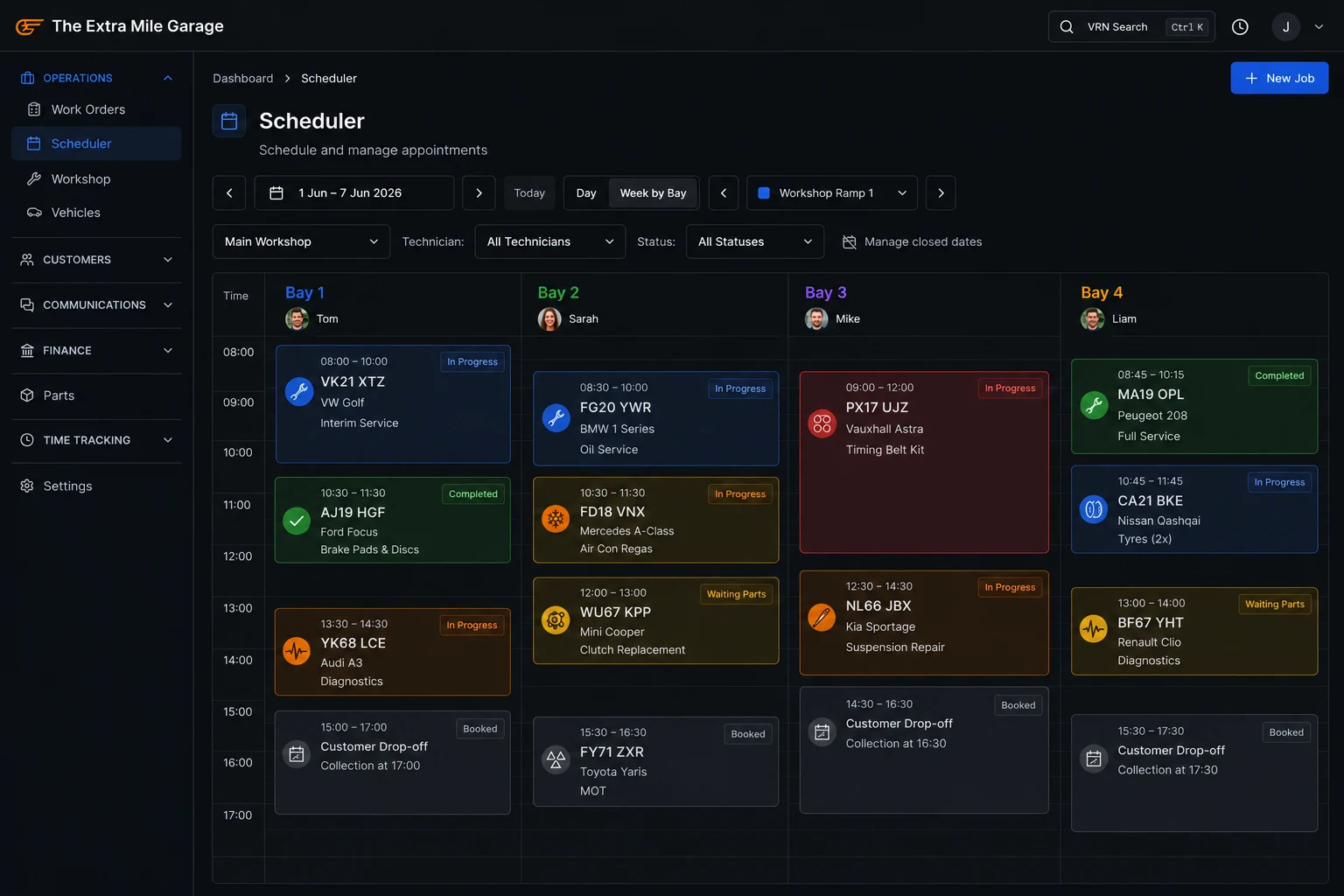
Assign jobs to technicians and bays. The service advisor assigns the job card to a specific technician and bay from the scheduling screen. The technician sees their workload for the day on their tablet or phone. No walking to a job board. No “Dave, what are you working on next?”
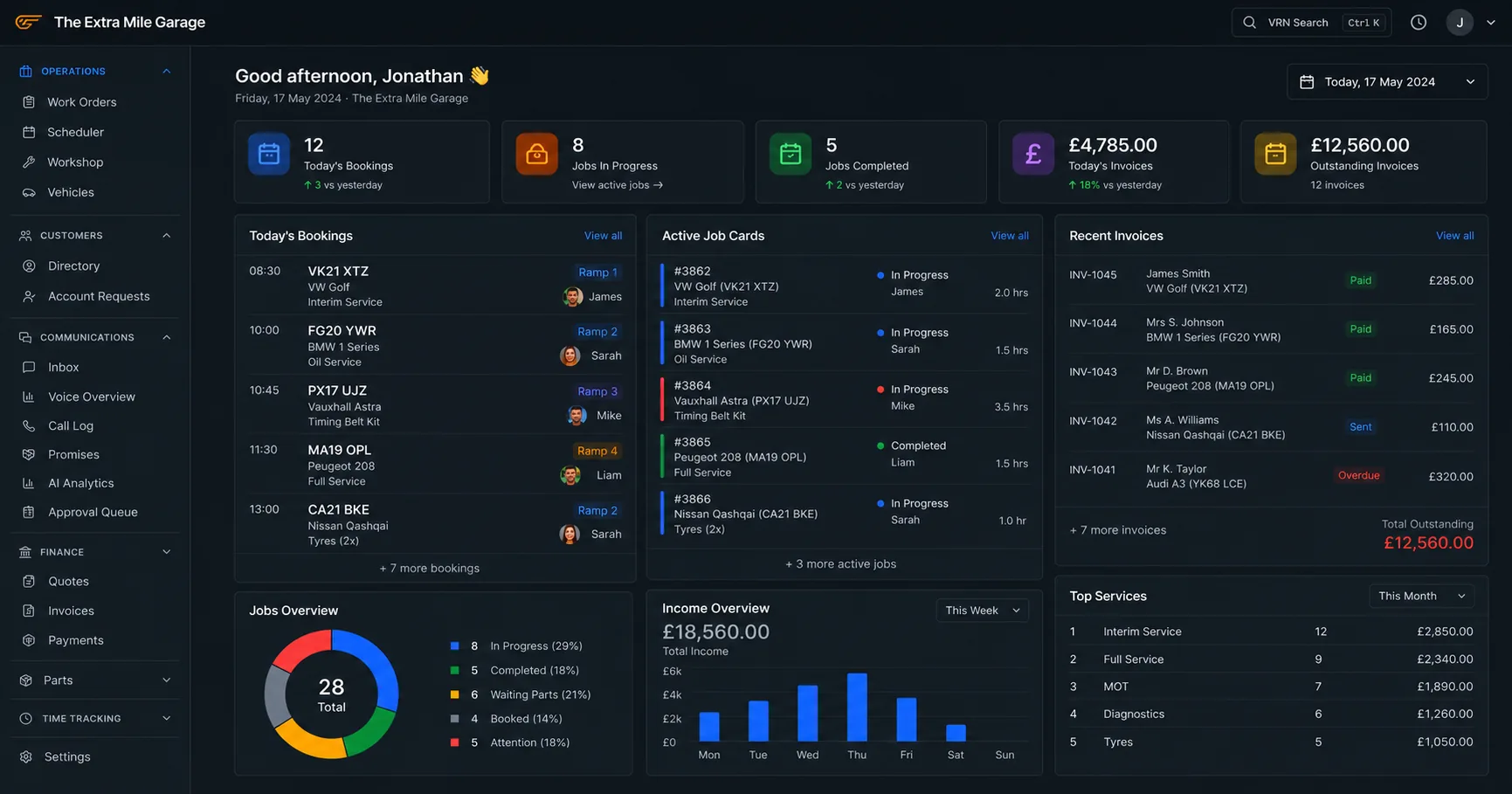
Track job progress through stages. Each job moves through a workflow: booked, checked in, in progress, waiting on parts, quality check, ready for collection. The dashboard shows every job at a glance. Service advisors see the full workshop without leaving the desk. Garage owners see daily operations from their phone.
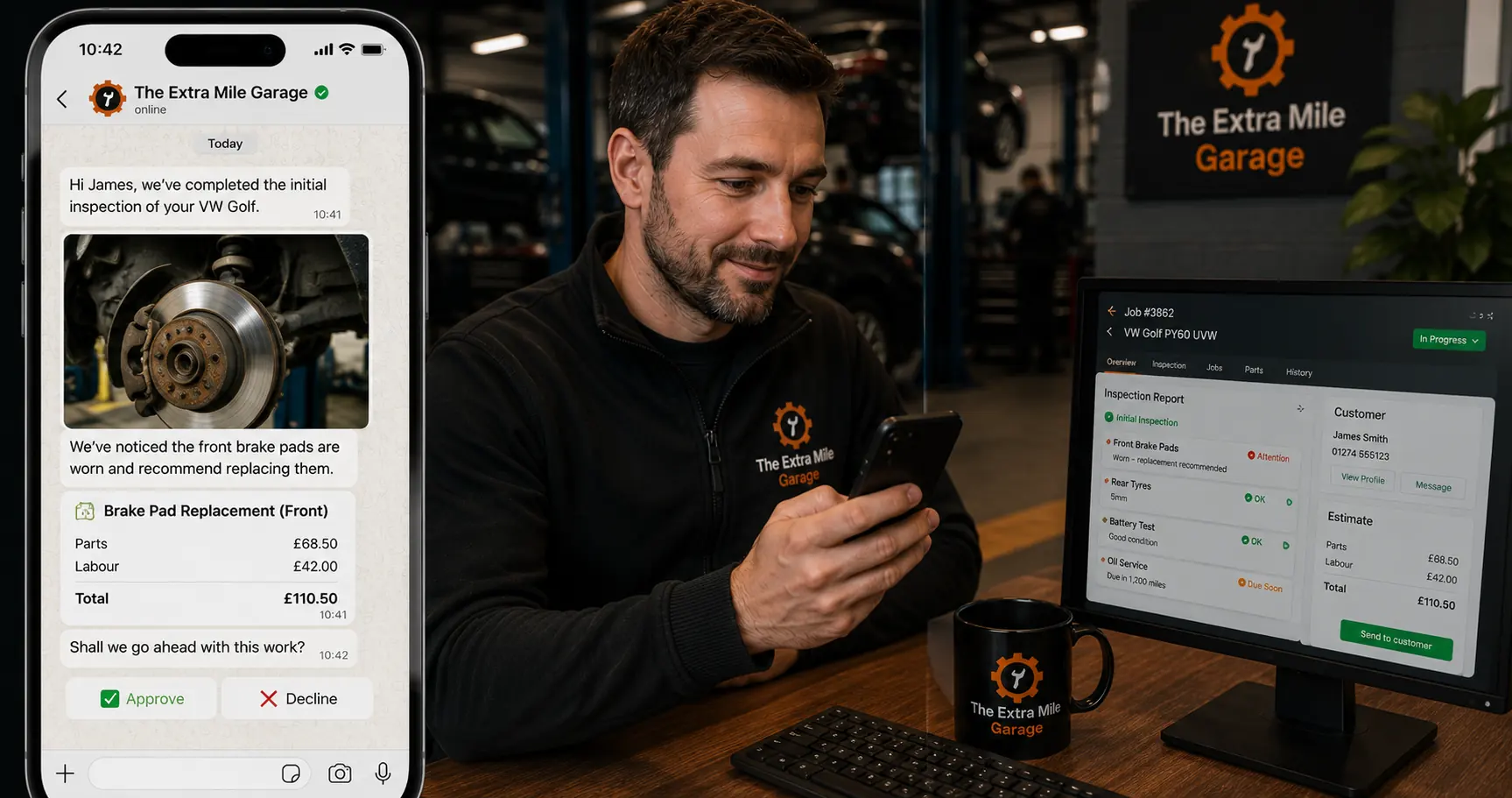
Add photos and videos directly to job cards. The technician photographs a worn component, records a noise, or videos a fault. The evidence attaches to the job card and flows through to the customer quote. Approval rates go up when the customer sees what the technician found. Some systems let you attach photos and videos directly to job cards from the tablet camera in one tap.
Parts and labour tracked per job. Every part used goes on the job card. Every labour hour logged. When the job is complete, the invoice builds itself from the card. No retying. No missed lines. Accurate job costing for every job, every time.
Real-time updates to the customer. Job status updates go out via SMS or WhatsApp automatically. The customer knows their car is in progress without calling. They know it’s ready without you remembering to ring them. This is how you improve customer experience without adding staff.
The job card workflow: from check-in to invoice
In a connected system, the job card isn’t standalone. It’s part of your workshop operations. Here’s how it flows:
- Customer arrives. The job card is created from the booking (or a walk-in is added). Customer and vehicle details are already populated.
- Service advisor reviews. Work is confirmed, any additional requests noted. Job is assigned to a technician and bay.
- Technician works the job. Updates progress on the tablet. Adds parts used. Logs time. Takes photos of findings. Flags anything that needs approval before proceeding.
- Approval for additional work. The customer gets a quote with photos via WhatsApp or the portal. They approve or decline. The approved work goes back on the job card.
- Quality check. A senior technician or the service advisor reviews the completed job before handover.
- Vehicle ready. Customer gets a WhatsApp notification. The job card becomes an invoice with parts and labour already filled in.
- Invoice sent and paid. One click. The invoice syncs to Xero or Sage. The vehicle health check findings and service records are stored against the vehicle for next time.
Every step is connected. The job card is the thread that runs through the entire view of the job. Nothing is retyped. Nothing is lost. The completed job card is your digital record of what was done, what was charged, and what was found for future reference.
Read more about garage invoicing software →
What to look for in garage job card software
- Works on tablets and phones. Your technicians are on the workshop floor, not at a desk. The digital approach only works if the interface is built for a 10-inch screen with greasy hands.
- Creates job cards from bookings automatically. If someone booked online or by phone, the job card should already exist when the car arrives. No duplicate data entry.
- Photo and video capture. One tap to photograph, attached directly to the job card. Not a separate upload process.
- Real-time job tracking. Every stage visible on the dashboard. Service advisors and garage owners should see every job at a glance without asking anyone.
- Parts and labour from the job card generate the invoice. This is non-negotiable. If the invoice isn’t built from the job card, you’re typing everything twice.
- Customer notifications from job status changes. “In progress”, “waiting on parts”, “ready for collection” via SMS or WhatsApp. Automated, not manual.
- Vehicle specifications and history attached. The technician should see previous work, advisories, and vehicle specifications without looking them up separately.
- Reporting on job performance. Average job value by job type, technician productivity, time per job, parts margin. You can’t optimise garage operations you can’t measure.
- Part of your workshop management system, not a standalone tool. A digital job card system that doesn’t connect to your booking, invoicing, and customer communication is a digital clipboard. Better than paper, but not by enough.
Frequently asked questions
Replace paper job cards with a system that tracks every job
Paper job cards were fine when garages ran 5 jobs a day and the owner could see every car from the office window. At 10-15 jobs across 3-4 bays with multiple technicians, paper becomes the bottleneck. Digital garage job card software gives you real-time job tracking, automatic invoicing, photo evidence for customers, and a permanent record of every job. The workshop floor stays organised. The front desk stays informed. And the invoice is ready before the customer arrives to collect.
Torqueflow includes digital job cards with photo capture, real-time tracking, automatic invoicing, and customer notifications. Part of the complete garage management system.