Auto Repair Shop Software for UK Garages: Features, Pricing, and How to Choose (2026)
Auto repair shop software runs the whole shop from one screen: bookings, job cards, inspections, invoicing and payments. Here’s what it does, what the American tools get wrong for a UK garage, and how to choose the right one.
Search “auto repair shop software” and most of what comes back is American. Shopmonkey, AutoLeap, Tekmetric, ARI. Good products, all of them. But they’re built for a shop in Ohio, not a garage in Oldham. They don’t know what an MOT is. They quote in dollars. They’ve never heard of DVLA.
This guide is for the UK garage owner typing that search anyway, because the job is the same wherever you are. You’ve got cars in, customers to chase, invoices to raise and a diary to fill. The tool that does all of that is what Americans call auto repair shop software and what we’d call garage management software. Same job, different accent. It doesn’t matter whether the sign over the door says car repair, automotive repair or just “garage”. The work underneath is the same, and so is the software that runs it.
What the software actually does
Strip away the branding and every one of these systems does the same core job. It takes a vehicle through your garage and keeps the paperwork honest at every step.
A booking comes in. The car gets a work order, what American software calls a repair order, or RO, and a UK garage calls a job card. The technician records what they find. Extra work turns into a quote the customer approves. Parts go on. The job’s invoiced, the customer pays, and the record stays on file for next time.
Good shop management software does all that without you re-typing anything. The booking becomes the job card. The job card becomes the invoice. The invoice syncs to your accounts. One flow, no double entry, and real-time visibility of where every car is. Run a repair business and that single view is the whole game: what’s booked, what’s owed, how each technician’s day is going. The manager sees shop performance at a glance instead of chasing it down. That’s the pitch. Everything else is detail.
Job cards, inspections and the repair workflow
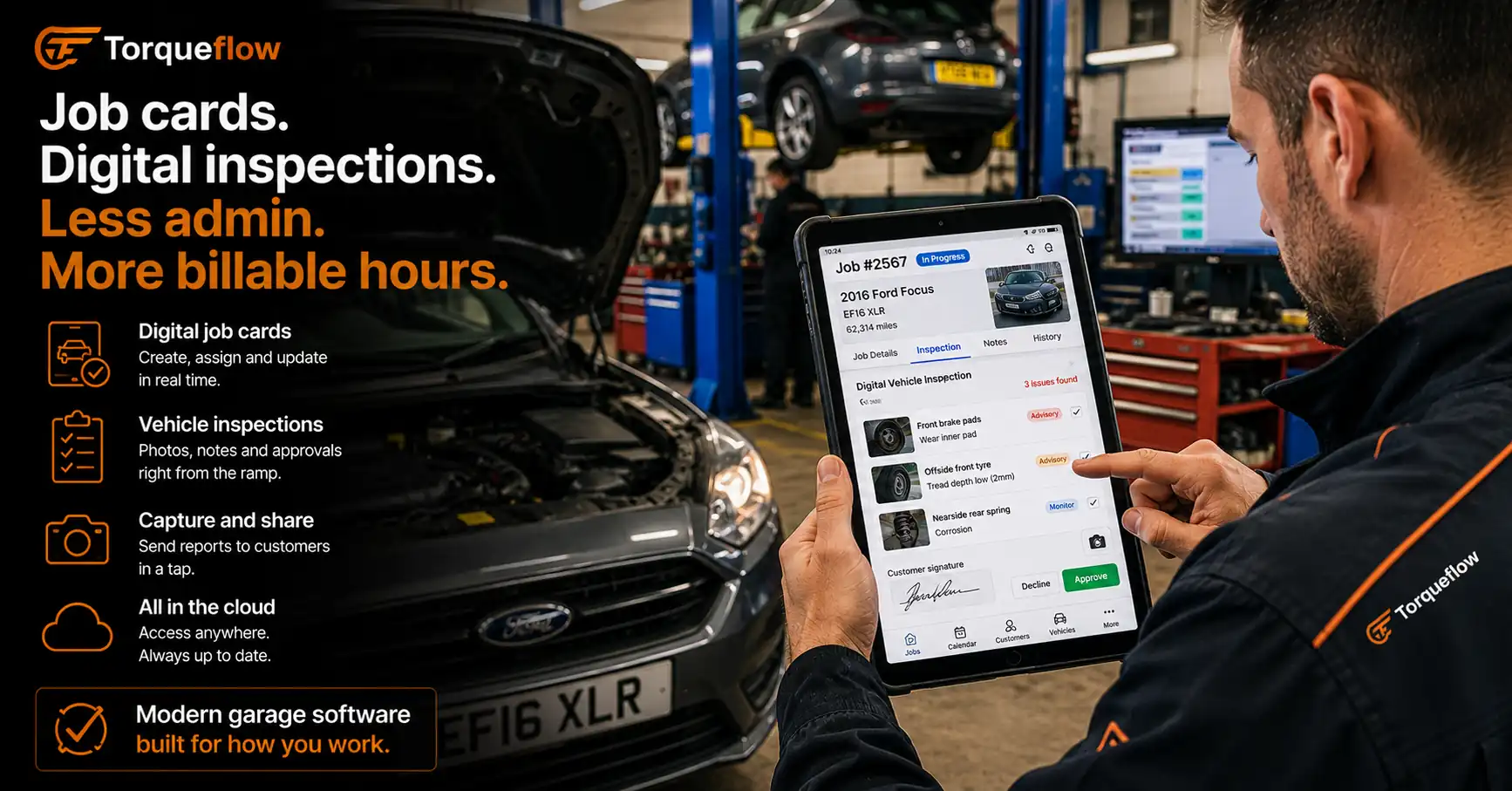
This is the core, so start here when you compare tools. The technician opens the job card on a tablet at the ramp. They log the labour, the parts used, the time on the job. When they spot something extra, a worn tyre, a leaking shock, they raise a digital vehicle inspection with photos and a severity badge on each item.
That inspection goes to the customer on their phone. They approve or decline each line. Approved work flows straight back onto the job card. No phone tag, no “I’ll call you back”, no work done without a yes on record. It’s the single biggest fix for the trust gap between a garage and its customers, and it’s why digital vehicle inspections caught on so fast in the trade.
The whole repair process sits in one place. Repair status is visible to the front desk, the technician’s notes are attached to the car, the customer’s approvals are logged, and the parts are on order. Nobody’s shouting across the workshop to ask where a job’s up to.
Parts ordering runs in the same workflow. As parts go on the car they’re logged against the job and priced with your markup, so the invoice total is right without anyone adding it up twice. When the supplier’s bill lands, the AI reads it and files it against the right job and supplier in seconds. That’s the difference between an organised parts ledger and a shoebox of receipts at year-end.
Invoicing, payments and your accountant
A job that’s signed off should invoice itself. The labour and parts are already on the job card, so the auto repair invoice builds straight from the work. Add VAT, brand it with your garage’s logo, send it to the customer’s phone. They pay by card on a link or at the counter on a terminal, which is your point of sale and your invoicing in the same place.
Then it hits your accounts. The strongest UK auto repair software syncs live to Xero, so your invoices and payments land in your accounting software without a CSV in sight. If you’re on Sage, QuickBooks or FreeAgent instead, a clean ledger export drops into all of them. Your accountant sees the same numbers you do, and your VAT return, ready for Making Tax Digital, is a report rather than a weekend.
This is where the American tools fall down hardest. They handle sales tax, not VAT. They don’t zero-rate an MOT. A UK garage needs software that does both without you thinking about it. Here’s how Torqueflow handles the money side in full.
Booking, reminders and keeping customers
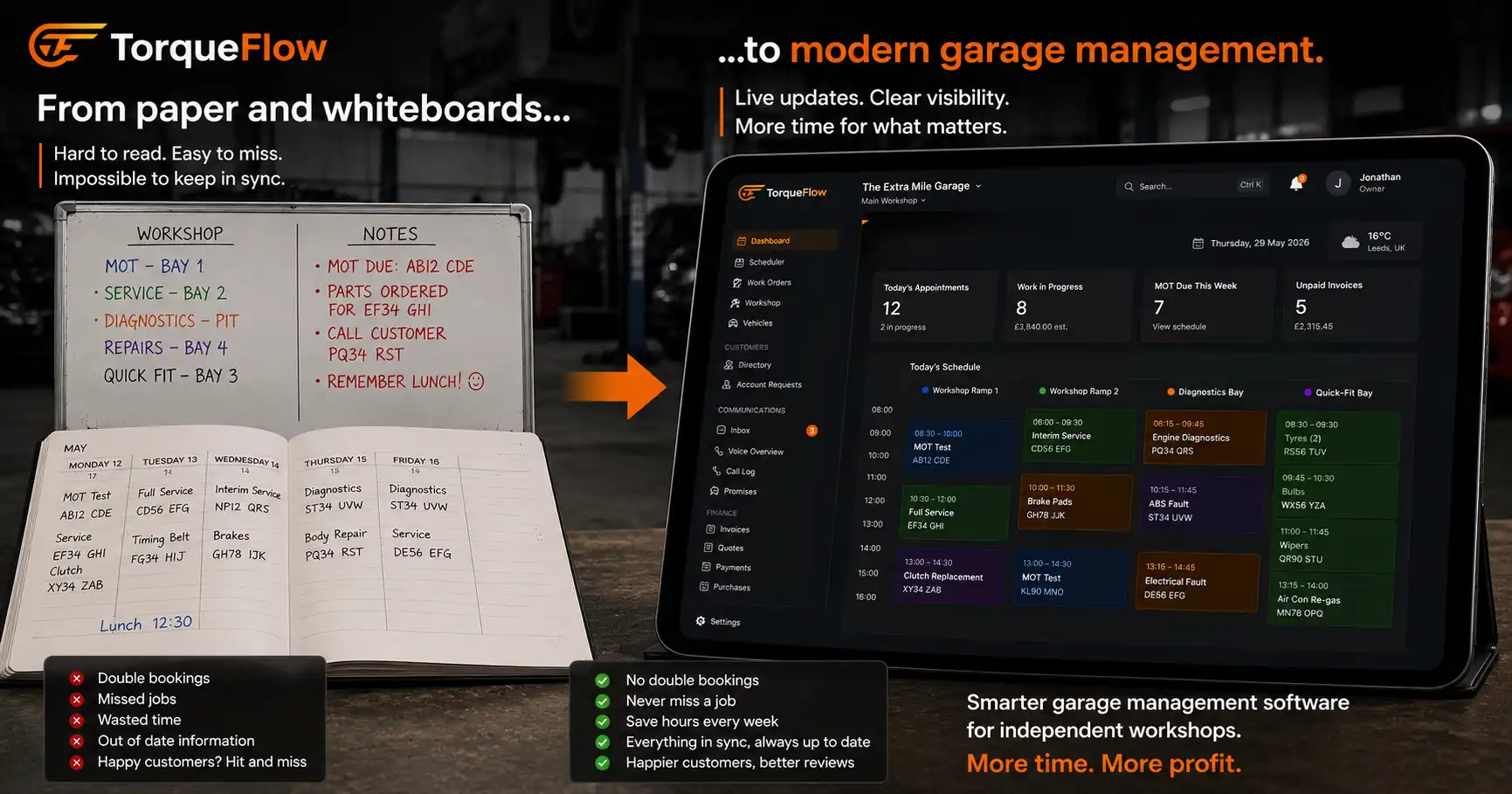
The diary is the heart of the shop, so the software has to get it right. A good system gives you a booking diary the front desk can actually read, with bays, technicians and time all visible at a glance.
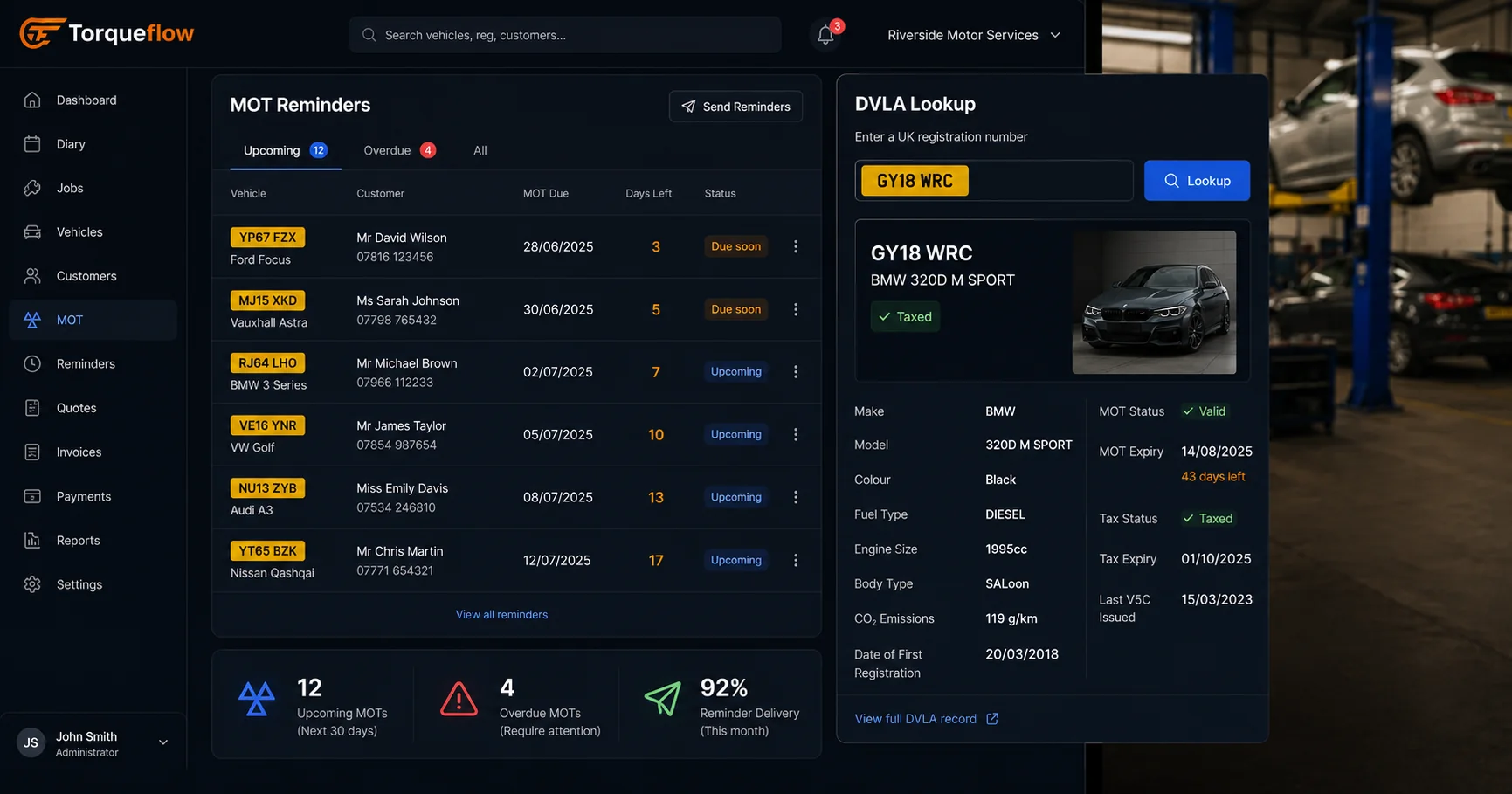
The clever part is what happens after the job. Automated reminders bring cars back. An MOT’s due in three weeks, a service is coming up, so the customer gets a WhatsApp or a text before they drift to the garage down the road. That’s the CRM software side of the tool, and for an independent it matters more than any flashy feature.
A proper auto repair CRM keeps every customer’s history, their cars and their contact details in one record, so the garage that does the work also owns the relationship. Winning a new customer is dear. Keeping the one you’ve got is nearly free, and it’s how you grow your business without pouring money into ads. Good software keeps all that customer communication in one thread.
The AI takes it further. It answers the phone when you’re under a car, books the job, and sends the confirmation, by phone and WhatsApp, around the clock. No missed call, no lost booking.
The bit American auto repair software gets wrong
Here’s the honest pitch. US-built tools like Shopmonkey, AutoLeap and ARI are genuinely good. Slick, well-funded, years ahead on some features. If you ran a shop in Texas I’d tell you to go and look at them today.
But a UK garage isn’t a US shop, and the differences aren’t cosmetic.
- No MOT. American software has no concept of the test, the due dates, or the reminders that fill a UK garage’s diary every March and September.
- No DVLA. Type a reg into a US tool and nothing happens. A UK garage wants the make, model and MOT history to land automatically from a VRM lookup.
- Dollars, not pounds. Sales tax, not VAT. No zero-rated MOT, no Making Tax Digital.
- No WhatsApp. American shops text. UK customers expect WhatsApp, and a garage that ignores that looks behind.
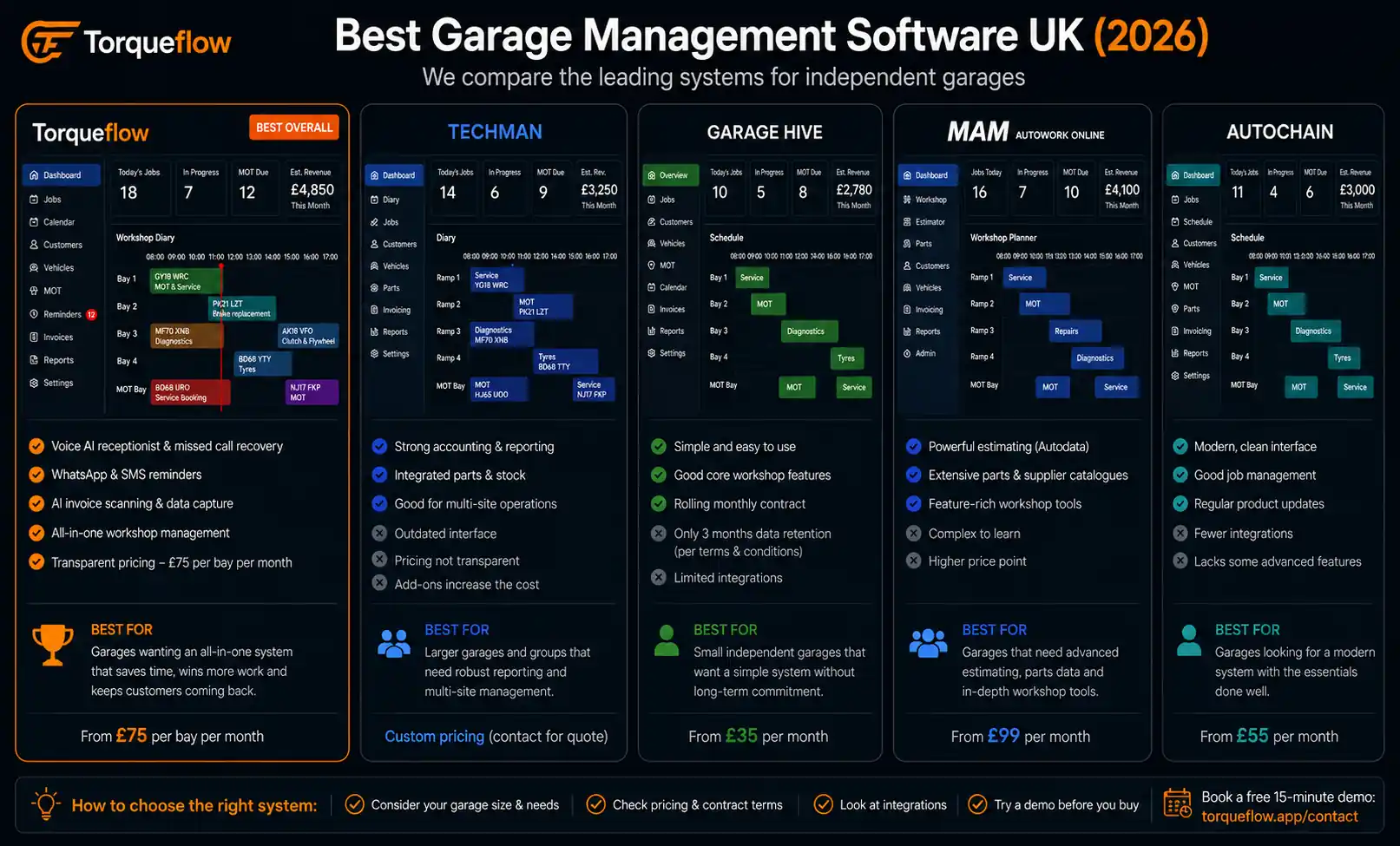
You can force a US tool to fit. Plenty of garages have tried. But you spend the saving you were chasing on workarounds and spreadsheets to plug the gaps. That’s why the auto repair shop software worth buying in the UK is built here, for garages here. If you want the head-to-head on the UK options, the comparison’s here.
What to look for in auto repair shop software
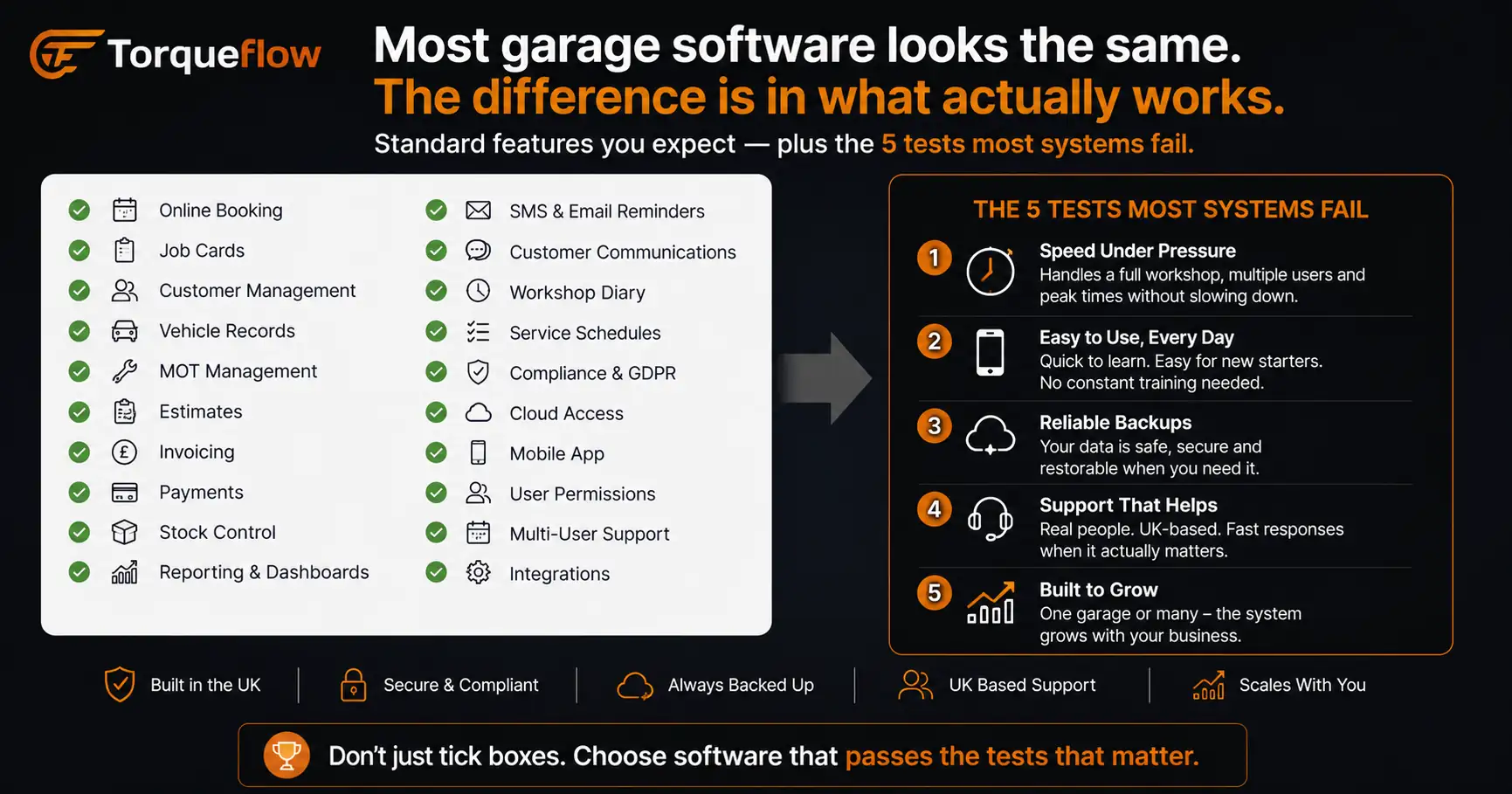
If you’re a shop owner comparing tools, here’s what actually matters for a UK garage, roughly in order.
- All-in-one, genuinely. Booking, job cards, inspections, invoicing, payments and accounts in one system, not five that almost talk to each other. Every gap between two tools is a place a job falls through.
- UK-native. MOT, DVLA, VAT and WhatsApp, as above. Treat this as non-negotiable, not a nice-to-have.
- Works on the ramp. The technician should open the job card on a phone or tablet in the bay, not walk back to the office. You shouldn’t need a separate mobile app either. The best tools run straight in the phone’s browser. Mobile mechanics need the whole thing from a van.
- Grows with you. One bay today, three sites in five years. Multi-location support means you don’t migrate everything again when you expand.
- Your numbers stay yours. It should integrate with the accounting software you already run, and export cleanly if you ever decide to leave.
- A real person to call. When the diary’s down on a Monday morning you want a UK support team, not a ticket in a queue eight time zones away.
Good auto repair software suits shops of all sizes. A sole trader doing six cars a day and a six-bay shop with four technicians want the same things, just at different volumes. The best tools fit small auto repair shops and busy ones alike: simple enough that a one-mechanic outfit isn’t paying for a call centre, deep enough that a growing shop owner won’t outgrow it inside a year. The features scale up. The principles don’t change.
What does it cost?
Pricing in this market is all over the place. The American tools run from around $200 a month into four figures for bigger shops, usually on custom pricing once you grow past a few users. UK garage software is typically billed per user or per bay, monthly, with onboarding included.
Most vendors push a free trial. I’d be wary of that for software this central to the business. A trial means you, on your own, poking at an empty system for two weeks and quietly giving up. A free demo on your own jobs and your own numbers, with someone who knows the product, tells you far more in twenty minutes. Ask for the demo, not the trial.
Whatever you choose, the maths is simple. If the software saves the front desk an hour a day and brings back ten MOTs a month that would otherwise have drifted, it’s paid for itself by the second week. Everything after that is profit you weren’t seeing before.
Where Torqueflow fits
Torqueflow is auto repair shop software built for UK garages. It’s the whole shop in one system: the booking diary, job cards, digital vehicle inspections, quotes, invoicing, card payments and live Xero sync, with MOT reminders, DVLA lookups and WhatsApp baked in. We never had to bolt those on, because we built for the UK trade from the start. It runs in any browser, on the ramp or at the front desk, and it scales from a single bay to several sites.
It isn’t a dealership system and it doesn’t pretend to be. It’s garage management software for the people who actually turn the spanners and send the invoice. See everything it does, or read up on the workshop side and the finance side in detail.
See it on your own cars
The only way to judge auto repair shop software is on your own jobs. Book a 20-minute demo and we’ll run a real one through it end to end: a booking, a job card, an inspection, an invoice, a card payment. No trial to set up, no card to enter, no obligation.