Garage Booking System: How UK Workshops Fill Slots and Cut No-Shows
Your workshop has bays, technicians, and hours in the day. A garage booking system makes sure all three are used. If customers can only book by phone during your busiest hours, you’re leaving slots empty that should be full.
This guide covers booking for every job type. If MOTs specifically are your problem (filling the diary, cutting MOT no-shows), see our MOT booking software guide instead.
A 4-bay garage has roughly 40 bookable slots per week. Every empty slot is lost revenue. Every no-show is a slot you held but couldn’t fill. Every missed phone call is a booking that went to the garage down the road.
Most independent garages in the UK still take bookings by phone. Someone answers, checks the diary, pencils in the appointment. If nobody answers, the customer hangs up. If the customer forgets, they don’t show up. If the diary is a wall planner, nobody knows which bay is free until they walk into the workshop and look.
A proper garage booking system fixes all of this. Online booking so customers can book at any time. Bay and technician scheduling so you see real capacity, not just times. Automated reminders so fewer customers forget. And in 2026, an AI receptionist, so even the customers who call instead of clicking are offered a real time without your team stopping work.
Why phone-only booking costs you work
Phone booking worked when garages did 5 jobs a day. At 10-15 jobs a day across 3-4 bays, it breaks.
The numbers are simple. Peak call time is 8-10am. That’s also when you’re checking vehicles in, assigning technicians, and dealing with parts deliveries. Your best booking hours overlap with your busiest workshop hours. The phone rings, nobody picks up, and the customer books elsewhere. Or they leave a voicemail that gets checked at lunch, by which point they’ve already booked with someone who answered.
And phone booking gives you zero visibility into your online presence. Half your potential customers are searching “MOT near me” or “car service [town]” on their phone at 9pm. If they can’t book online, they scroll to the next result.
A garage booking system puts you where your customers are: online, available, and bookable at any hour.
What a garage booking system actually does
Not every booking tool is built for a workshop. A generic appointment calendar (Calendly, Square Appointments) doesn’t understand bays, job durations, or vehicle types. Here’s what a purpose-built garage booking system handles.
Online booking for your customers
A booking page on your existing website (WordPress, Wix, Squarespace, or standalone) where customers pick a date and time, enter their registration, and confirm. The system does a DVLA lookup to populate vehicle details automatically. The customer selects from your available services: MOT, full service, interim service, diagnostics, tyre fitting, air conditioning regas, or whatever you offer.
You control which services are bookable online. Some garage owners keep complex diagnostics phone-only. Others let customers book everything. You choose.
The booking page should be mobile-friendly. A lot of customers book from their phone on the sofa at 9pm. If the booking flow doesn’t work on a small screen, it doesn’t work.
Bay and technician scheduling
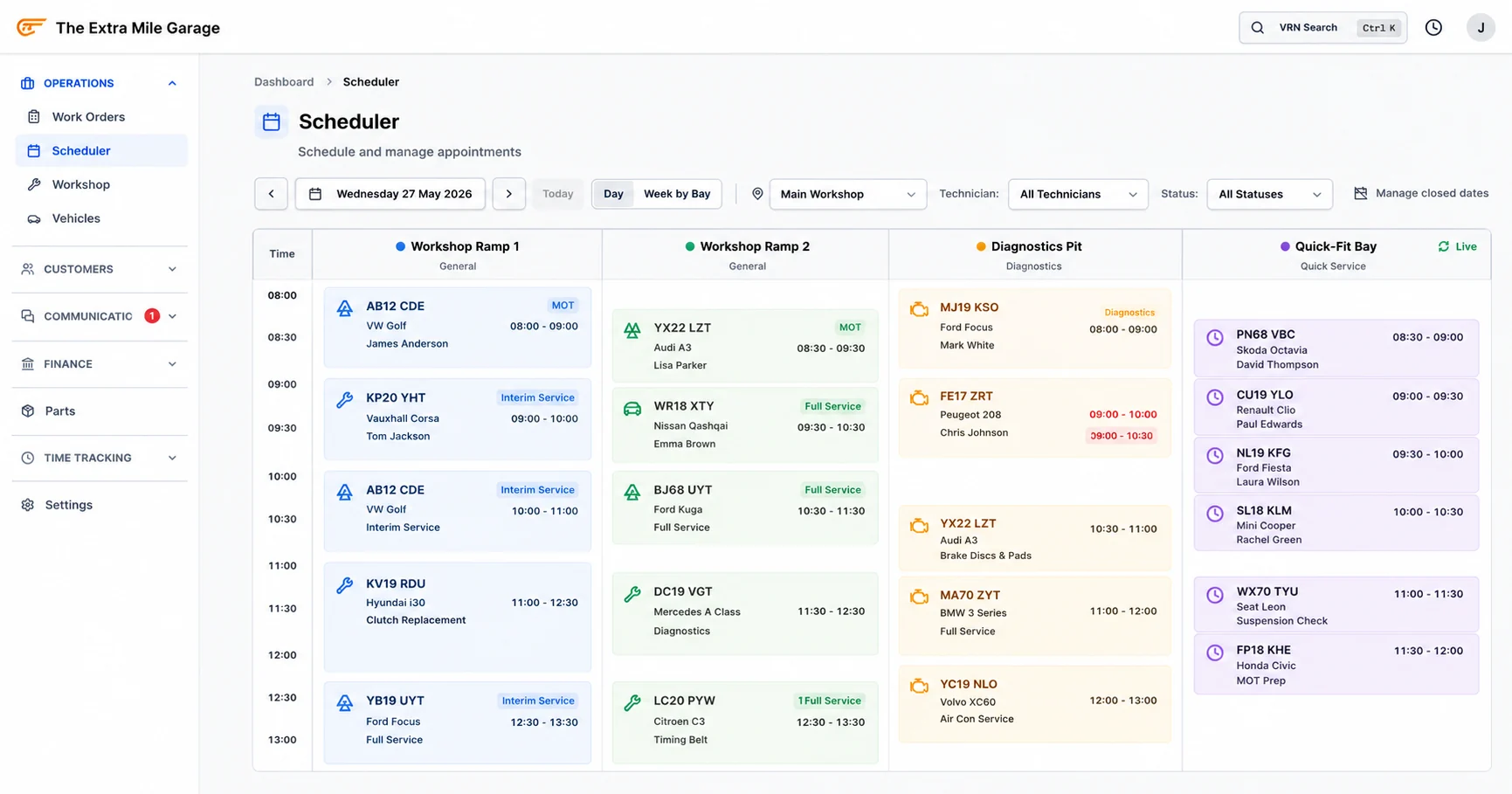
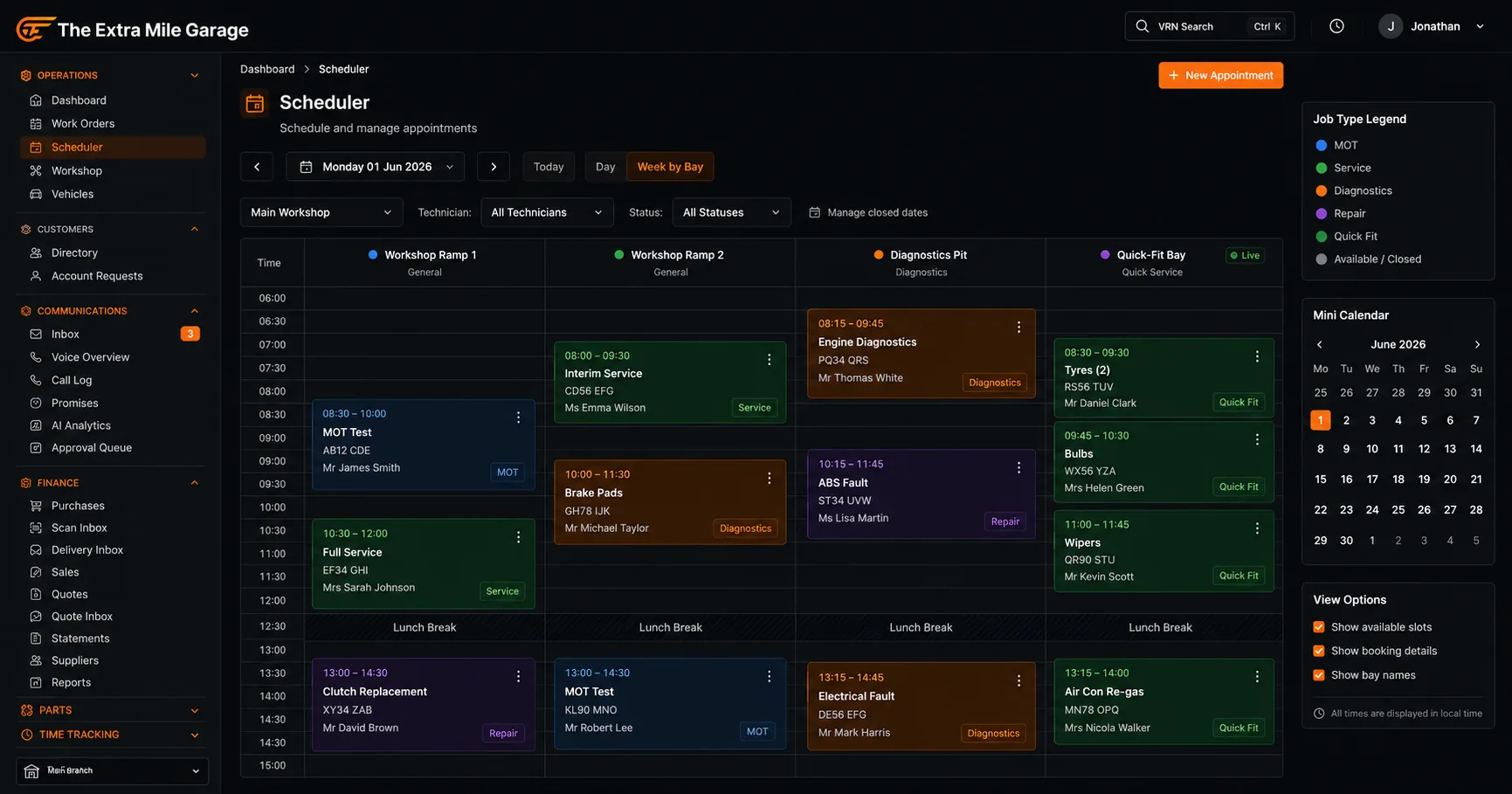
This is what separates a garage booking system from a generic calendar. Your diary shows bays, not just times. Each bay has its own column. Each booking sits in a bay with a technician assigned.
You see at a glance: Bay 1 has a full service until 11am then an MOT at 1pm. Bay 2 is on a diagnostic all morning. Bay 3 has a slot at 10am. Bay capacity is the real constraint, not time alone. A booking system that just shows time slots without bay allocation will double-book you.
The dashboard view shows today’s workload, this week’s utilisation, and where the gaps are. If Thursday afternoon is consistently empty, you know to push service reminders for Thursday slots.
This bay-and-technician view is part of Torqueflow’s wider workshop management system, which also handles job cards, parts, and technician time tracking once the booking becomes a job.
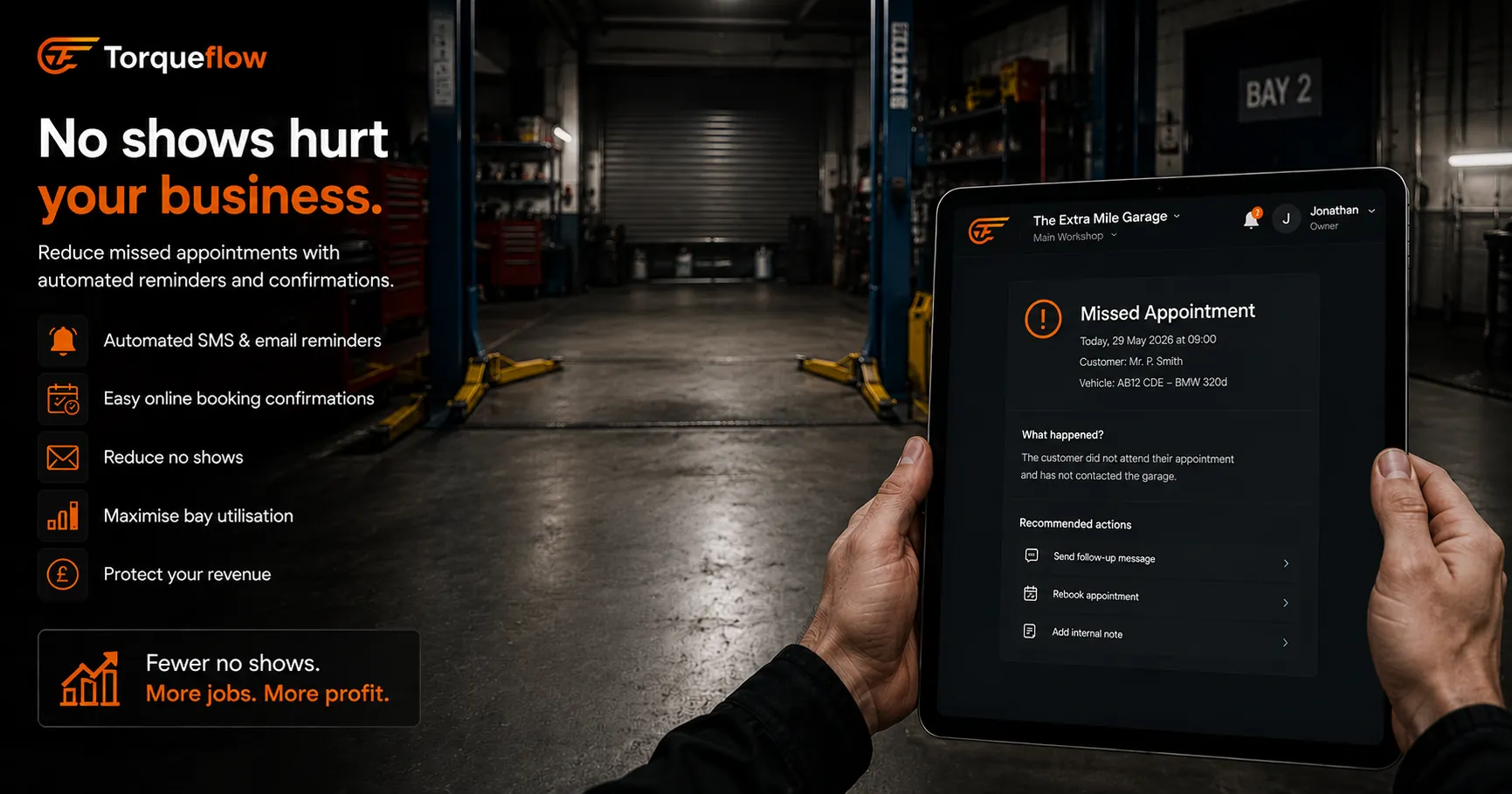
Booking confirmation and automated reminders
Every online booking gets an instant confirmation, on screen and by email. The customer has the date and time, the service and your details within seconds.
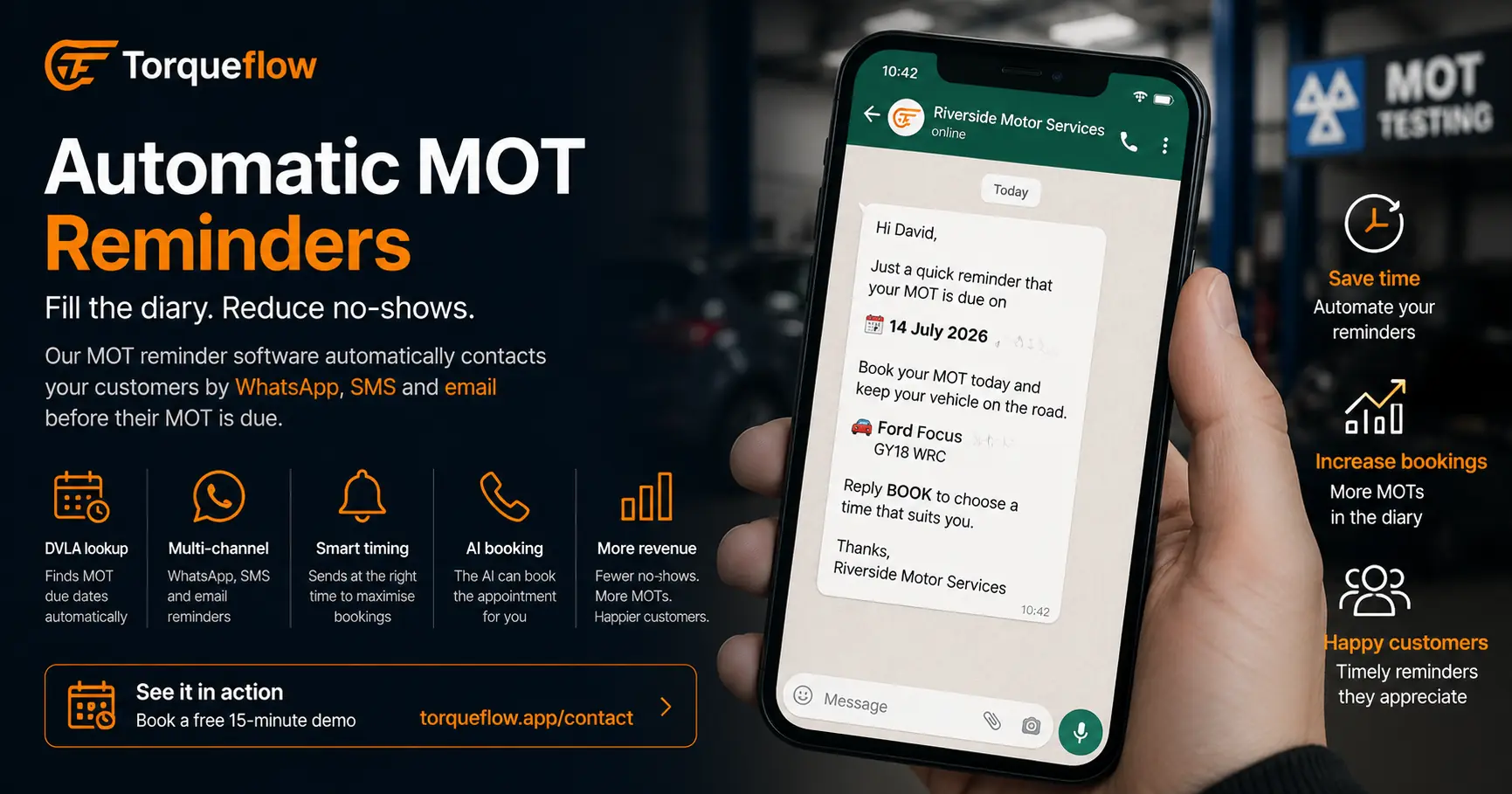
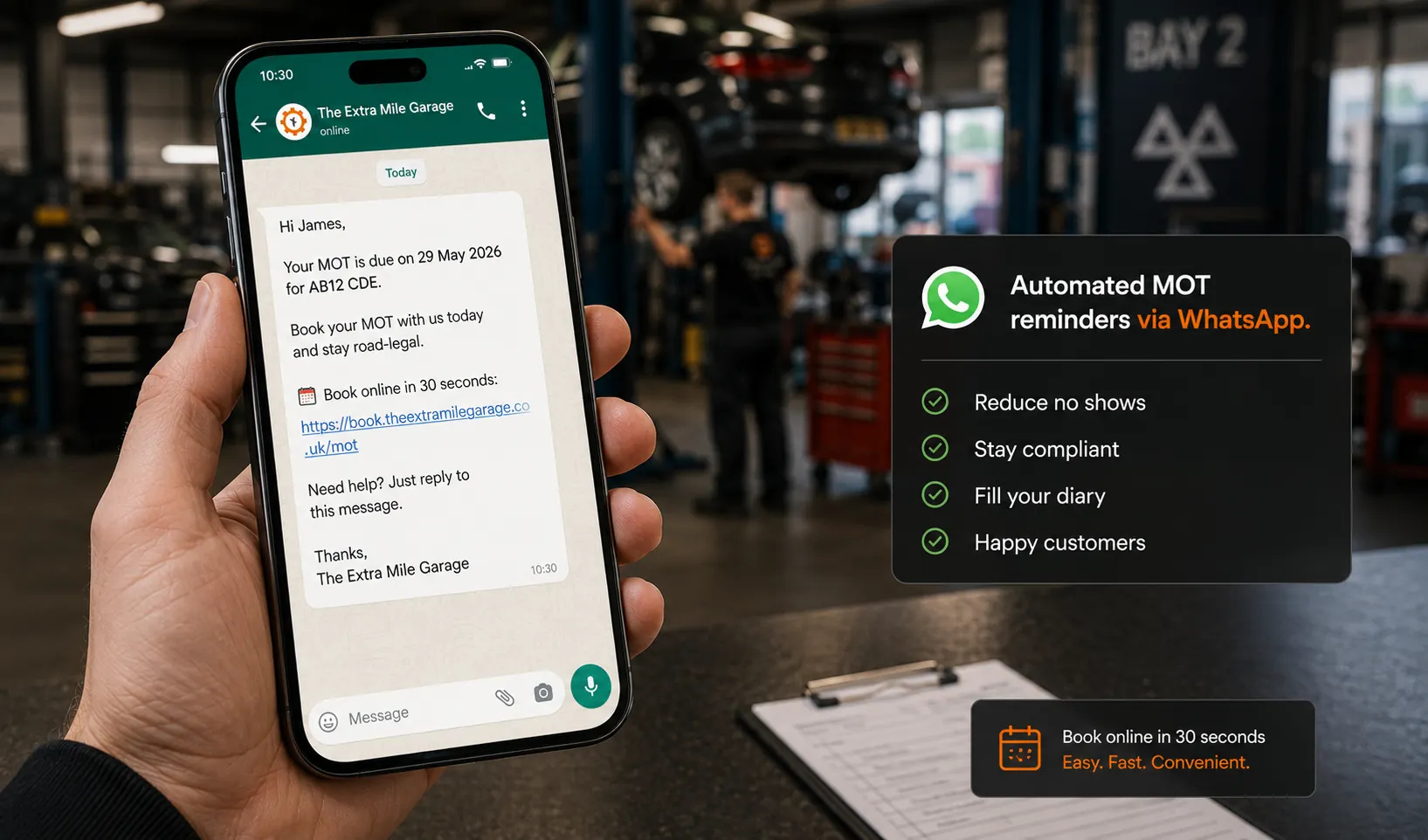
The day before the appointment, a reminder goes out on the best channel the customer has: WhatsApp first, then a text, then email. It carries a link with two choices, “I’ll be there” or “I can’t make it”. A cancellation releases the slot straight away, so someone else can take it.
This is the cheapest lever for cutting no-shows. Most no-shows forgot, or couldn’t face ringing up to cancel. Put a cancel link in front of them and a good share cancel instead of vanishing. A 4-bay workshop losing 2-3 no-shows a week at £100-200 per slot has a lot of empty bay time to win back. Turn just one of those a week into a filled slot and that’s roughly £400-850 a month.
AI phone answering
Not every customer books online. Some call. Without a garage booking system that handles phone bookings too, you’re back to the original problem: someone has to answer the phone, check the diary, and type in the booking.
AI phone answering closes this gap. The AI receptionist answers the call, checks your live calendar for available slots, and offers the caller real dates. Your team gets a written summary with the time the caller picked, ready to put in the diary. Nobody gets pulled off a car for a routine booking call.
This is where a garage booking system connected to your garage management software matters. The AI needs real-time access to your schedule, your bay capacity, and your customer records. A standalone booking tool can’t do this because it doesn’t know what’s happening in your workshop.
Read more about AI phone reception for garages →
The booking flow: from click to confirmed job card
In a fully integrated garage booking system, the booking doesn’t just land in a diary. It starts a workflow.
- Customer books online, or your team takes it by phone. Online, they pick the service and a time and enter their registration. Vehicle information is filled in from the DVLA.
- Booking confirmation sent. On screen and by email, with the date and time, the service and your contact details.
- Reminder sent. The day before, with a link to confirm or cancel.
- Vehicle arrives. The booking becomes a job card. Vehicle details, service history, and any previous advisories are already attached. The technician sees what needs doing without asking the customer to repeat themselves.
- Job completed. Invoice generated from the job card. Tick the box as you mark the job complete and the customer is told the car is ready.
- Next reminder set. The completed job restarts the service reminder clock, and MOT reminders run off the MOT due date from the DVLA. Nobody has to diary it.
Every step is connected. The booking creates the job card. The job card creates the invoice. The finished job sets up the next reminder. One booking flow, not six separate processes in six separate tools.
Read more about garage software →
Standalone booking tools vs integrated garage management
You can buy a standalone online booking widget for £20-40/month. Products like BookMOT, SimplyBook.me, and others offer a booking page, a calendar, and confirmation emails. They work for the booking step alone.
But they create a gap. The booking lives in one system. The job card lives in another. The invoice in a third. Someone manually transfers the booking into your workshop software every morning. That’s double-entry, and it’s where bookings get lost.
An integrated garage booking system inside your garage management software eliminates this. The booking, the job card, the invoice, the customer record, and the reminder all live in one place. No sync issues. No “I thought that was booked in Bay 2 but it’s not showing in the system.”
For a small garage doing 5 bookings a day, the difference is 10 minutes of admin. For a workshop doing 15-20 bookings a day, it’s the difference between keeping up and drowning.
What to look for in a garage booking system
- Online booking page that works on phones and can be embedded in your existing website or shared as a standalone link. Customers should be able to book online in under 2 minutes.
- Bay and technician allocation. Not just time slots. Real bay capacity with technician assignment.
- DVLA vehicle lookup at the point of booking. No manual entry of make, model, or engine size.
- Automated reminders via SMS and WhatsApp. Customisable timing and message templates.
- Cancellation and rescheduling from the reminder message. Freed slots should reopen in real time.
- Integration with your garage management system. The booking should create a job card automatically.
- AI phone asnwering that checks the live diary and offers callers real dates, so a call nobody can get to still ends with a time picked, in a written summary ready for your team to put in the diary.
- Fixed-price services that customers can select and see the cost at the point of booking. MOT at £40, interim service at £120, full service at £220. Transparency builds trust.
- Live calendar sync so double-bookings are impossible across online, phone, and walk-in channels.
Reporting. Bookings per day, no-show rate, busiest slots, quietest slots. You can’t optimise what you can’t analyse.
Frequently asked questions
Fill every slot, every day
A garage booking system isn’t about technology. It’s about making sure every available hour in your workshop has a car in it. Online booking captures the evening and weekend browsers. Automated reminders keep the morning’s appointments from turning into no-shows. The AI receptionist picks up the calls your team can’t get to and offers those callers a real time. And bay scheduling makes sure you’re booking to capacity, not just to time.
Torqueflow includes online booking, bay scheduling, automated reminders and an AI receptionist that offers callers real dates from the same diary, all in one garage management system. No per-booking fees.