
MOT management
MOT bookings, reminders, history, zero-rated VAT – all built in.
MOTs are the heartbeat of an independent UK garage.
A typical workshop runs MOT bookings, MOT reminders, MOT history checks, and zero-rated MOT invoicing across the diary every day. Most garage software bolts these together as separate add-ons. In TorqueFlow they’re one connected workflow.
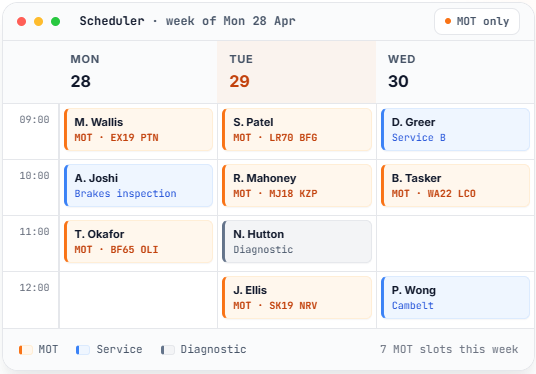
How MOTs work in TorqueFlow
One connected workflow, from the lookup to the invoice.
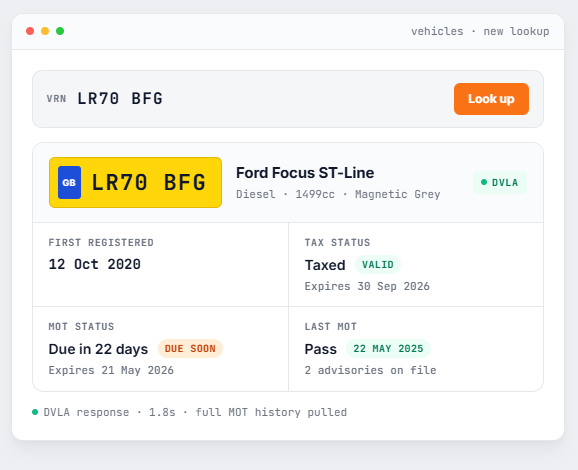
01 – DVLA lookup
Type a registration, get the vehicle.
Type a registration number, get the vehicle straight from DVLA – make, model, colour, MOT status, MOT expiry date, tax status. No manual entry, no typos, no out-of-date records. The vehicle’s MOT history populates automatically, including past advisories and fail reasons.
This matters because every MOT booking starts with “is this car due?“ – the DVLA lookup answers that in 2 seconds.
02 – MOT bookings in the scheduler
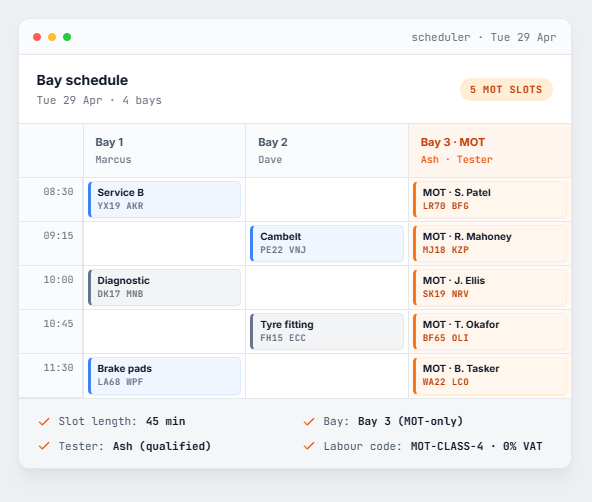
Drop into the bay diary with the right defaults.
MOT bookings drop into your bay scheduler the same way as any other appointment, but with the right defaults: standard MOT slot length, the right bay if you have an MOT-only bay, the appropriate technician (if you have an MOT-tester role), and the zero-rated VAT labour code pre-selected.
03 – Automatic MOT reminders
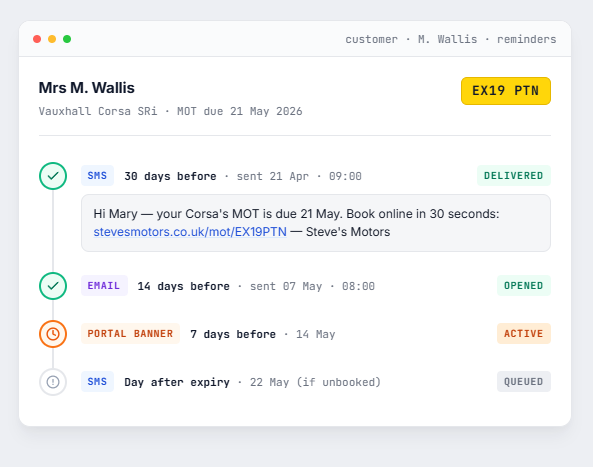
Set the timing once. Torqueflow fires the rest.
Set the reminder timing once (typically 30 days before MOT due) and Torqueflow fires reminders automatically:
The reminder offers an online booking slot in the same message, so the customer can book themselves without a phone call.
04 – Voice AI handles MOT booking calls
Customer rings. Voice AI books. No human in the loop.
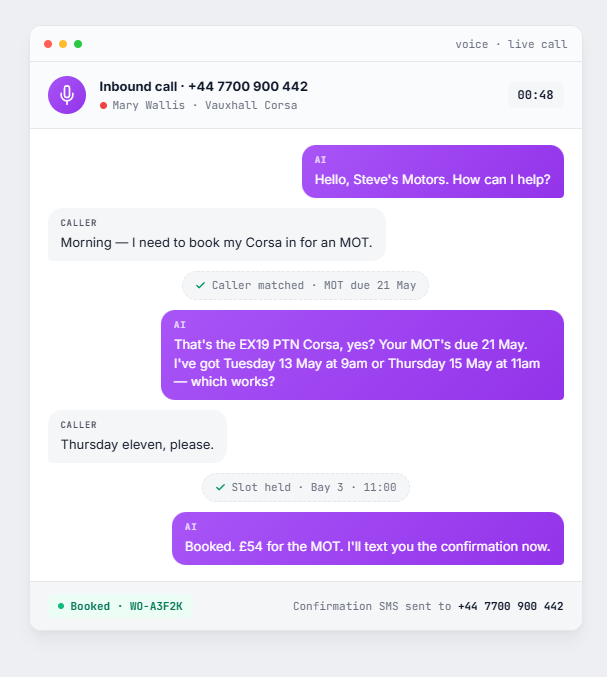
Customer rings to book their MOT. The Voice AI:
No human intervention needed for the routine MOT bookings that account for a large share of every garage’s incoming calls.
05 – Zero-rated VAT on MOT labour
Set once per labour code. Every MOT invoice gets it right.
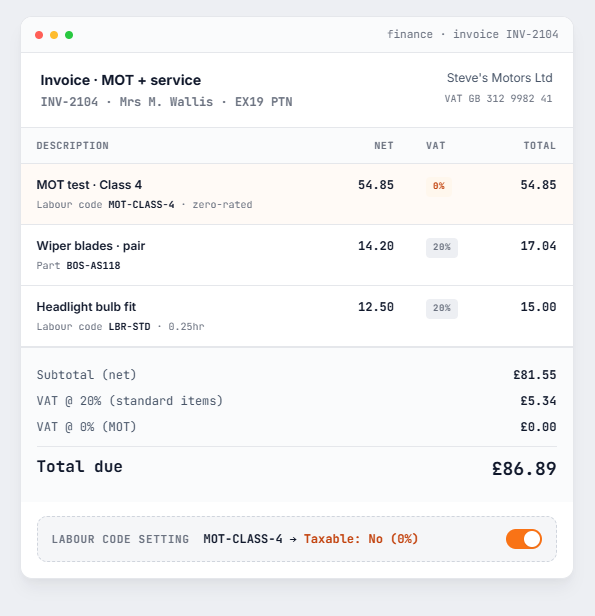
MOT testing is zero-rated for VAT – but most garage software treats VAT as a single org-wide setting, forcing you to manually adjust every MOT invoice. TorqueFlow lets you set VAT per labour code.
Configure the MOT labour code as zero-rated once and every MOT invoice gets it right automatically. No manual adjustment, no quarterly reconciliation pain.
06 – MOT history on every vehicle
Every test, every advisory, on the vehicle record.
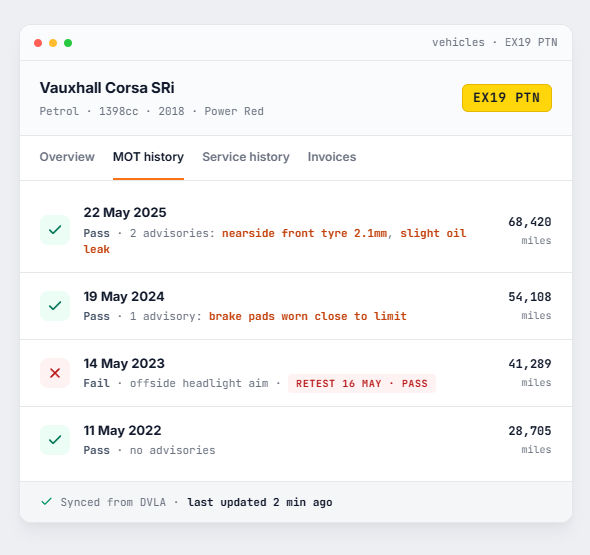
Open any customer’s vehicle record and you see the full MOT history pulled from DVLA – every test date, every pass, every fail, every advisory.
When the same car comes back two years later, you don’t have to ask what was advised last time. It’s already there.
Why this matters
Independent garages run MOTs as a high-volume, low-margin workflow.
The economics only work if the surrounding admin is automated. The garages that win on MOT volume aren’t the ones with cheaper testers – they’re the ones whose software does this for them.
Booking automation
MOT bookings are simple enough that a human shouldn’t have to take the call. Voice AI does.
Reminder automation
Chasing the customer for next year’s booking is what drives repeat business. SMS reminders do this without needing your team to remember.
VAT automation
MOT labour is zero-rated; getting that right per-invoice is the difference between a clean VAT return and an evening with a calculator.
What you need to do an MOT in Torqueflow
Once it’s set up, the daily flow is short.
It works on desktop too, of course. But most of your customers will only ever see it on a phone.
Frequently asked
The questions garages ask before they switch.
Try Torqueflow for MOTs.
Start a free trial, configure your MOT labour code in 5 minutes, take your first booked MOT call from the Voice AI on day 2.