MOT Booking Software: What UK Garages Need to Fill the Diary and Stop No-Shows
March and September are MOT season. Your diary should be full. If it isn’t, or if 20% of the bookings don’t show up, the problem isn’t demand. It’s how you’re handling bookings.
Every car over three years old in the UK needs an annual MOT. That’s roughly 30 million tests a year. DVSA data shows independent garages and MOT centres carry out the majority of them. The work is there. The question is whether your booking system captures it or lets it walk past.
Most garages still take MOT bookings by phone. Someone answers, checks the paper diary or screen, pencils in a slot, and hopes the customer remembers. No confirmation. No reminder. No online option for the customer who’d rather book at 9pm from the sofa than call during your busiest hour.
MOT booking software fixes this. It lets customers book their MOT online, sends automatic reminders via SMS and WhatsApp so they actually show up, connects the booking to a bay and a technician in your schedule, and syncs with the rest of your workshop system so the job card is ready before the car arrives.
This guide covers what to look for, what’s available across the UK, and how to maximise your MOT throughput without hiring another person to answer the phone.
Why paper diaries and phone-only booking cost you MOTs
Paper diaries worked when your garage did 5 MOTs a week. They don’t work when you’re doing 5 a day.
The problems stack up:
You can’t take bookings when you’re busy. Peak call time for MOT bookings is 8-10am. That’s also when you’re checking in the morning’s vehicles, assigning ramps, and dealing with yesterday’s carryovers. The phone rings, nobody picks up, and the customer books elsewhere. Every missed call is a missed appointment.
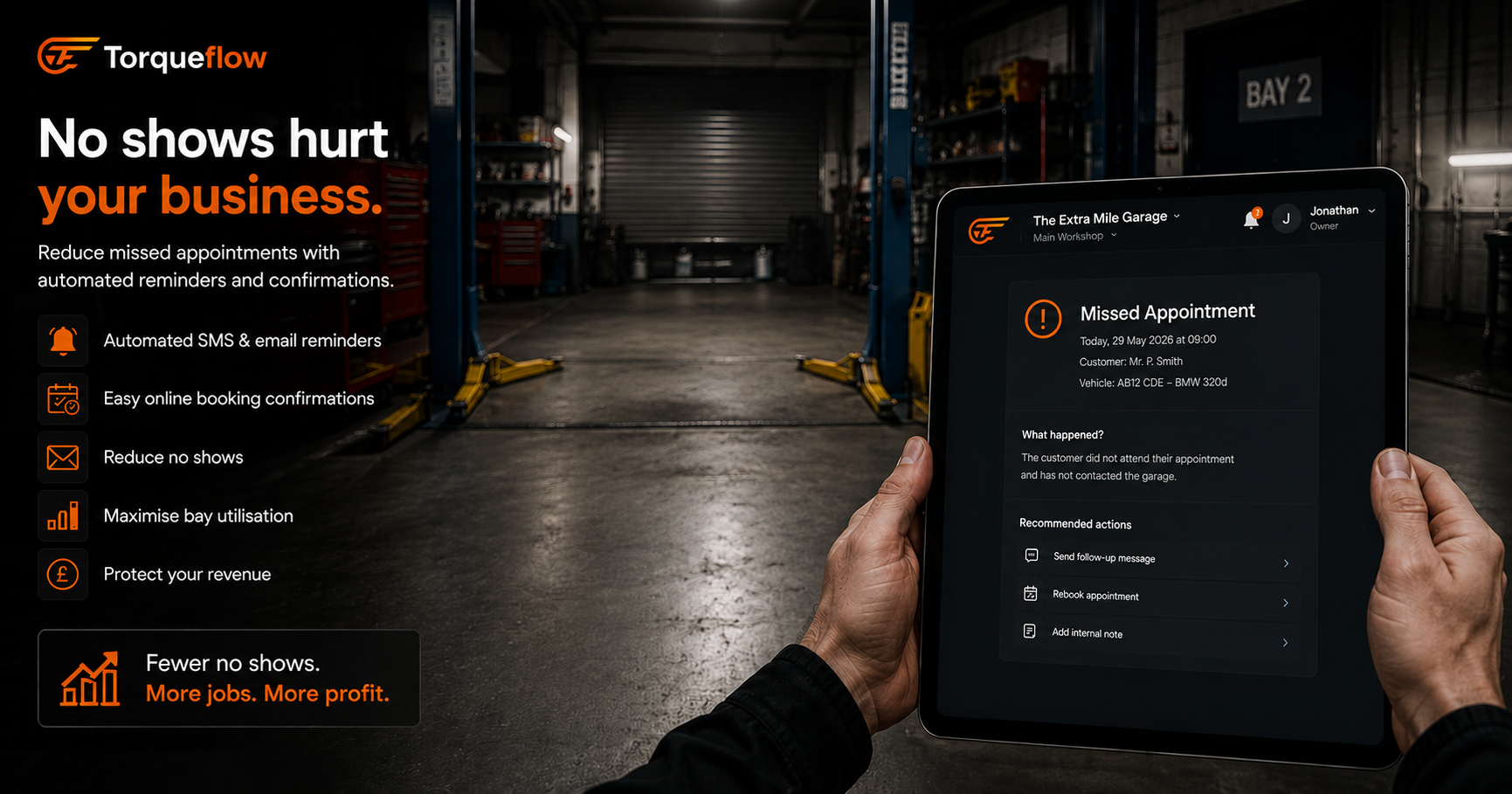
No reminders means no-shows. A customer who booked two weeks ago has forgotten. No text, no WhatsApp, no email. They don’t turn up. You’ve held a slot, assigned a bay, and now it’s empty at 10am with no time to fill it. A 4-bay garage losing 2-3 MOT no-shows a week is burning £150-250 in lost revenue.
No online booking means no evening bookings. Half your customers want to book after 6pm. Your phone is off. They’ll do it tomorrow. Tomorrow they forget, or they Google “MOT near me” and book with whoever has an online system.
Double-entry from diary to system. If the booking lives in a paper diary and the job card lives in your software, someone is typing the same vehicle details twice. That’s wasted time and a source of errors.
MOT booking software eliminates all four problems. And in 2026, the best versions add AI phone answering so you don’t miss bookings even when the whole team is on the workshop floor.
What MOT booking software actually does
At its core, it’s a booking system built for the motor trade. Not a generic calendar app. Not a restaurant reservation tool. It understands MOT slots, bay capacity, technician availability, and vehicle types.
Online MOT booking for your customers
A booking page on your existing website or a standalone link you share on Google, Facebook, and your WhatsApp auto-replies. Customers can book their MOT at any time, day or night. They pick a date, pick a time slot, enter their vehicle registration, and confirm. The booking appears in your diary instantly.
The registration lookup pulls the vehicle details from the DVLA database automatically. The customer doesn’t need to know their make, model, or engine size. They type their reg, the system fills in the rest.
Better systems also check MOT history and show the customer when their MOT is due. Some flag advisories from the previous test so you can upsell the work at the time of booking.
Diary and schedule management
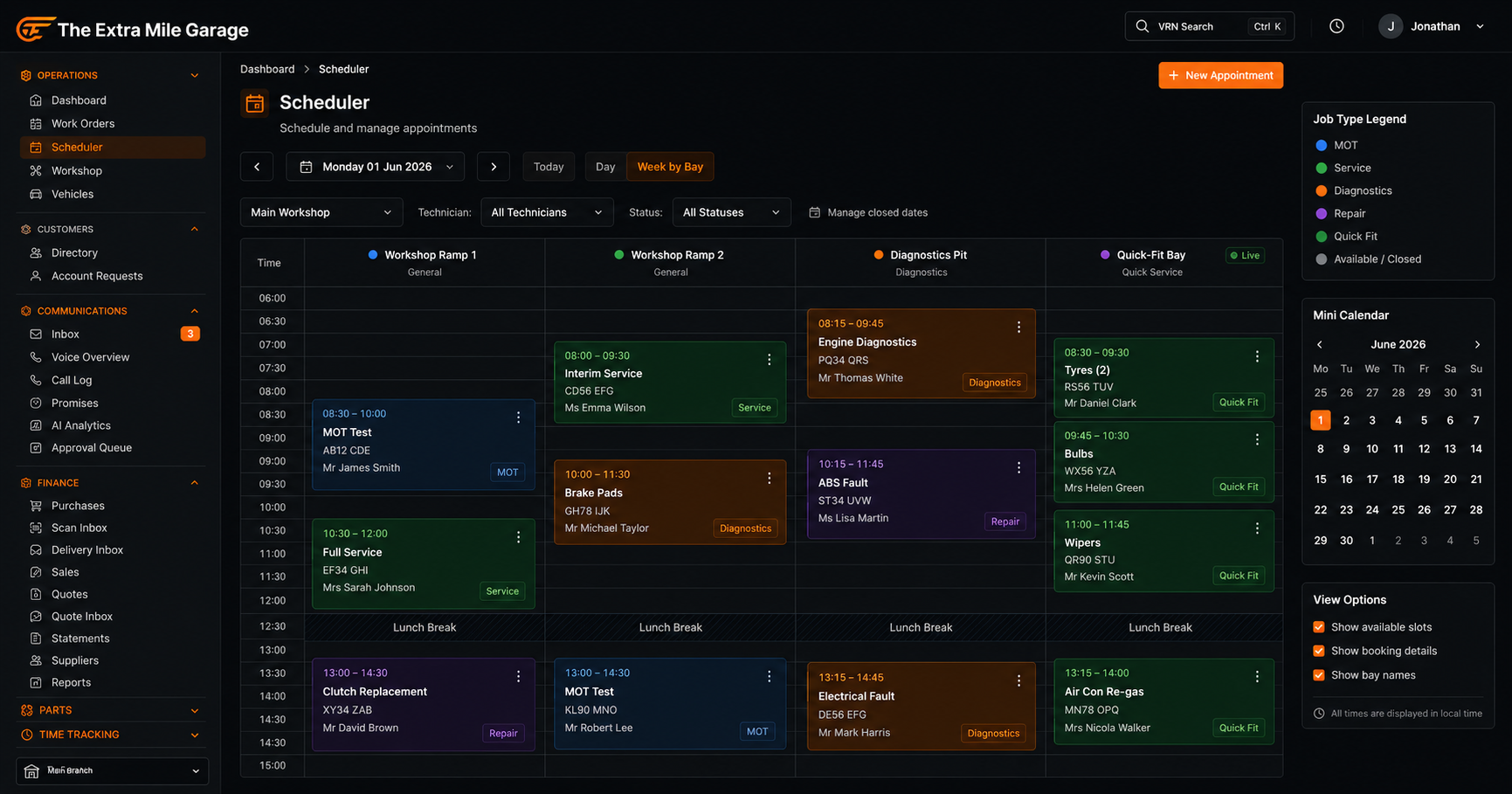
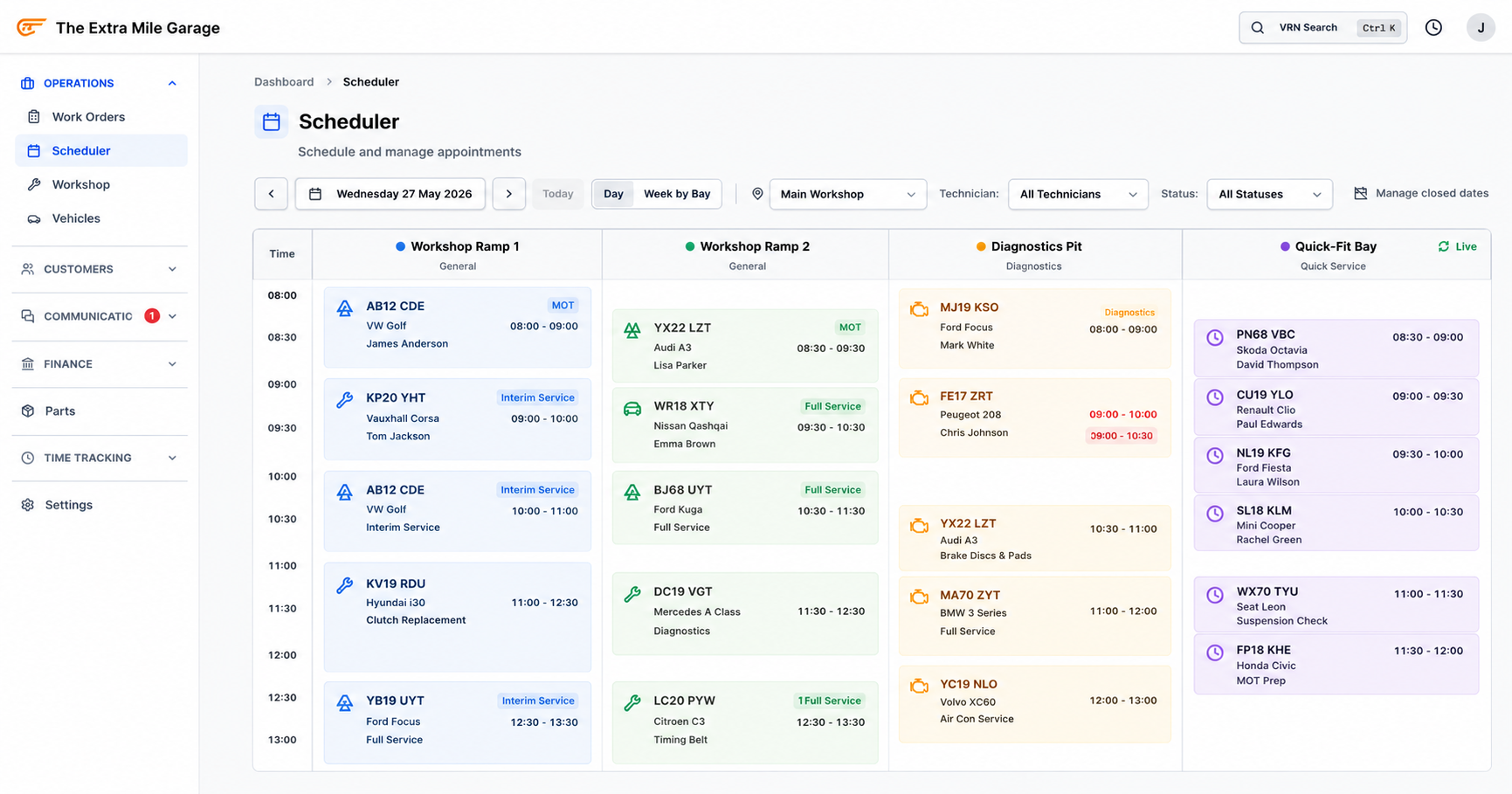
Your MOT booking diary shows the day, the week, the month. Each slot is linked to a bay and optionally a technician. You can see at a glance where the gaps are, which ramps are overbooked, and whether you have capacity for a walk-in.
This replaces the paper diary, the whiteboard, the spreadsheet, and the “Dave usually does MOTs on Tuesdays” mental model that breaks the moment Dave’s off sick.
Automated MOT reminders
The single biggest driver of MOT bookings for independent garages is the reminder. The customer’s MOT is due next month. You text them. They book. Simple.
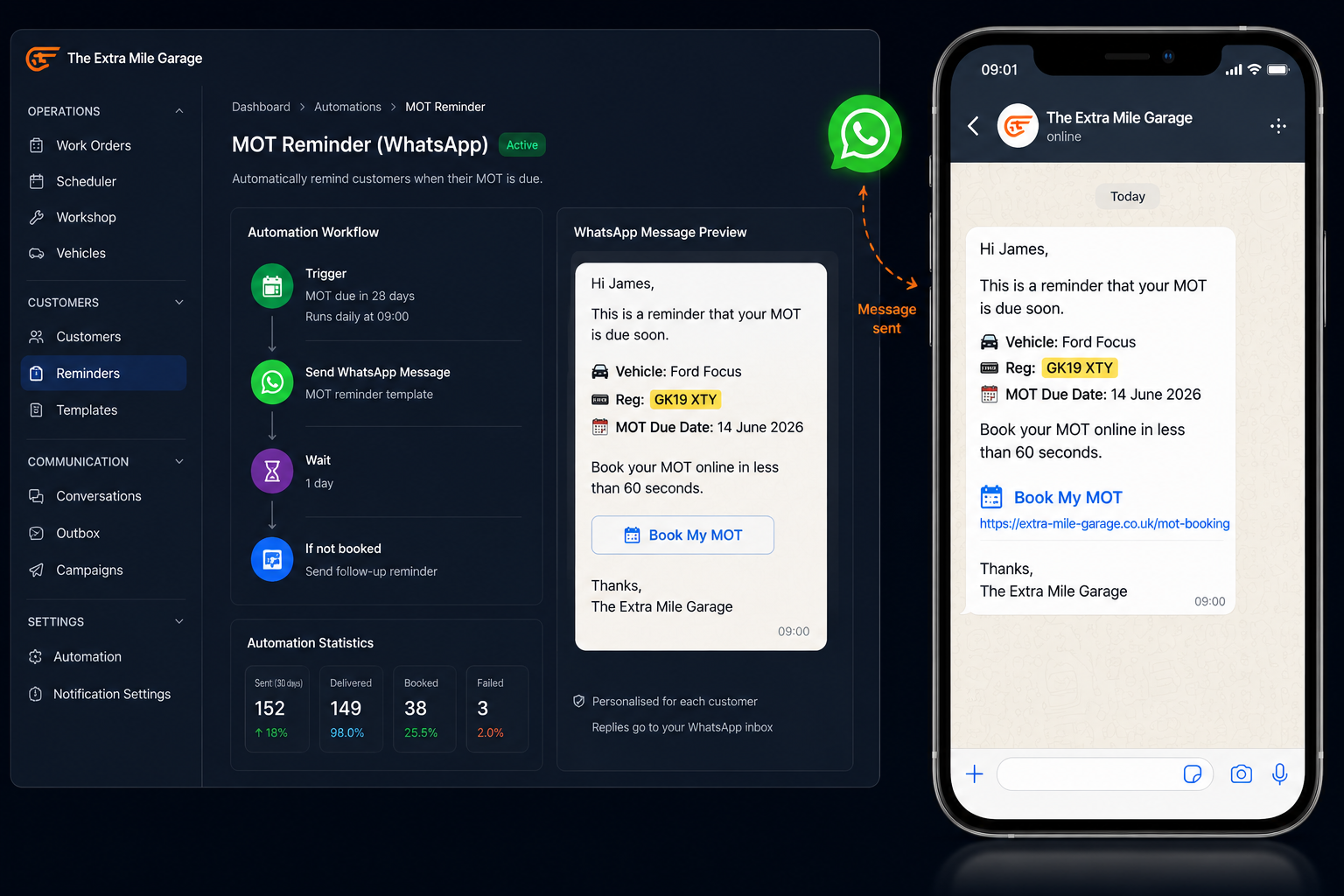
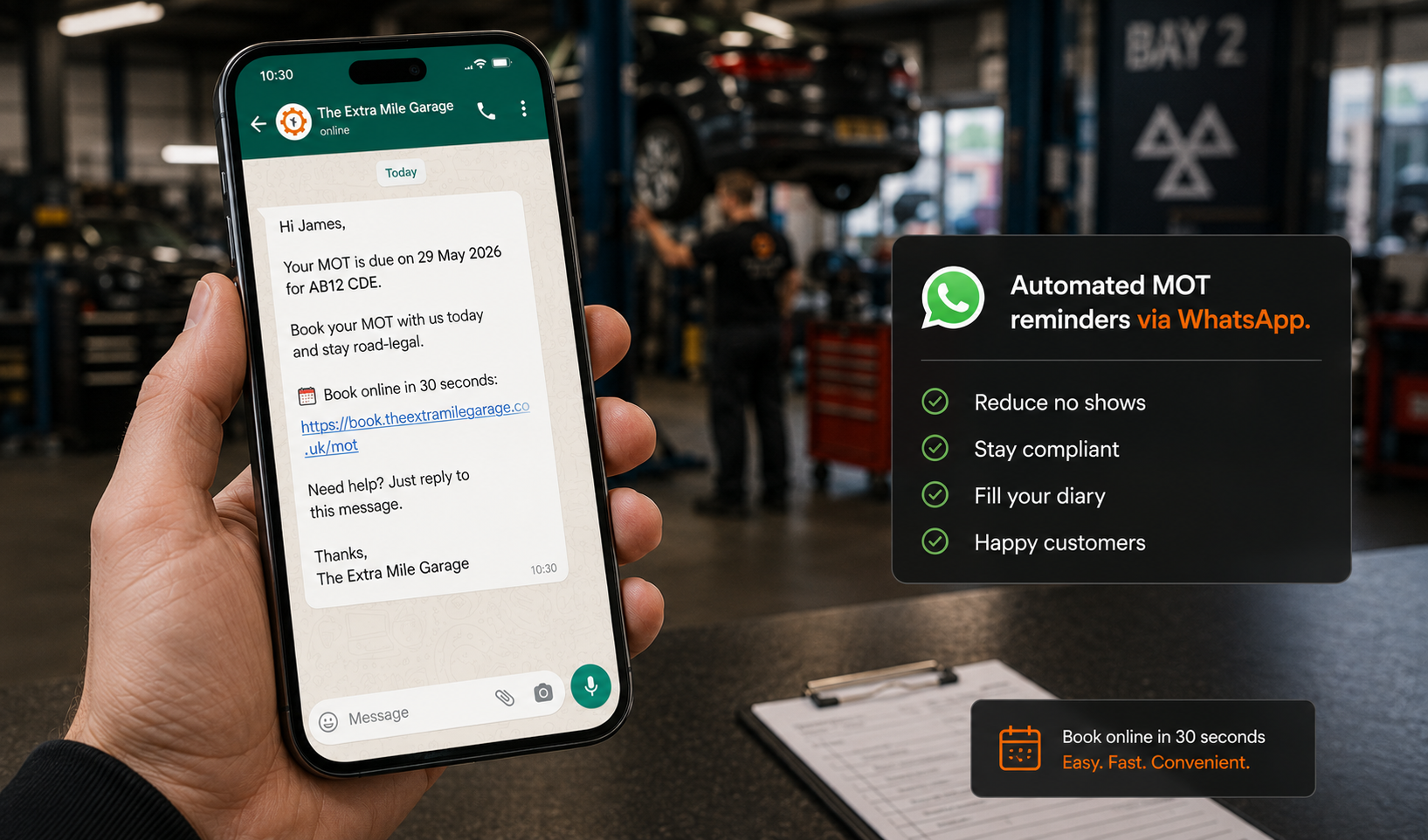
Good MOT booking software sends reminders automatically based on the MOT due date from the DVLA/DVSA database. You customise the message template, choose whether to send via SMS, WhatsApp, or email, and set the timing (30 days before, 14 days before, 7 days before). The system handles the rest.
This is how you fill your diary in quiet periods and maximise throughput during March and September peaks. Garages using automated MOT reminders typically see 15-25% of reminders convert to bookings without any manual follow-up.
Appointment confirmation and no-show prevention
Every booking gets an instant confirmation via SMS or WhatsApp. Two days before the appointment, an automatic reminder goes out. The customer can confirm, reschedule, or cancel with a reply. If they cancel, the slot opens up in your diary in real time for someone else.
This alone cuts no-shows by 30-50% compared to phone-only booking with no reminders. That’s 1-2 extra completed MOTs per week for a typical 3-bay workshop.
AI phone booking
Not every customer books online. Some call. With AI phone answering built into your MOT booking software, those calls get answered too. The AI checks your schedule, finds a slot, books it in, and sends the confirmation. The customer never needs to call back, and your team never needs to stop what they’re doing.
This is the gap most standalone MOT diary tools miss. They give you online booking but leave phone bookings to the same manual process as before. Garage management software with integrated voice AI covers both channels.
Read more about AI phone reception for garages →
How MOT booking connects to the rest of your workshop
A standalone MOT diary is better than paper. But it creates another silo. The booking lives in one system, the job card in another, the invoice in a third. You’re logging into three tools to manage one MOT.
In a garage management system, the MOT booking flows through the whole workflow:
- Customer books online or via AI phone call. Booking appears in your diary.
- Vehicle arrives. The booking becomes a job card with the vehicle details, MOT history, and any previous advisories already populated.
- Technician completes the test. Results recorded against the job card.
- If work is needed, a quote is generated from the job card. Customer approves via the portal or WhatsApp.
- Work completed, invoice generated from the job card. Syncs to Xero or Sage.
- Next MOT reminder scheduled automatically based on today’s test date.
Everything in one place. No double-entry. No switching between software systems. The MOT booking is the start of a workflow that runs through to the invoice and the next reminder, all connected.
For MOT centres running high-volume testing (20+ MOTs per day), this integration is the difference between keeping up and drowning in admin.
What to look for in MOT booking software
Not all booking systems are built for MOTs. Here’s what matters for UK garages:
- DVLA/DVSA vehicle lookup. Registration entered, vehicle details populated. No manual typing.
- MOT due date from the database. The system should know when each customer’s vehicle is due, not rely on the customer remembering.
- Online booking page that works on phones and can be embedded in your existing website or shared as a link.
- Automated reminders via SMS and WhatsApp, customisable by timing and message.
- Bay and slot management. Not just times, but which ramp or bay is allocated. You need to see capacity, not just availability.
- Integration with your garage management software. If the booking doesn’t create a job card, you’re typing everything twice.
- Cloud based, so you and your team can check the diary from a phone, tablet, or any browser.
- Easy to use for your team and your customers. If the online booking page confuses a 60-year-old with a 2012 Focus, it’s not good enough.
- Pricing that makes sense. Per-booking fees add up fast at 5-10 MOTs a day. Look for a flat monthly cost or inclusion in your garage management software subscription.
What about standalone MOT diary tools?
Products like MOT Manager, MOT Juice, BookMOT, and MOT Diary focus specifically on the MOT booking diary. They’re easy to use and cheap. For a small MOT centre doing 5-8 tests a day with no other workshop operations, they’re a reasonable starting point.
But they don’t connect to your job cards, your invoicing, your customer communication, or your stock control. The moment you want reminders, AI phone booking, WhatsApp messaging, or invoice generation from the same booking, you need garage management software that treats MOT booking as one module in a connected system.
Frequently asked questions
What is the best MOT booking software for UK garages?
For standalone MOT booking only, MOT Manager and BookMOT are the most established tools across the UK. For garages that want online booking, automated MOT reminders, AI phone answering, and connection to job cards and invoicing in one place, a garage management system like Torqueflow covers the full workflow. The best choice depends on whether you need just a booking diary or a complete workshop system.
Can customers book their MOT online?
Yes. MOT booking software gives you an online booking page where customers can book at any time. They enter their registration, the system does a DVLA lookup to populate vehicle details, and they pick a slot from your available diary. The booking confirms instantly via SMS or WhatsApp.
How do automated MOT reminders work?
The system checks each customer’s MOT due date (from the DVSA/DVLA mot database or your own records). When the date approaches, it sends a reminder via SMS, WhatsApp, or email with a link to book. You customise the timing and message. Most garage owners set reminders at 30, 14, and 7 days before expiry.
Will it reduce no-shows?
Yes. Automated confirmation and reminder messages cut no-shows by 30-50% compared to phone booking with no follow-up. If a customer needs to reschedule, they reply to the reminder and the slot opens up for someone else in real time.
Does it work with my existing website?
Most MOT booking software provides an embeddable booking widget or a standalone page you link to from your site. Customers click “Book MOT” on your website and land on the booking form. No web development needed.
How much does MOT booking software cost?
Standalone MOT diary tools range from free to £30-50/month. Garage management software that includes MOT booking, reminders, AI phone answering, and the full workshop workflow typically runs £50-150/month. Watch out for per-booking fees. At 10 MOTs a day, even a small per-appointment charge adds up. Flat pricing is better for automotive businesses doing volume.
Can the AI answer MOT booking calls?
Yes. If your MOT booking software includes voice AI, the AI receptionist answers calls, checks your diary for available slots, books the appointment bookings directly into your system, and sends the customer a confirmation. It handles the “Can I book an MOT?” calls that make up a significant chunk of your inbound volume.
Fill your diary, not your voicemail
MOT work is the most predictable revenue stream an independent garage has. Every vehicle needs one every year. The demand isn’t the problem. Capturing it is. Good MOT booking software puts online booking, automated reminders, and AI phone answering in one place so every MOT enquiry becomes a booked slot, and every booked slot becomes a completed test.
Torqueflow handles MOT booking, automated reminders, AI phone answering, and the full workshop workflow. Online booking, diary management, job cards, invoicing, and customer communication on one platform.