
Customer Portal
Your customers’ favourite tab.
Most garages communicate with customers in fragments – a phone call here, a WhatsApp message there, a paper invoice on the way out. Things get lost. Customers ring back asking the same questions. You answer the phone for the third time today about Mr Patel’s brakes.
The Torqueflow customer portal is one tidy place for everything: their quote, their invoices, their messages with you, their car’s status, photos of what their technician found. Magic-link login – no passwords to remember, no app to install. Branded with your logo, your colours, your domain. Customers love it because it gives them control. You love it because the phone stops ringing as much.
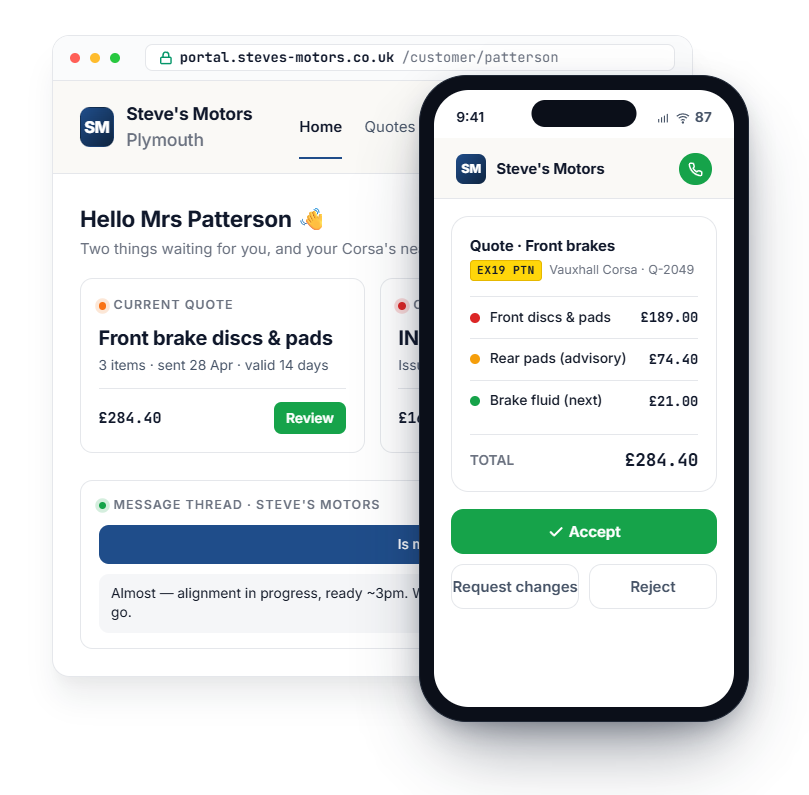
What customers do in the portal
Quotes, invoices, messages, status, history – all in one place.
A WhatsApp AI that answers the easy ones, a portal that handles quote approvals without phone tag, a unified inbox that threads every channel, and AI triage that routes the rest.
01 – See and decide on quotes
When you send a quote, the customer gets a portal link by email and SMS.
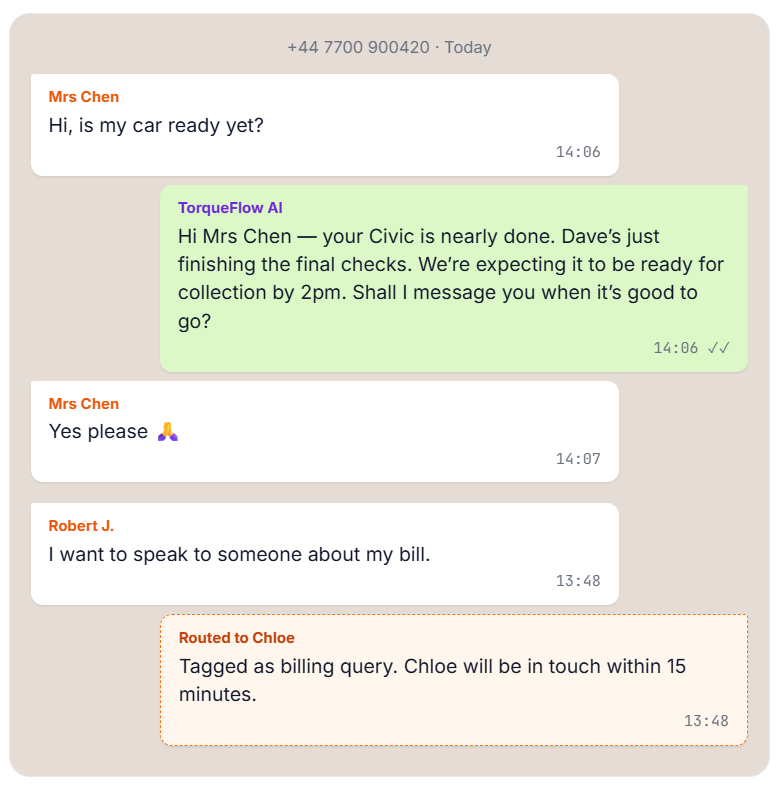
Customers message your business number just like they’d message anyone else. TorqueFlow reads and responds to routine messages automatically – checking live workshop data and replying in seconds.
Three buttons: Accept (with a confirmation showing the gross amount, to prevent accidental taps), Reject (with an optional reason field), or Request Changes (with a message box). Decisions land in your Quote Inbox in real time. You convert an accepted quote into a work order in one click.
02 – Pay invoices online
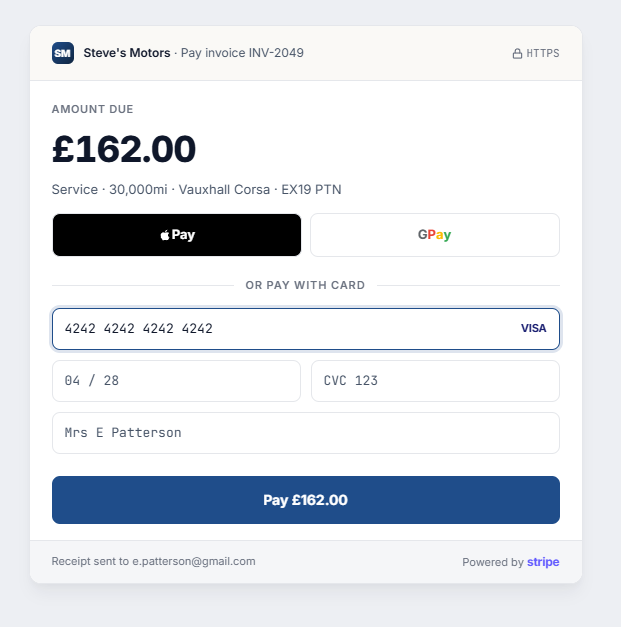
Every invoice in the portal has a Pay Now button.
Powered by Stripe-hosted checkout, so the customer never leaves your branded portal expecting to. The payment lands back against the right invoice automatically.
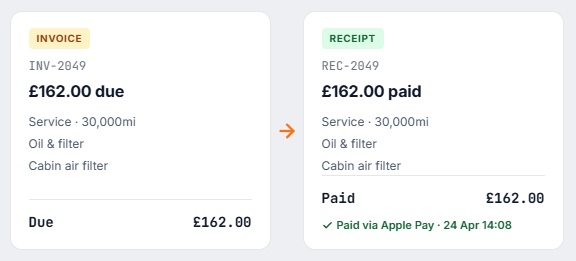
Paid invoices automatically re-label as Receipts – the PDF, the portal, and the email subject all flip to “Receipt {number}”. One less thing to chase.
03 – Send messages and photos
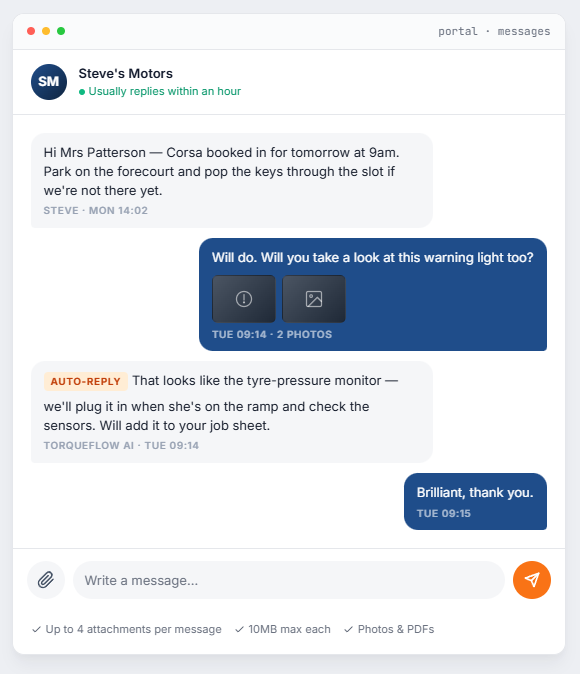
A chat page where customers ask questions and see replies in real time.
The portal has a chat-style messages page where customers can ask questions and see replies in real time. New for this release: photo and PDF attachments – warning-light shots, damage photos, service-history documents, insurance papers. Up to 4 files per message, up to 10MB each.
Torqueflow’s AI auto-responds to routine portal messages just like it does on WhatsApp and SMS. If a customer asks “is my car ready yet?” at 9pm, the AI checks the work order and tells them within seconds. Your team only sees the conversations that actually need a person.
04 – Track their car
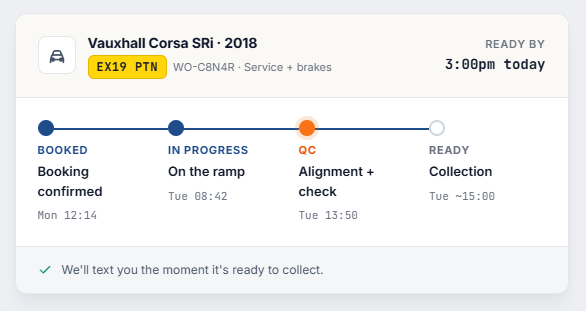
The portal home shows the current status of any work order.
Booked, in progress, awaiting parts, ready for collection. No more “is it ready yet?” calls.
05 – View invoice and service history
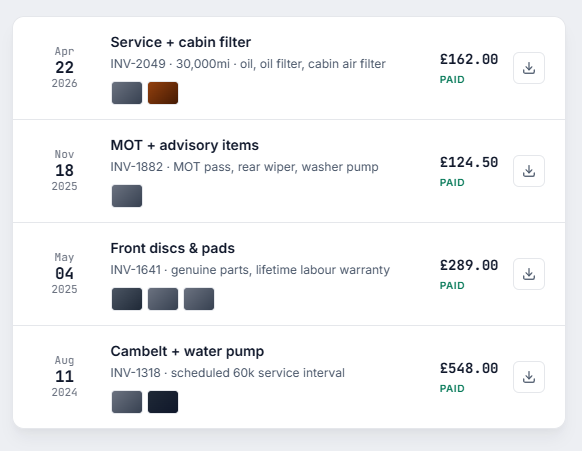
Every past invoice, with PDFs to download. Every previous job, with photos of work done.
When the customer is back next year and can’t remember what was replaced, they look it up in the portal instead of ringing you.
How customers sign in
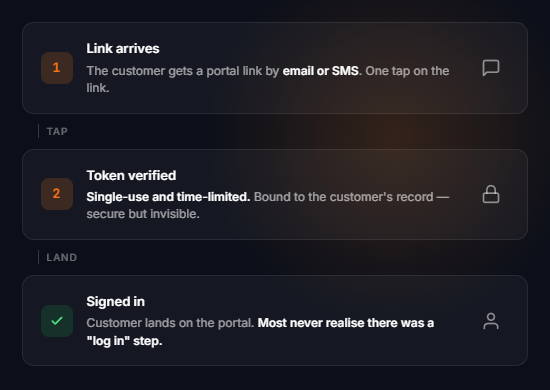
Magic links. No passwords. No “forgot password” flows. No app to install.
The customer taps a link sent by email or SMS, lands signed in. The link is single-use and expires – secure but invisible. Most customers never realise there’s a “log in” step at all.
This matters more than it sounds. The biggest barrier to portal adoption isn’t the portal itself – it’s the friction of “create an account”. Magic links remove the friction entirely. Customers actually use the portal because the portal is easier than ringing you.
White-labelled to your brand
Customers see your garage, not us.
The portal carries your branding everywhere. As far as the customer is concerned, the portal is your garage’s website.
Your logo and brand colours.
Your garage name in every email subject.
Your own subdomain
(e.g. portal.steves-motors.co.uk or steves-motors.torqueflow.app) – the URL your customers see is yours, not ours. Crucial when your customer is comparing your quote against another garage’s: a branded subdomain reads as professional infrastructure, a generic one reads as a third-party tool.
Your phone number prominent at the bottom of every page (tap-to-call from mobile).
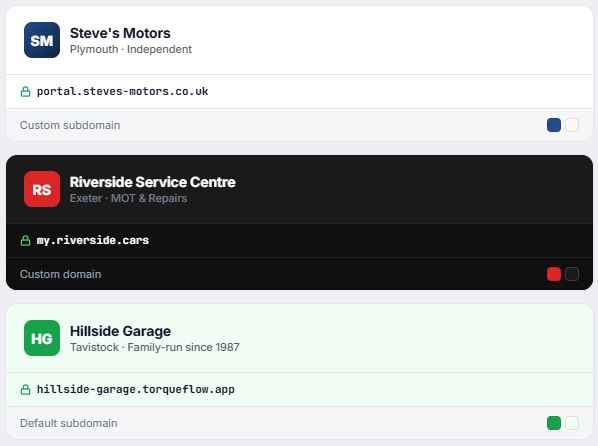
The word “Torqueflow” never appears on a customer-facing surface.
As far as the customer is concerned, the portal is your garage’s website.
Mobile-first
Most of your customers will only ever see it on a phone.
The portal is built mobile-first because that’s where customers use it – sitting at the dentist, waiting for the bus, on the sofa at 9pm.
Tap-to-call
Tap-to-call the garage from any page.
Native share menu
Native share menu on quotes and invoices so customers can forward to a partner or accountant.
Camera capture
Camera capture when attaching photos.
Apple Pay / Google Pay
Apple Pay / Google Pay through Stripe Checkout.
Offline-friendly
Viewed pages stay readable even when the connection drops.
Pin to home screen
Vehicle lookups, MOT history, and automatic vehicle details.
It works on desktop too, of course. But most of your customers will only ever see it on a phone.
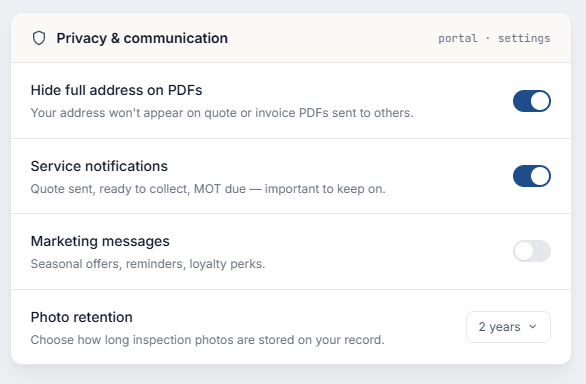
Privacy controls
Customers can manage what shows in their portal.
The privacy settings let them:
Nothing surprising on either side. Compliant by default.
Connected to everything else
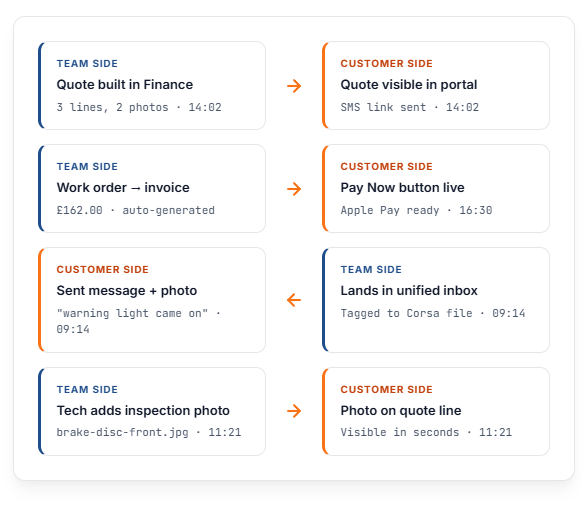
A window onto the same data your team works with.
The portal isn’t a separate product. If your team uses TorqueFlow, the customer sees the right thing.
There’s nothing to “publish to the portal“. If your team uses Torqueflow, the customer sees the right thing.
Frequently asked
Questions we get a lot.
Ready to give your customers a better experience?
Start a free trial, send your first portal link to a customer, watch them say “actually that’s much easier than ringing you”.