
Customer communication
Every message, every channel, one inbox.
Your customers don’t all communicate the same way. Some call. Some text. Some want WhatsApp. Some just want to check a link on their phone without talking to anyone. Torqueflow meets them where they are – and keeps everything in one place for your team.

UK number
Voice AI answered
Two-way replies
Magic-link login
What it does
Torqueflow brings together phone calls, WhatsApp messages, SMS, and portal messages into a single unified inbox that updates in real time. AI handles the routine triage on every channel – including the customer portal. Customers get transparency through their own portal, with quote approvals, photo uploads, and online payments. Your team stops juggling apps to stay on top of communications.
Why this matters
Chloe can handle one thing well. The rest get delayed, forgotten, or half-answered.
The desk phone’s ringing, there’s a WhatsApp on her personal phone, and a customer’s walking through the door. It’s not a staffing problem – it’s a channel problem.
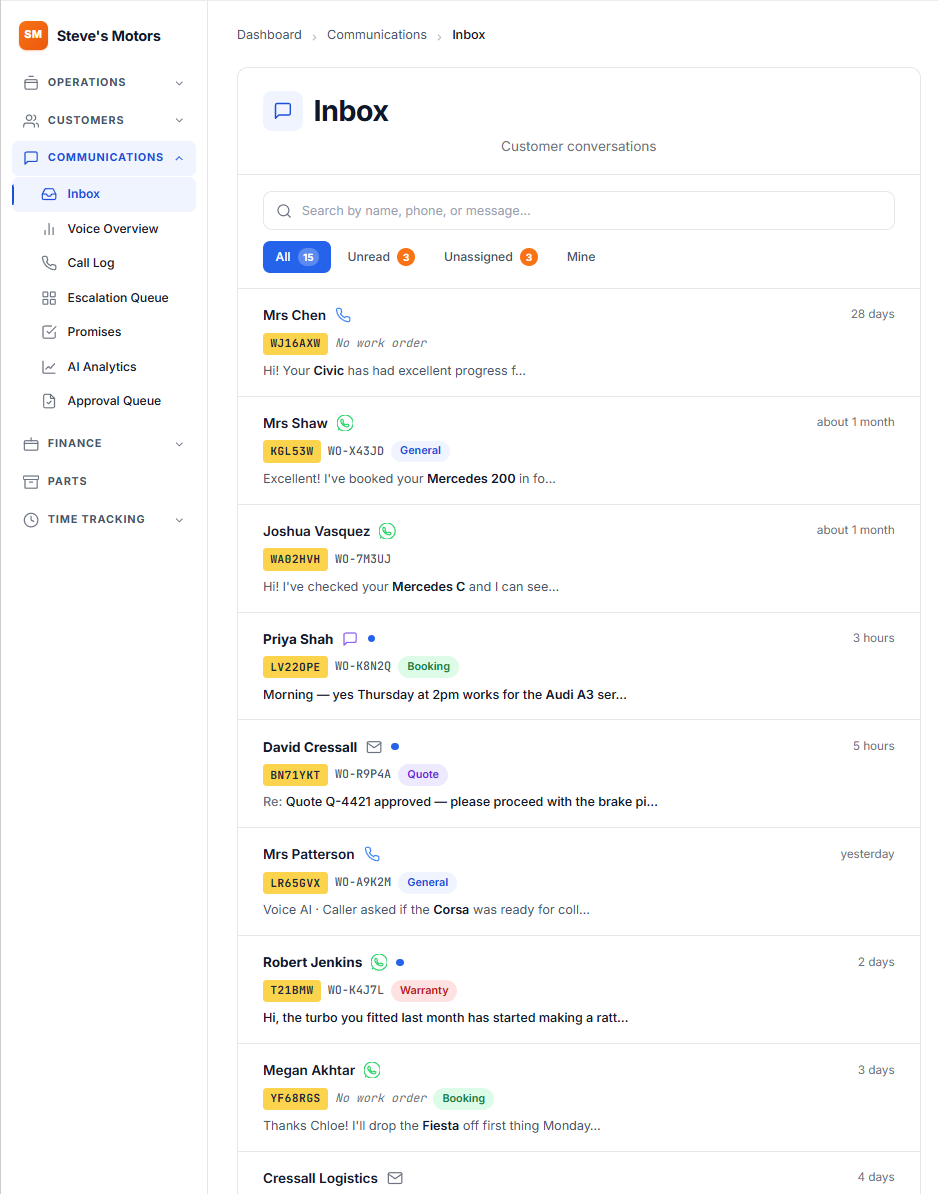
When messages come in from multiple places, things slip through. The WhatsApp about the quote approval sits unread because Chloe was on the phone. Torqueflow puts everything in one stream – every interaction, regardless of how it arrived, in the same inbox with the same context.
How it works
Four things that take communication off your plate.
A WhatsApp AI that answers the easy ones, a portal that handles quote approvals without phone tag, a unified inbox that threads every channel, and AI triage that routes the rest.
01 – WhatsApp AI channel
Your garage gets a WhatsApp number. The AI handles the easy ones.
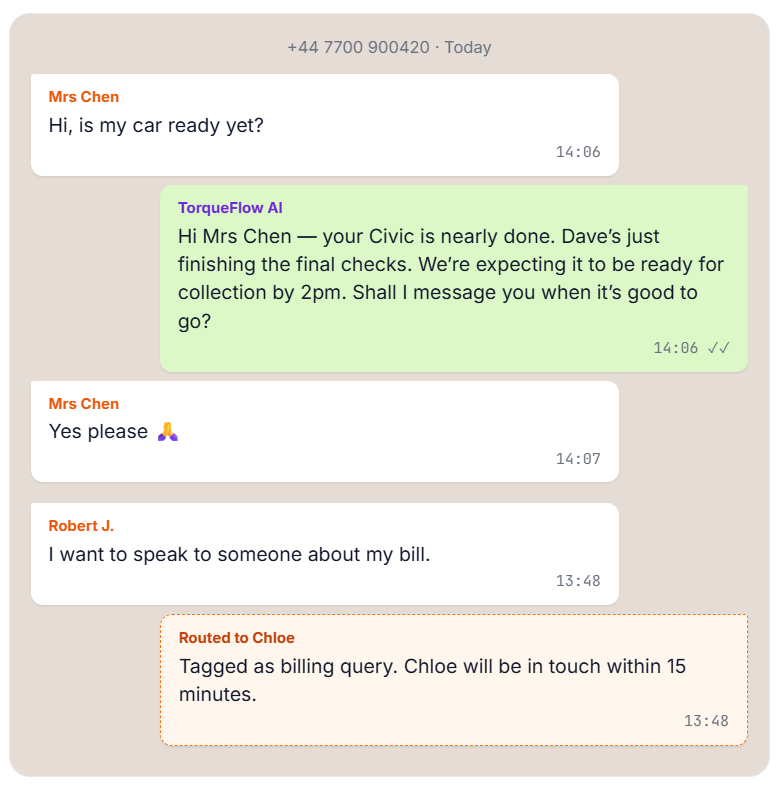
Customers message your business number just like they’d message anyone else. Torqueflow reads and responds to routine messages automatically – checking live workshop data and replying in seconds.
Your customers get instant responses on a platform they already use daily. Your team only sees the messages that actually need their attention.
02 – SMS & payment links
For customers without WhatsApp – and where payment links land.
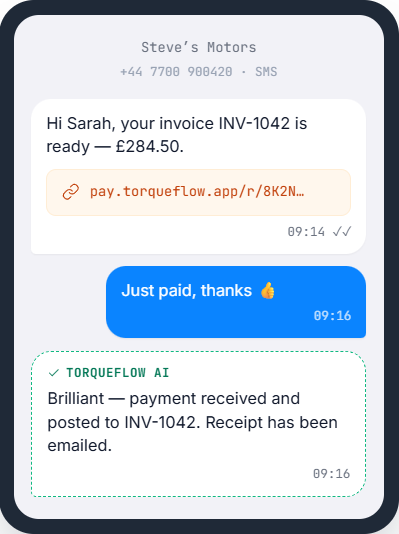
The AI replies to status enquiries, booking requests, and simple questions. Your team picks up anything more complex from the unified inbox.
SMS is also where payment links land. Send a Pay Now link from any unpaid invoice and it arrives on their phone in a single text. They tap, they pay, the payment posts itself against the invoice.
The same channel works well for MOT reminders too – a short message with a direct booking link is far more likely to be acted on than a generic reminder email.
03 – Customer portal with AI auto-response · NEW
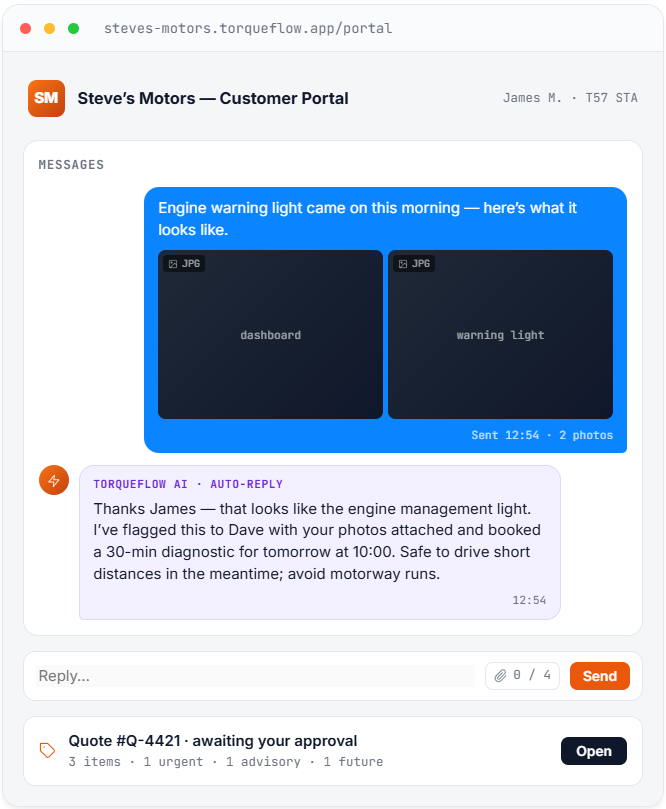
Now the portal answers too. And accepts photos.
Every customer gets a portal through a magic link – no passwords, no app to install. They tap a link sent by SMS, and they’re in.
From the portal, customers can:
04 – Real-time unified inbox · NEW
Every channel, threaded by customer, updating live.
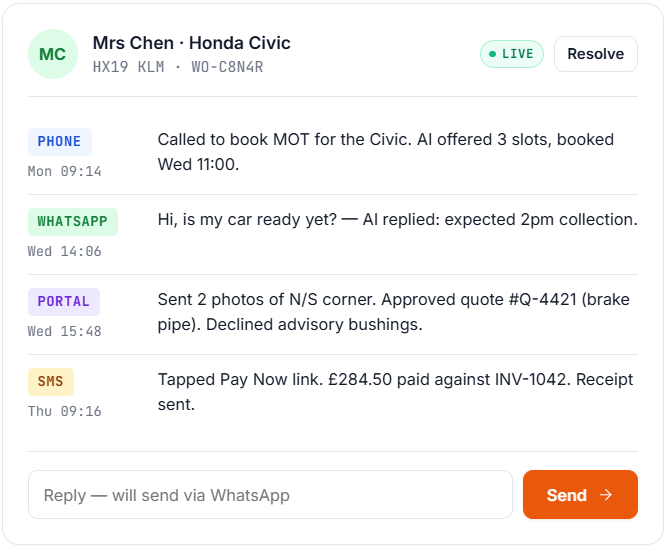
Phone call transcripts, WhatsApp, SMS, and portal messages all land in one inbox that updates without a refresh. New messages appear at the top as they arrive; status pills (Sent → Delivered → Read) tick over in front of you.
Conversations are threaded by customer, so Mrs Chen’s Monday call, Tuesday WhatsApp, and Wednesday portal approval all live in the same thread. Reply from the inbox and Torqueflow routes the response back through whichever channel the customer used. Filter by channel, status, customer, or AI category. Star, assign, resolve.
If the live connection ever drops, a small “Real-time updates paused” banner appears so you know to refresh. The connection re-establishes automatically.
05 – Quote transparency
Severity badges, photos, per-item approval – the approval is already done.
Quotes in Torqueflow aren’t just a list of parts and prices. They’re designed to help the customer understand what they’re approving.
Each quote line item can include:
When a customer can see the corroded brake pipe in a photo, alongside a clear explanation and a red severity badge, the approval conversation is already done. No hard sell. No suspicion. Just evidence.
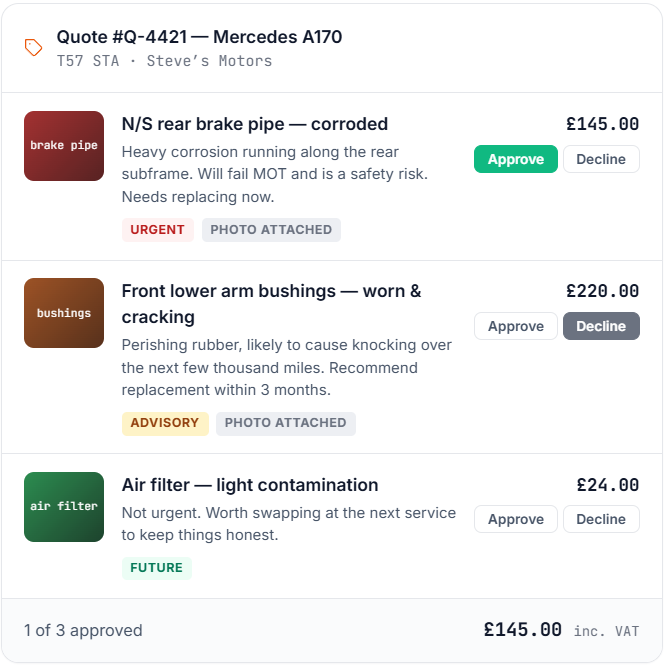
Approved items feed straight into the work order. Declined items are recorded for future reference – useful for the next service when you can say “We flagged those bushings six months ago.”
AI triage & intent detection
Your team deals with the conversations that matter.
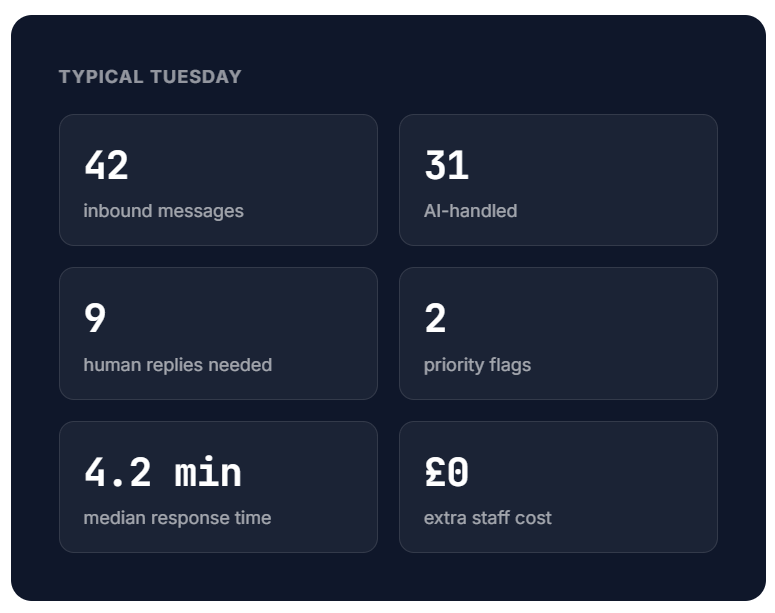
Not the ones a machine could handle in seconds. Torqueflow reads every incoming message, categorises it, and either handles it, flags it, or routes it to a human with full context.
Torqueflow’s AI reads incoming messages and categorises them automatically:
Status enquiry
“Is my car ready yet?”
↳ Auto-responded using live workshop data
Booking request
“Can I book a service for my Focus?”
↳ Offered 3 available slots from scheduler
Quote response
“Yes, go ahead with the work.”
↳ Flagged for approval processing
Complaint
“I’m not happy about the bill I just received…”
↳ Priority-flagged, routed to Chloe
General enquiry
“What oil do you recommend for a 2019 A3?”
↳ Handled or escalated based on complexity
Payment query
“Can I pay in two installments?”
↳ Routed to owner with invoice context
The AI handles what it can, flags what it can’t, and makes sure nothing sits in a queue unread. Your team deals with the conversations that matter, not the ones a machine could handle in seconds.
A note on email
Torqueflow sends email – invoices, quotes, statements, magic-link logins, AI alerts. It does not accept inbound email as a conversation channel. We made that choice deliberately: garage email is a graveyard of warranty PDFs, parts catalogues, and supplier marketing. Customer conversations belong on WhatsApp, SMS, the portal, or the phone, where the right person can pick them up in minutes. Inbound email-to-customer-record support is on the roadmap for organisations who genuinely need it.
The real difference
Most garage systems treat comms as an afterthought.
Maybe an SMS reminder bolt-on. Maybe a basic email template. Torqueflow treats communication as core to how a modern garage operates.
Your customers expect the same responsiveness from their garage as they get from their bank or their delivery driver. Instant answers, clear information, no phone tag. Torqueflow makes that possible without hiring an extra person to sit by the phone.
Frequently asked
Common questions, answered.
The things garages most often want to know before they switch. Anything we’ve missed? Ask the team on a 20-minute walkthrough.
Quick summary
The one-page version.
|
What |
How |
|---|---|
|
|
AI-powered responses on your business number |
|
SMS |
AI handles routine; payment links via SMS to mobile |
|
Customer portal |
Magic-link access for quotes, messages, invoices, payments |
|
Portal attachments NEW |
Customers can send photos and PDFs via the portal |
|
Portal AI auto-response NEW |
AI replies to portal messages the same way it does on WhatsApp |
|
Unified inbox NEW |
Every channel in one threaded view, updating live |
|
AI triage |
Automatic categorisation and routing of messages |
|
Quote transparency |
Severity badges, photos, per-item approval |
|
Channel routing |
Replies go back through the channel the customer used |
Stop juggling apps.
Start answering customers.
One inbox. Every channel. AI handles the easy ones – your team handles the ones that matter.